0%
fabiodicec.ca
windows are draggable
projects
about me
About Me
Ciao! I'm Fabio, an Italian who, after stops in the U.S. and Germany, currently resides in Barcelona.

An architect until 2020, I transitioned into digital product design before fully diving into software engineering. I started the rigorous 42 Common Core cursus at the Berlin campus and recently completed it here in Barcelona, officially switching gears into programming. Now, instead of just designing user experiences, I write the code that brings them to life—bridging the gap between structural design, intuitive UX, and robust engineering.
Product-Informed Engineering
- Stakeholder alignment — Ensures team clarity on objectives
- Design systems — Helps engineer scalable, maintainable code
- User research — Grounds technical decisions in actual user needs
- Product strategy — Directs engineering effort toward impact
- Iterative testing — Validates assumptions early, reducing rework
- Information architecture — Structures code/systems for maintainability
Interests
- Sci-Fi/Fantasy: Dune, WH40K, Star Wars, Lord of the Rings, etc.
- Sport: When I'm not working, I'm working out in a CrossFit box or riding my bike.
- Photography: Always capturing and exploring visual storytelling.
- Technology: Always checking the latest gadgets and innovations.
- Coffee: Espresso, to stick with the stereotype, and filter to break it.
Tech Stack
- Languages: C, C++, JavaScript, TypeScript, HTML, CSS
- Frameworks: React, Next.js, NestJS, Node.js
Tools & Practices
- Problem Solving — Algorithmic thinking, optimization
- Testing — Unit testing, integration testing, debugging
- Performance — Profiling, optimization, memory management
- Collaboration — Code review, peer programming
- DevOps — Docker, docker-compose, NGINX configuration
- Version Control — Git, branching strategies, code review
curriculum
Curriculum
> full PDF curriculumFabio Di Cecca
Full-Stack Developer & UX/UI Designer
Full-Stack Developer and UX/UI Designer with a background in architectural systems design. I specialize in bridging the gap between complex engineering and intuitive user experiences, taking true end-to-end ownership to build scalable, customer-focused digital products.
Engineering Background & Professional Experience
Software Engineering | 42 School
Completed an intensive peer-to-peer coding education program, mastering hands-on software development. Built production-style distributed systems and comprehensive full-stack applications in a rigorous, self-directed, and project-based environment.
Senior Product Designer | Tourlane
Owned complex product flows end-to-end, acting as the primary bridge between customer needs and technical implementation. Iterated rapidly within Agile environments to deliver solutions that directly increased lead conversion rates and user engagement.
UX Designer | Compugroup Medical
Tackled product ambiguity in highly regulated healthcare software by defining concrete UX strategies. Partnered with product management to align technical capabilities with long-term business goals, delivering prototypes that resolved core usability issues.
Architect | Behnisch Architekten & Kadawittfeldarchitektur
Led large-scale architectural projects requiring rigorous systems thinking. Managed highly complex project lifecycles from concept to execution, collaborating with multidisciplinary engineering teams to balance strict constraints with high-quality design outcomes.
details
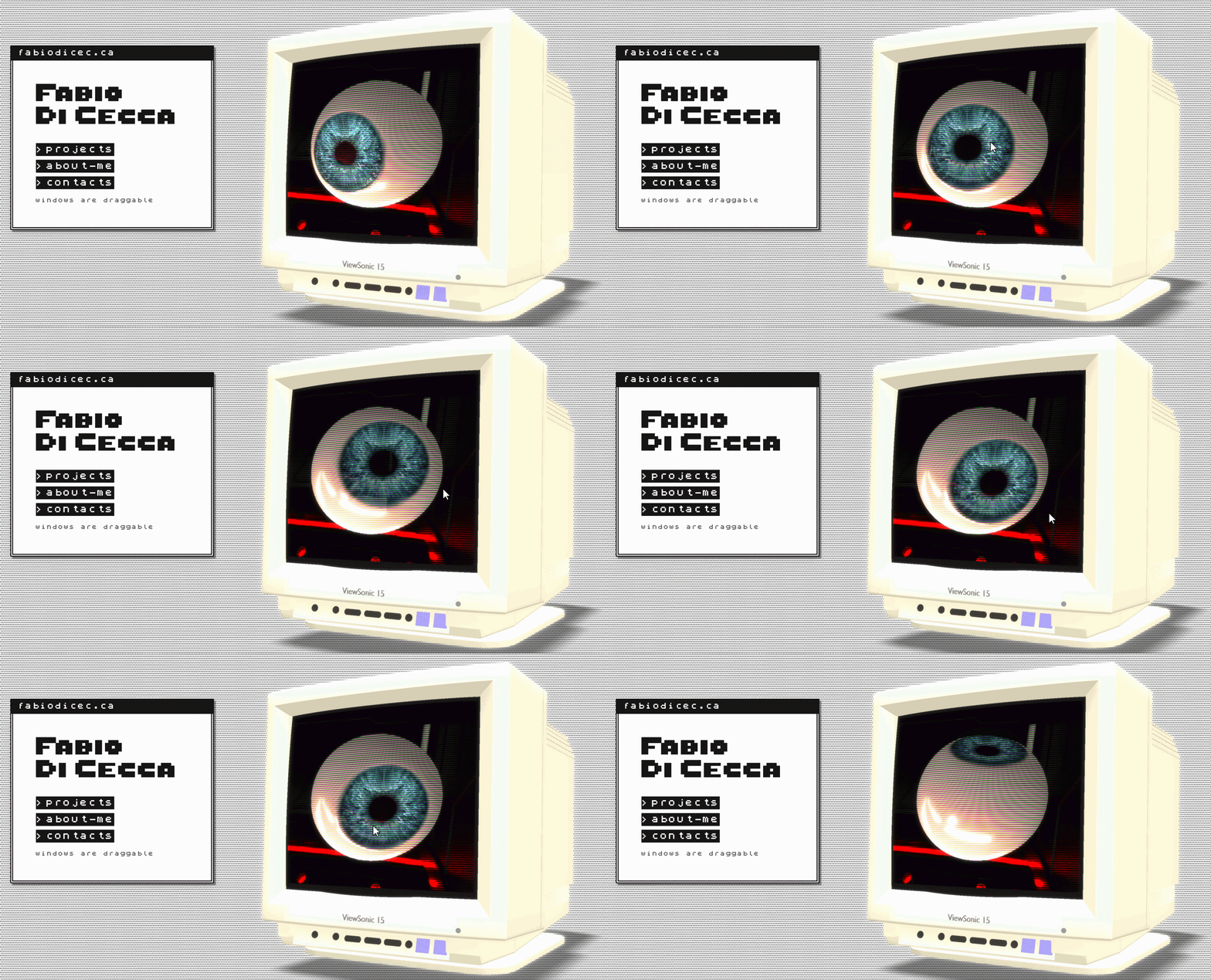
fabiodicec.ca - Portfolio website
A retro‑futuristic single‑page portfolio built with Astro, Three.js, and Tailwind CSS v4. Features a real‑time 3D background, draggable OS‑style windows, and a ZX Spectrum‑inspired aesthetic.
Demo
Overview
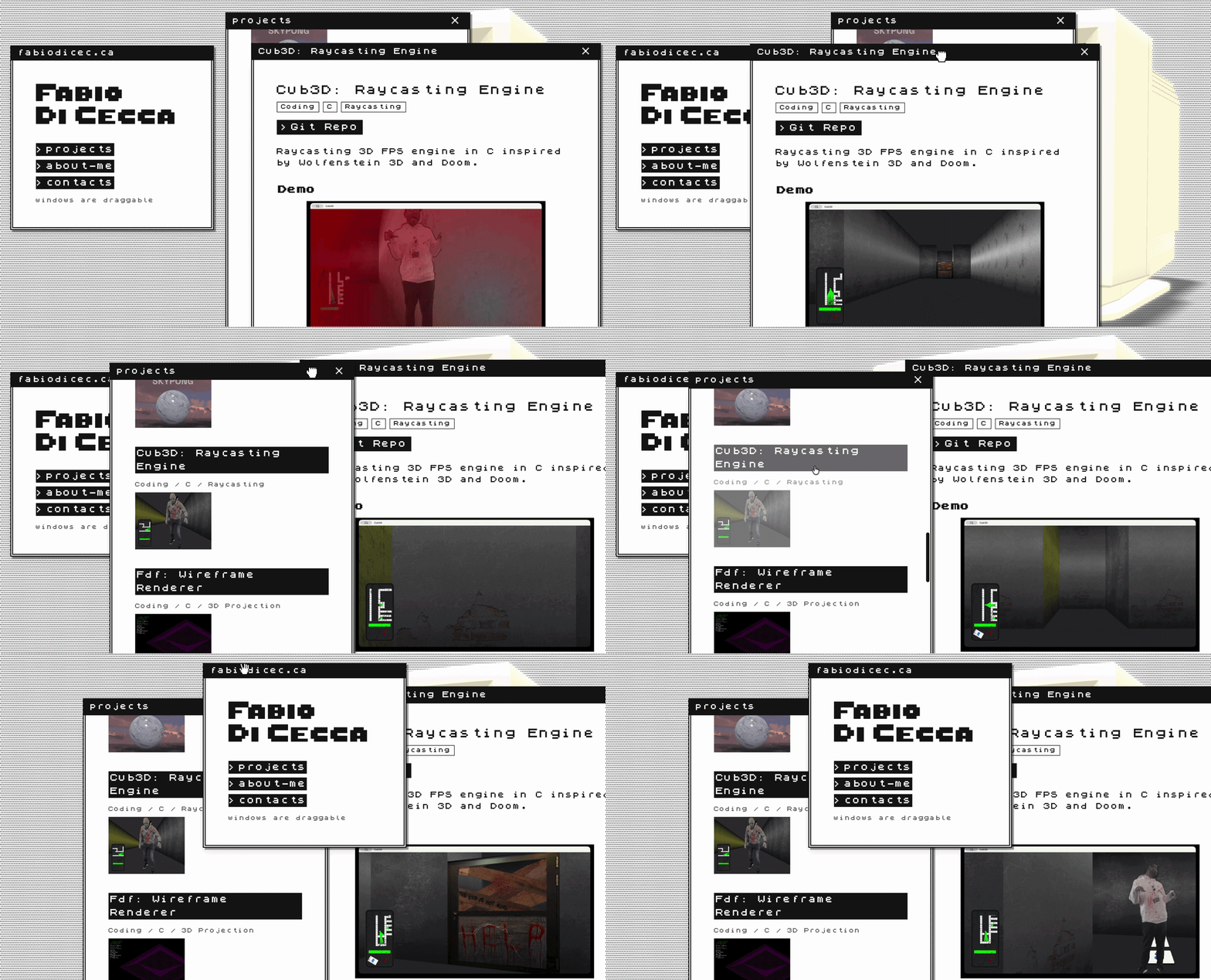
This portfolio is a self‑contained project about itself — a digital space that showcases work while embodying a nostalgic computing experience. The interface mimics a retro operating system with draggable windows, pixel‑art cursors, and a monochrome palette accented by neon green.
At its core is a real‑time 3D scene rendered with Three.js: a mouse‑tracked anatomical eye and a CRT monitor, lit by an HDR environment and processed through postprocessing effects (bloom, pixelation, scanlines, glitch). Content is delivered via markdown files rendered into windows, with a typewriter effect for the hero text.
Key Features
- 3D Scene — Mouse‑tracked eye model and CRT monitor in an HDR‑lit environment with SelectiveBloom, Pixelation, Scanline, and Glitch effects.
- Draggable Windows — Custom implementation with cascading layout, z‑index stacking, and localStorage persistence.
- Typewriter Effect — Configurable TextType component wired through DOM data attributes.
- Pixel‑Art Cursors — Custom cursors (default, pointer, grab, grabbing) at 2x resolution via CSS
image-set(). - Loading Flow — Assets load → progress bar → start button → iOS device orientation permission → animation starts.
- Markdown Content — About, CV, impressum, and credits loaded from
/public/*.mdfiles. - Retro Scrollbars — Custom styled scrollbars matching the OS aesthetic.
Visuals
Tech Stack
- Framework: Astro 6.x
- Styling: Tailwind CSS v4 (CSS‑based
@theme, no config file) - 3D Rendering: Three.js
- Postprocessing: postprocessing (SelectiveBloom, Pixelation, Scanline, Glitch)
- Language: TypeScript (strict)
- Font: ZxSpectrum (Freeware)
- Tooling: Prettier with
prettier-plugin-astro
Links
- Source: github.com/fabbbiodc/portfolio
SkyPong - Multiplayer Pong
Full-stack real-time multiplayer Pong game built with Next.js, NestJS, WebSockets, and Babylon.js.
Demo
Description
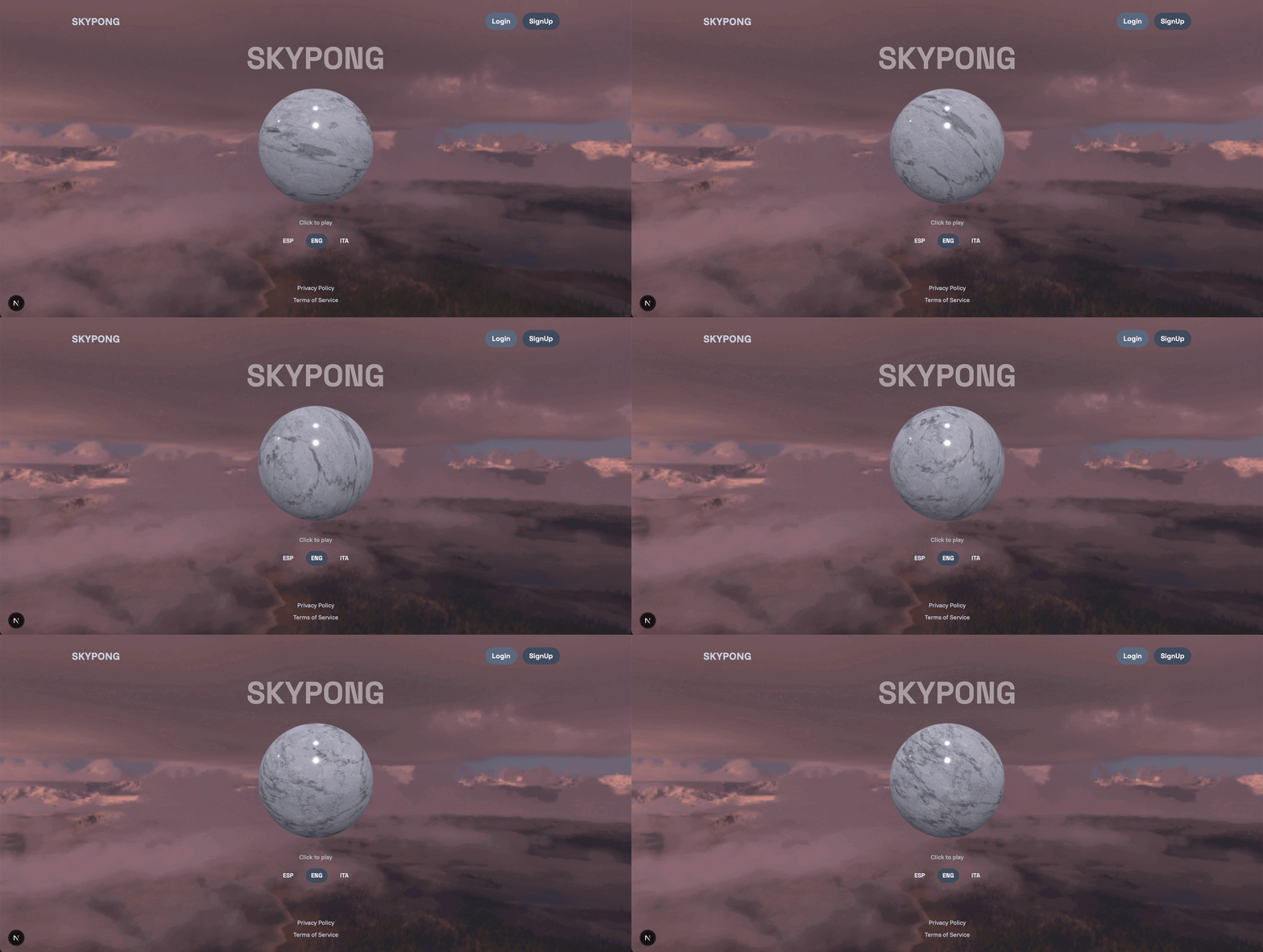
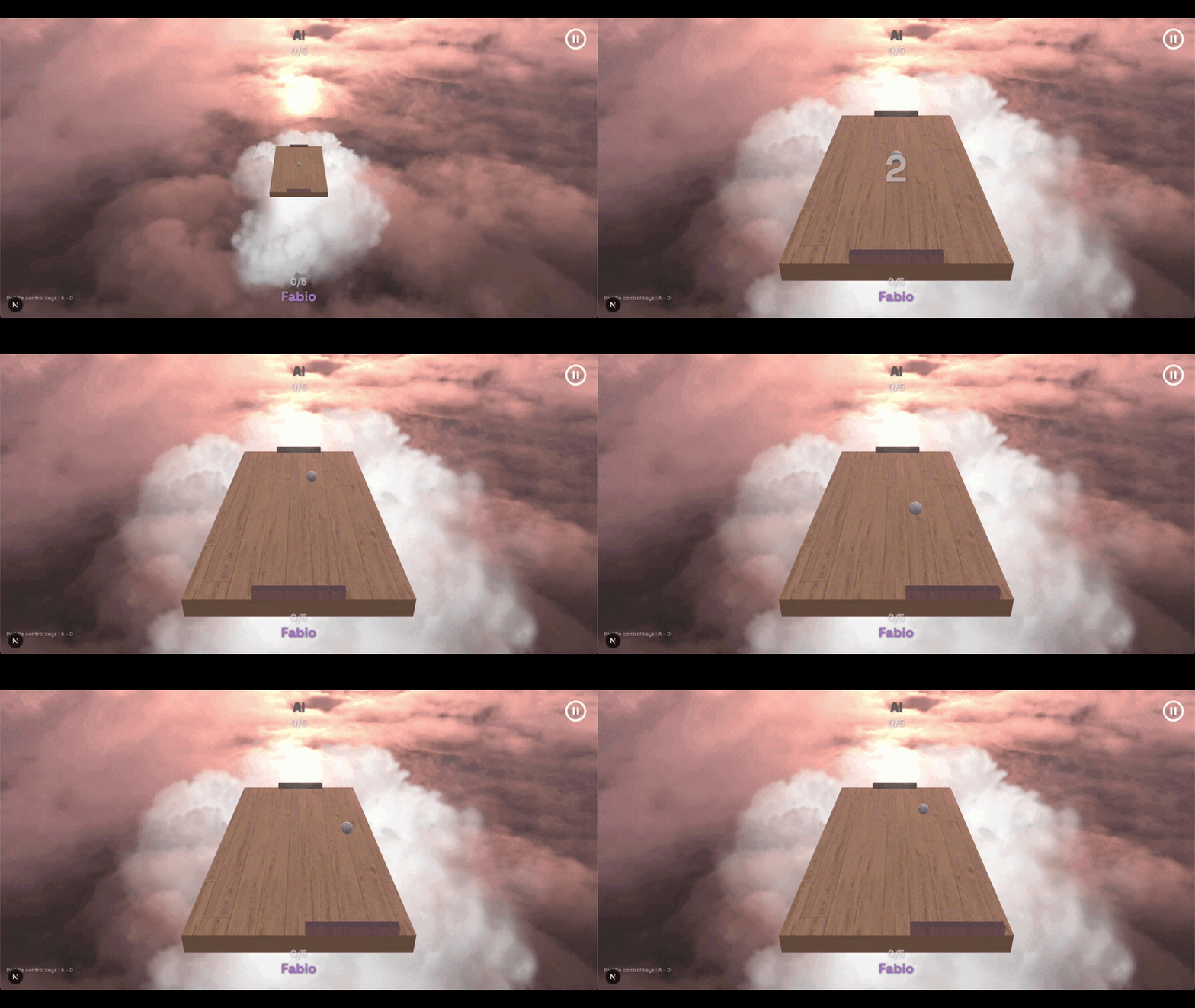
SkyPong is a production-style multiplayer Pong platform built as a microservices architecture. The core is a real-time 3D Pong game with server-authoritative physics, PBR rendering, and multiple game modes. Around it sits a full product platform with authentication, profiles, social features, and game statistics.
This is a reupload with a fresh frontend UI of a project originally built by a team of 4 developers. The new version features a complete redesign of the Next.js web application with a unified design system while keeping the robust game engine and backend services intact.
Technologies & Concepts
- Web application — Next.js (React), TypeScript, Tailwind v4, class-variance-authority, i18n (EN/ES/IT)
- Game client — Babylon.js 8, React 18, Vite 5, Colyseus.js client
- Game server — Colyseus 0.15, Babylon.js NullEngine (headless physics), Express
- Backend services — Fastify, SQLite, JWT (Argon2), Sharp (avatar processing)
- Infrastructure — Docker Compose, NGINX (TLS gateway), Prometheus, Grafana, Alertmanager
- Real-time sync — WebSocket via Colyseus, Schema-based state diffs, client-side interpolation
- Physics — Server-authoritative, continuous collision detection, angle-based bounce response
- Rendering — PBR materials, EXR environment maps, refractive glass, real-time shadows
- Design system — Unified design tokens, full CVA component library, responsive mobile layout
Frontend Redesign
A complete redesign of the Next.js web application targeting consistency, maintainability, and scalable UI:
- Design tokens — Single source of truth with TypeScript types for colors, typography, spacing, shadows
- Component library — Full class-variance-authority patterns (Button, Card, TextField, Chip, Avatar, Badge, StatCard, Tabs)
- Pattern components — Section, ListRow, EmptyState, LoadingState, PageContainer, FormCard, ProfileLayout
- Simplified CSS — Reduced globals.css from 1300 to ~250 lines
- Background & shadow tokens — Unified system replacing hardcoded values
- Navbar — Auth-aware navigation with scroll behavior, dropdown menu
- Homepage — Hero section, Footer, LanguageSelector, interactive PBR marble ball CTA
- Game scene background — Babylon.js rotating EXR skybox integrated into Next.js layout
- i18n — 477 translation keys verified across English, Spanish, and Italian
- TypeScript — Strict typing on auth context, translation context, form validation
- Color system — Updated from purple to slate palette for better contrast
How It Works
Architecture Overview
   Client (Browser)             Gateway (NGINX)              Services (Docker)
 ┌──────────────────┐          ┌──────────────────┐          ┌──────────────────┐
 │ Next.js app      │──HTTPS──►│ TLS termination  │          │ auth-service     │
 │ (port 3000)      │          │ Route mapping    │◄─REST───►│ profile-service  │
 │                  │          │ WebSocket proxy  │          │ stats-service    │
 ├──────────────────┤          └──────────────────┘          ├──────────────────┤
 │ Game client      │───WS────►│                  │◄──WS────►│ game-service     │
 │ (Vite 5, 5173)   │          │                  │          │ (Colyseus)       │
 └──────────────────┘          └──────────────────┘          └──────────────────┘
                                         │
                               ┌─────────┴────────┐
                               │ Observability    │
                               │  Prometheus      │
                               │  Grafana         │
                               └──────────────────┘
Game State Flow
- Player sends input (keyboard/touch) via WebSocket message
- Server aggregates input, runs physics at 60 Hz (Babylon.js NullEngine)
- Server detects collisions (CCD), updates scores, broadcasts state diffs
- Client receives diffs, interpolates ball position toward extrapolated target
- Client renders at browser refresh rate (60-144 Hz)
Key Features
- Game modes — AI (3 difficulties), local 2-player, online PvP with room matchmaking
- PBR rendering — Environment-based lighting, refractive glass paddles, marble materials, EXR skybox
- Server-authoritative — Physics runs server-side (NullEngine), preventing cheating
- Real-time multiplayer — WebSocket via Colyseus with 60 Hz server tick
- Client interpolation — Exponential smoothing, wall reflection extrapolation, adaptive distance
- Design system — TypeScript tokens, CVA components, unified shadows and backgrounds
- i18n — Full UI in English, Spanish, and Italian with type-safe translation context
- Authentication — JWT with access/refresh tokens, optional 2FA
- Social — Friendship graph (send/accept/reject/block), global chat
- Statistics — Game result ingestion, leaderboard aggregation
- Monitoring — Prometheus metrics, Grafana dashboards, Alertmanager alerts
- Responsive — Mobile touch controls, adaptive HUD sizing
Project Structure
skypong/
├── front/                      # Next.js web application (redesigned)
│   └── app/
│       ├── lib/design-tokens.ts
│       ├── ui/base/             # CVA component library
│       ├── ui/patterns/         # Reusable page patterns
│       ├── ui/GameSceneBackground.tsx
│       └── ui/base/InteractiveMarbleBall.tsx
│
├── game/                      # SkyPong game engine
│   ├── client/src_cli/
│   │   ├── game/GameLoop.ts
│   │   ├── ui/GameHUD.ts
│   │   └── entities/
│   ├── server/src_serv/
│   │   ├── physics/PhysicsEngine.ts
│   │   ├── rooms/
│   │   └── entities/
│   └── common/
│
├── auth-service/
├── profile-service/
├── statistics-service/
├── nginx-gateway/
├── prometheus/
├── grafana/
└── docker-compose.yml
Collaborators
Links
mapdot
A work-in-progress 3D terrain visualization tool built with Vue 3 and Three.js.
Future goal: users will input any location and receive a real-time 3D point-cloud rendering of the chosen area.
Demo
Overview
Mapdot is an experimental terrain renderer that parses GIS elevation data (.asc grid files) and visualizes them as interactive 3D point clouds. Currently it loads local datasets — a high-resolution elevation map of Belgium and a global sub-ice topography — and renders them with Three.js, supporting free camera navigation via OrbitControls and WASD keyboard controls.
The long-term vision is to make any location explorable in 3D: plug in coordinates, fetch terrain data, and instantly explore the landscape as a point cloud from any angle.
Current Features
- Elevation parsing — Loads
.ascgrid files, handles NODATA values, filters below-water points - 3D point cloud — Renders terrain as a particle system with spherical point sprites
- OrbitControls — Click-drag to orbit, scroll to zoom
- Keyboard navigation — WASD to orbit the camera, arrow keys to zoom and pan
Future Roadmap
- Geocoding input — type a city or coordinates
- On-demand elevation data fetching
- Dynamic LOD (level of detail) for seamless zoom
- Terrain coloring by elevation bands
- Performance optimizations for large datasets
Tech Stack
- Framework: Vue 3 (Composition API)
- 3D Rendering: Three.js (OrbitControls)
- Build Tool: Vite 8
- Language: TypeScript (strict)
- Data format:
.asc(Arc/Info ASCII Grid)
Links
- Source: github.com/fabbbiodc/mapdot
Cub3D - Raycasting Engine
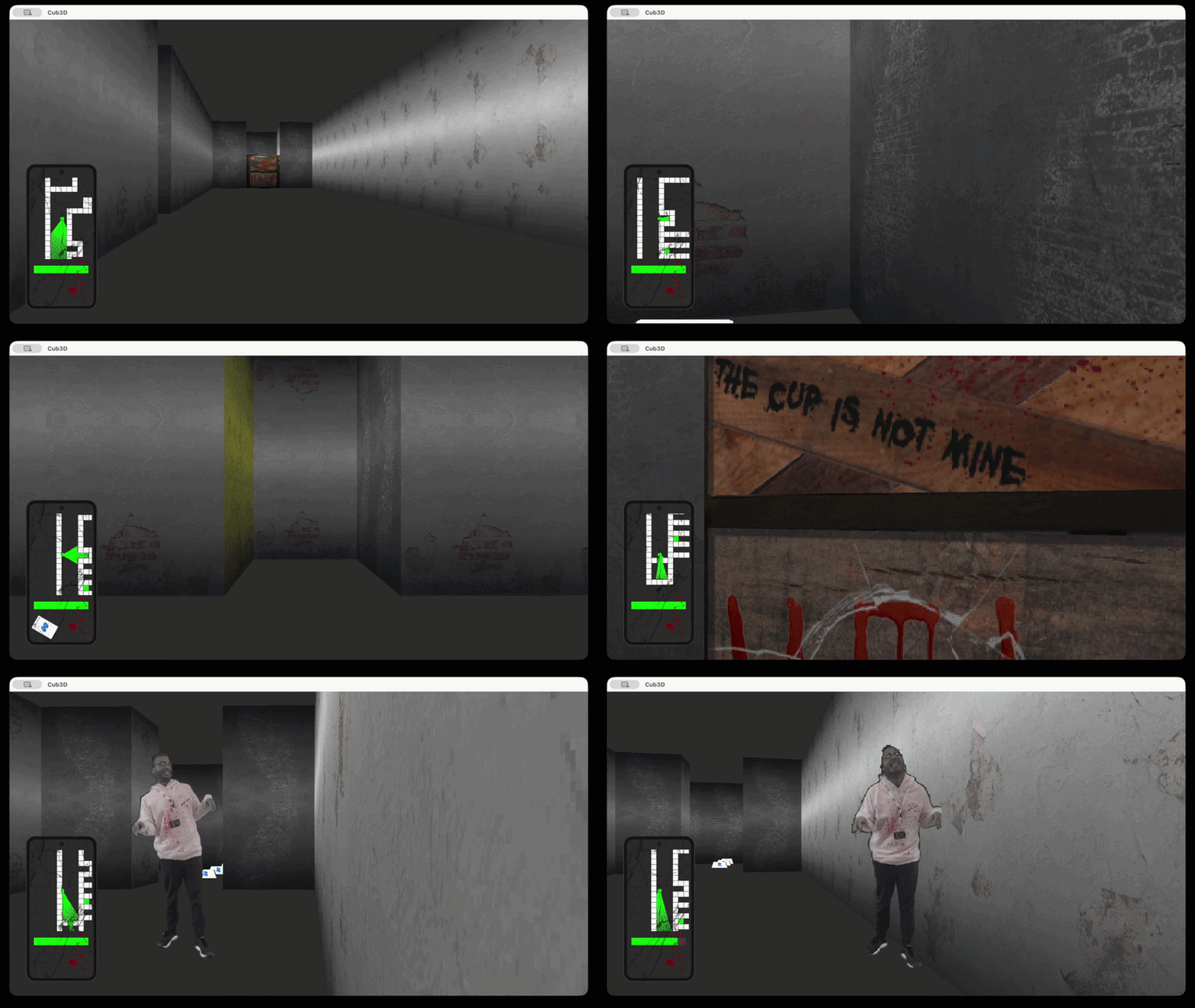
Raycasting 3D FPS engine in C inspired by Wolfenstein 3D and Doom.
Demo
Inspiration
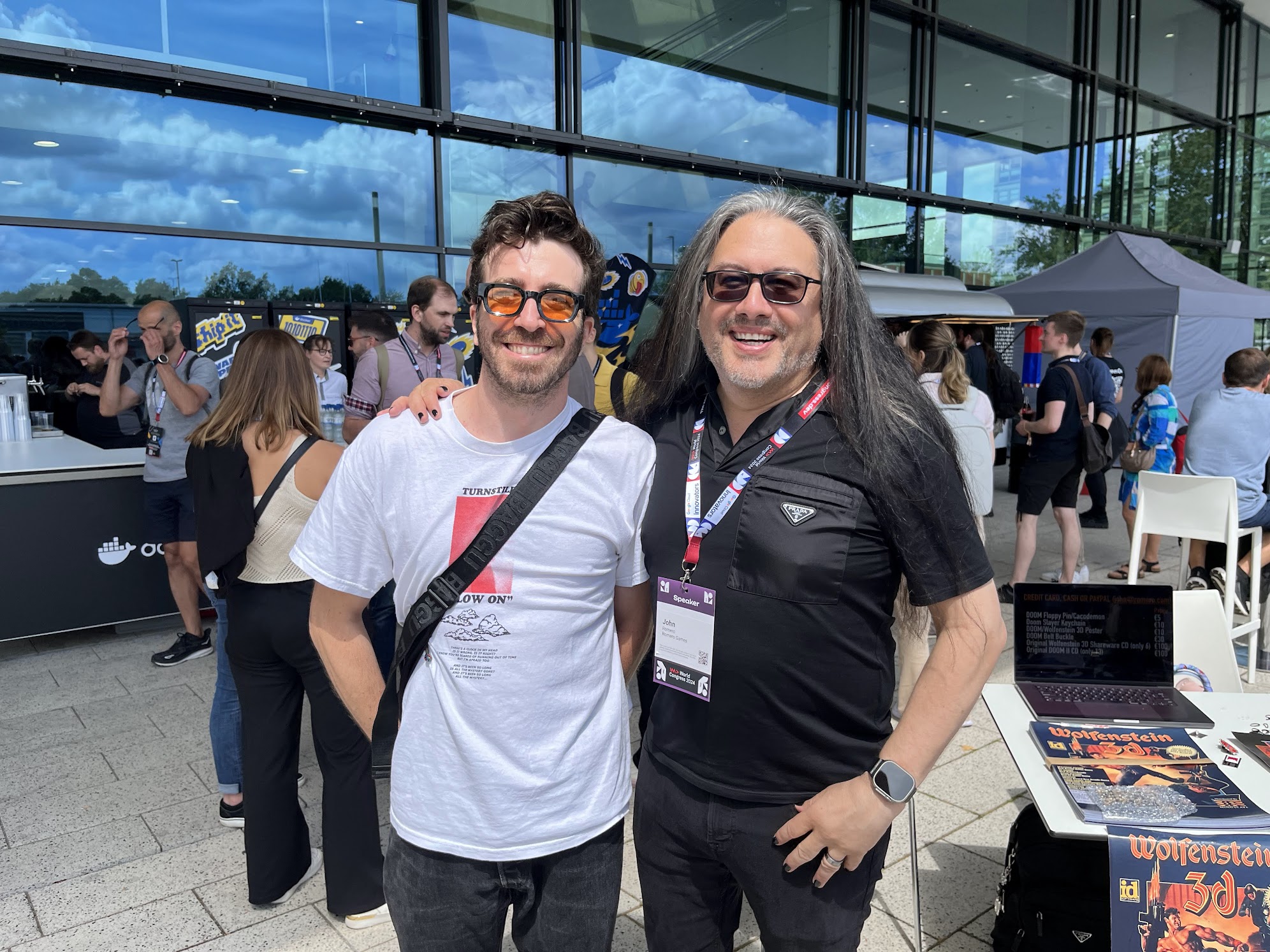
This project draws direct inspiration from the golden age of FPS gaming:
- Wolfenstein 3D (1992) — The first true FPS, developed by Id Software under John Carmack's technical leadership and John Romero's design vision. It introduced raycasting as a technique to create 3D-like environments from 2D map data.
- Doom (1993) — Romero's masterpiece that elevated the genre with sprites, ambient lighting, multiplayer, and the iconic "IDDQD" legacy.
Cub3D pays homage to these milestones while implementing the core raycasting algorithm from scratch.
Description
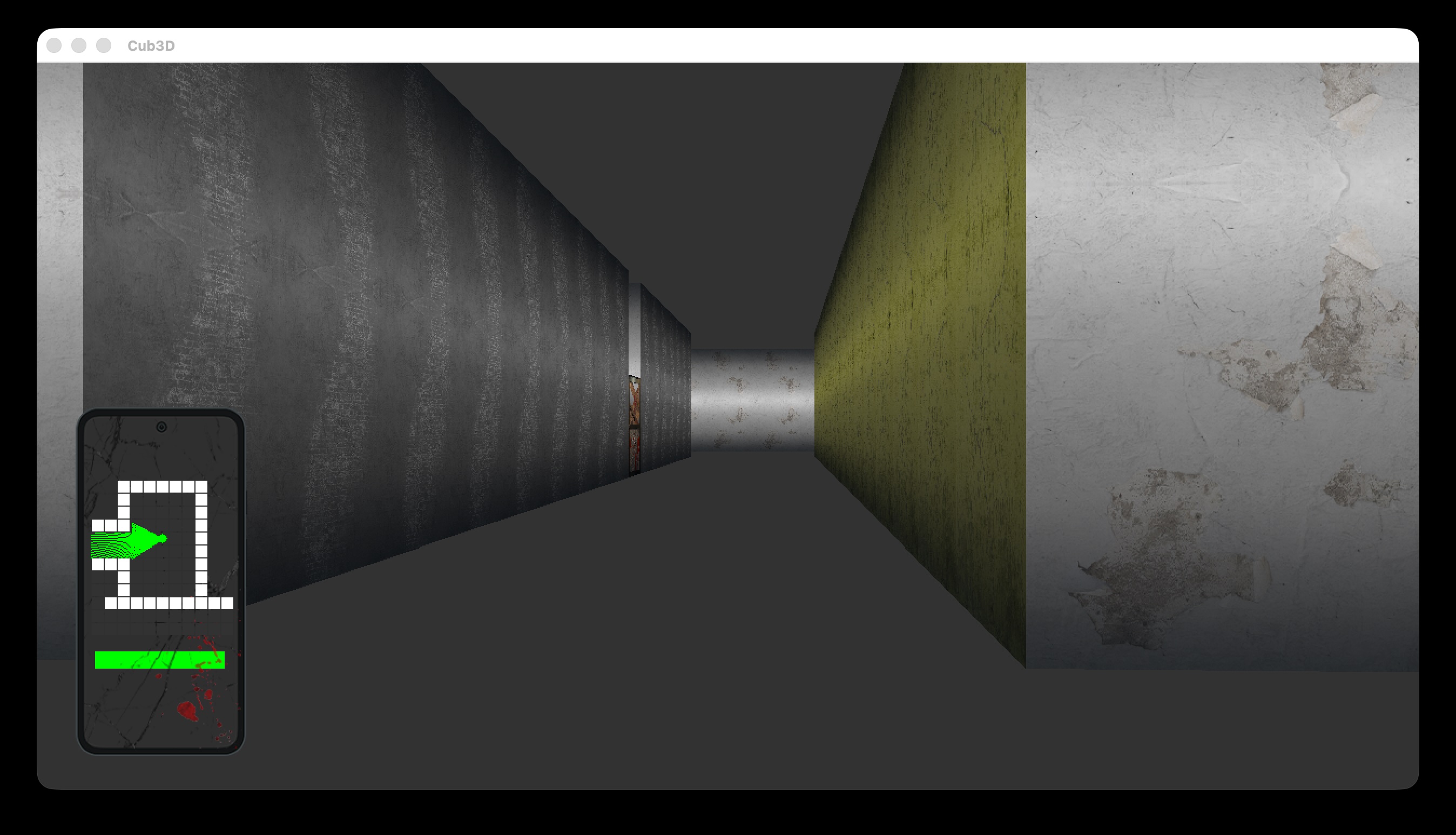
Cub3D is a real-time raycasting first-person shooter (FPS) inspired by Wolfenstein 3D and Doom. This project transforms a 2D map file into an immersive 3D first-person experience where players navigate through maze-like environments, collect keys, avoid enemies, and interact with doors.
The game features a raycasting engine that renders pseudo-3D walls using the classic technique, sprite-based enemies and collectibles with depth-sorted rendering, interactive doors, a minimap for navigation, sound effects, and a dynamic HUD displaying health and collected keys.
Technologies & Concepts
- Raycasting mathematics (DDA algorithm for wall distance calculation)
- 2D-to-3D projection for pseudo-3D rendering
- Sprite rendering with depth buffering (painter's algorithm)
- Event-driven graphics programming (MLX42 with GLFW)
- Texture mapping and color gradient shading
- Game loop design and delta-time movement
- Collision detection in grid-based maps
- File parsing for map configuration (.cub format)
- Sound integration with SDL2_mixer
- Minimap generation and player tracking
How It Works
Map Parsing — Reads the .cub file, validates texture paths, extracts floor/ceiling colors, and builds a 2D grid representation of the world. The player's starting position and direction are extracted from the map.
Raycasting Engine — For each vertical strip of the screen, casts a ray from the player's position into the map. The DDA algorithm steps through the grid to find the first wall hit, calculating perpendicular distance to avoid fisheye distortion.
Wall Rendering — Draws wall strips with height inversely proportional to distance. Colors are shaded based on whether the hit wall is facing N/S (darker) or E/W (lighter) for pseudo-lighting.
Sprite System — Enemies, keys, and other sprites are rendered using a projection system that scales sprites based on distance. Depth sorting ensures far sprites are drawn before close ones.
Door Interaction — Doors are special wall tiles that toggle between open and closed states with animation over several frames.
Minimap — A top-down view in the corner shows the player, walls, doors, keys, and enemies, updating in real-time.
Game Loop — Processes input, updates player position with collision detection, casts rays, renders the scene, draws sprites, updates the minimap, and renders the HUD.
Key Features
- Raycasting Engine — Classic Wolfenstein 3D-style rendering with DDA algorithm
- Sprite-Based Enemies — Depth-sorted sprite rendering with billboarding
- Collectible Keys — Keys displayed in HUD, required to unlock doors
- Interactive Doors — Open/close with animation, can be locked behind keys
- Minimap — Real-time navigation with player position and entity markers
- Sound Effects — Footsteps, door sounds, key collection, enemy alerts via SDL2_mixer
- Multiple Maps — Three test maps with increasing complexity
- Dynamic HUD — Health bar, key counter, game status
- Cross-Platform — macOS and Linux support via MLX42 and GLFW
Visuals
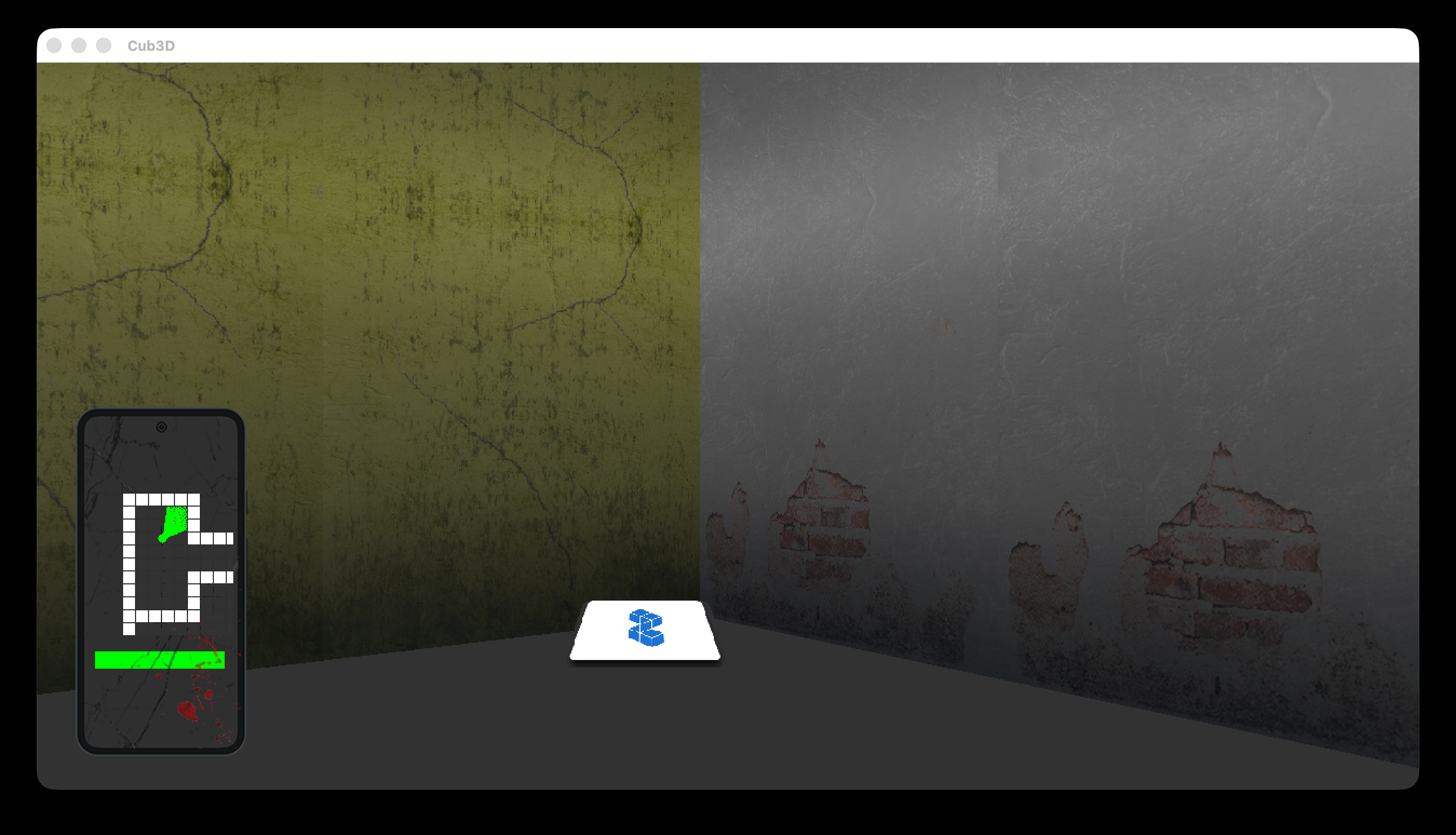
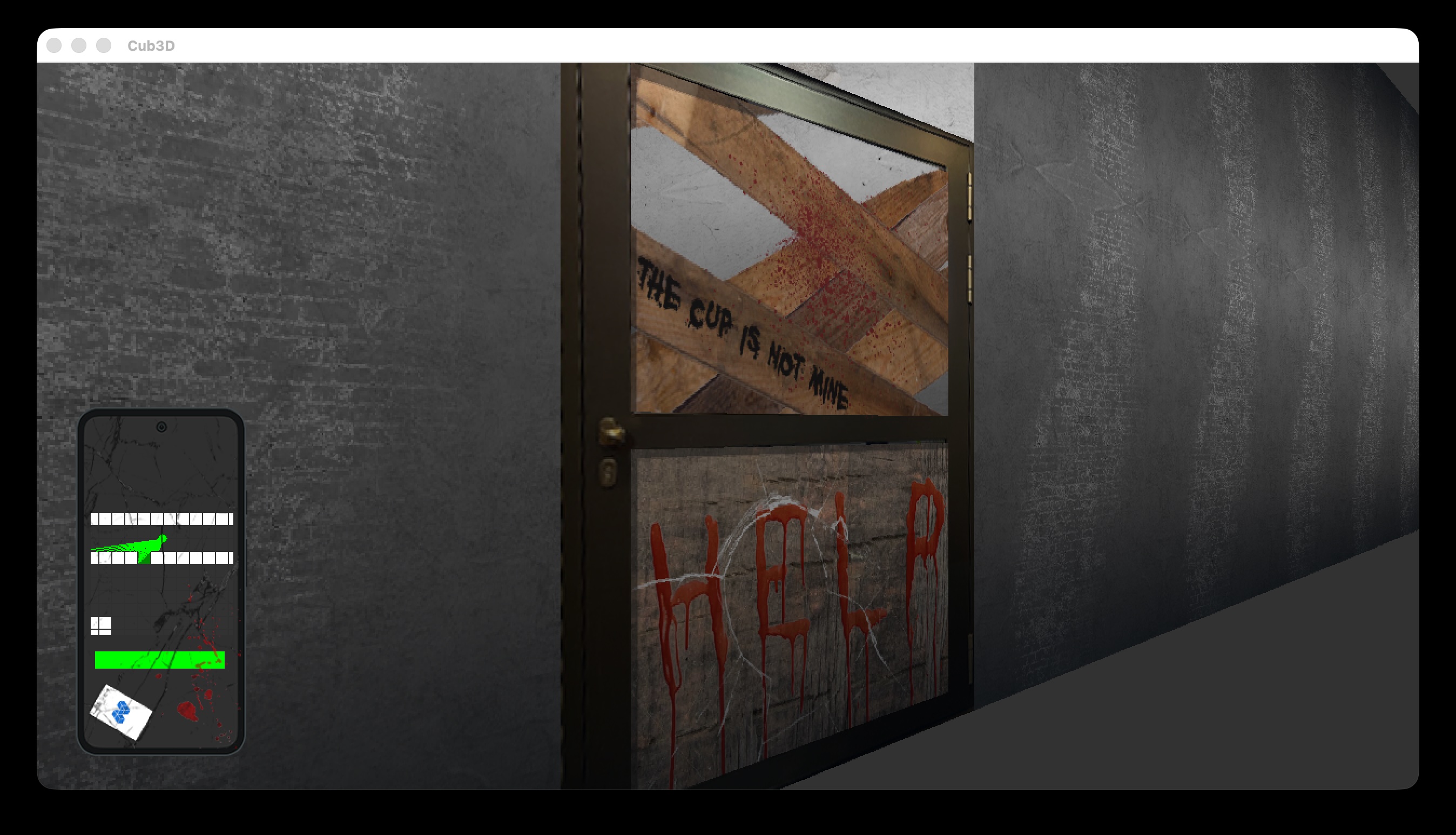
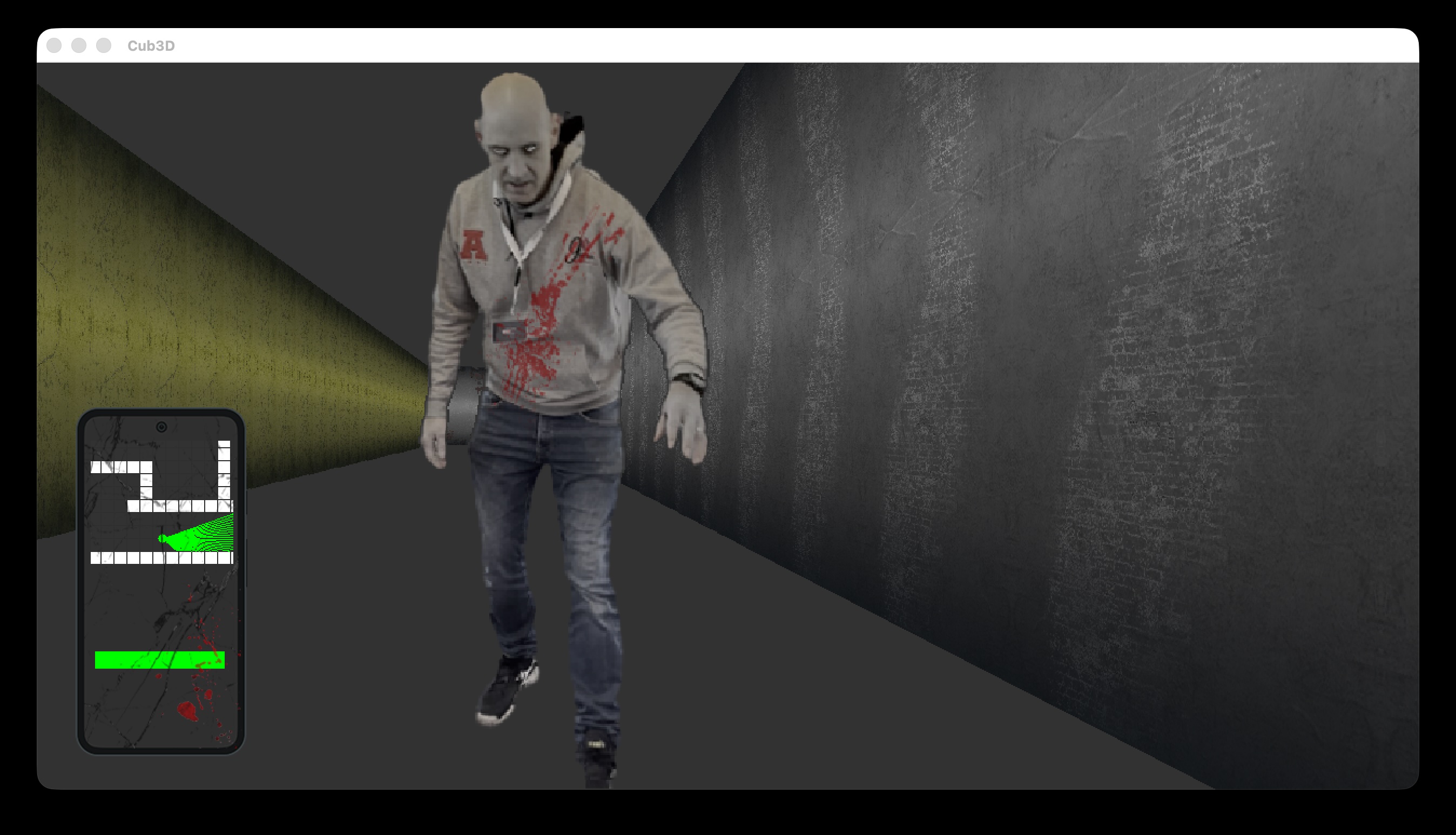
Controls
| Key | Action |
|---|---|
| W | Move forward |
| S | Move backward |
| A | Strafe left |
| D | Strafe right |
| ← | Rotate left |
| → | Rotate right |
| SPACE | Start game / Interact |
| ESC | Exit / Menu |
Tech Stack
- Language: C
- Graphics: MLX42 — Modern graphics library with GLFW backend
- Windowing: GLFW — Cross-platform window and input library
- Audio: SDL2_mixer — Sound effects
- Libraries: Libft for utility functions
Team
- Rufussed — Co-developer
Links
Inception - Docker Infrastructure
Multi-container Docker infrastructure orchestrating NGINX, WordPress, Redis, MariaDB, Adminer, FTP, and Portainer — all behind a single reverse proxy with automatic TLS.
Description
Inception is a containerized infrastructure project that orchestrates multiple services into a production-ready web development environment using Docker and Docker Compose. It demonstrates system administration, containerization, and infrastructure-as-code principles by setting up a complete WordPress hosting ecosystem with supporting services including an FTP server, database administration, and a static site — all behind a single NGINX reverse proxy with automatic TLS certificate generation.
Architecture
The project uses Docker Compose to orchestrate the following services:
- NGINX: Reverse proxy and TLS termination (port 443). Auto-generates self-signed certificates via OpenSSL. Serves all web traffic.
- WordPress: Content management system with PHP-FPM backend (port 9000 internally)
- MariaDB: Relational database for WordPress with health-checked readiness
- Redis: In-memory cache for session/performance optimization
- Adminer: Database administration web UI (proxied through NGINX)
- FTP: File transfer server for WordPress content management (ports 21 + 21000-21010)
- Portainer: Docker container management UI (port 9443)
- Static Site: React-based static website served at
/static-site
All services communicate over a dedicated Docker bridge network (inception-net) with persistent bind-mount volumes for data durability.
Technologies & Concepts
- Docker and containerization fundamentals
- Docker Compose multi-container orchestration
- Service networking and inter-container communication
- Volume management and data persistence
- Environment configuration and secrets management
- Health checks and service dependencies
- Reverse proxy configuration (NGINX)
- Linux shell scripting for automation
- Infrastructure-as-Code principles
Key Features
- Multi-Service Orchestration — Manages dependencies between services with health-checked readiness
- Persistent Storage — Bind-mount volumes ensure data survives container restarts
- Health Checks — Each service includes health verification before dependents start
- Environment Configuration — Single .env file controls all service parameters
- Automatic TLS — NGINX entrypoint generates self-signed certificates on first run
- Reverse Proxy Routing — All web traffic flows through NGINX from a single domain
- FTP Integration — Bonus FTP server for direct file access to WordPress content
- Networking Isolation — Internal Docker network separates infrastructure from host
- Automated Setup — Makefile simplifies build and deployment workflow
Services
| Service | Access | Purpose |
|---|---|---|
| WordPress | https://localhost |
Main CMS |
| Adminer | https://localhost/adminer |
Database administration |
| Static | https://localhost/static-site |
React-based static page |
| Portainer | https://localhost:9443 |
Docker container management |
| FTP | ftp://localhost:21 |
File transfer (passive: 21000-21010) |
Commands
| Command | Description |
|---|---|
make all |
Build and start all services |
make up |
Start existing containers |
make down |
Stop all services |
make clean |
Stop services and remove volumes |
make vclean |
Full cleanup including persistent data |
make re |
Rebuild from scratch |
Project Structure
inception/
├── srcs/
│   ├── docker-compose.yml       # Service orchestration
│   ├── requirements/            # Service configurations
│   │   ├── nginx/              # NGINX reverse proxy
│   │   ├── wordpress/          # WordPress + PHP-FPM
│   │   ├── mariadb/            # MariaDB database
│   │   └── bonus/              # Redis, Adminer, Portainer, Static Site, FTP
│   └── .env.example            # Environment template
├── Makefile                    # Build automation
└── printlogs.sh                # Logging utility
Tech Stack
- Containerization: Docker, Docker Compose
- Web Server: NGINX
- Application Server: WordPress + PHP-FPM
- Database: MariaDB
- Cache: Redis
- Scripting: Bash/Shell
- Configuration: Makefiles, Environment files
Links
Webserv - HTTP Server
HTTP/1.1 server in C++98 with config parsing, CGI execution, file uploads, and error handling.
Demo
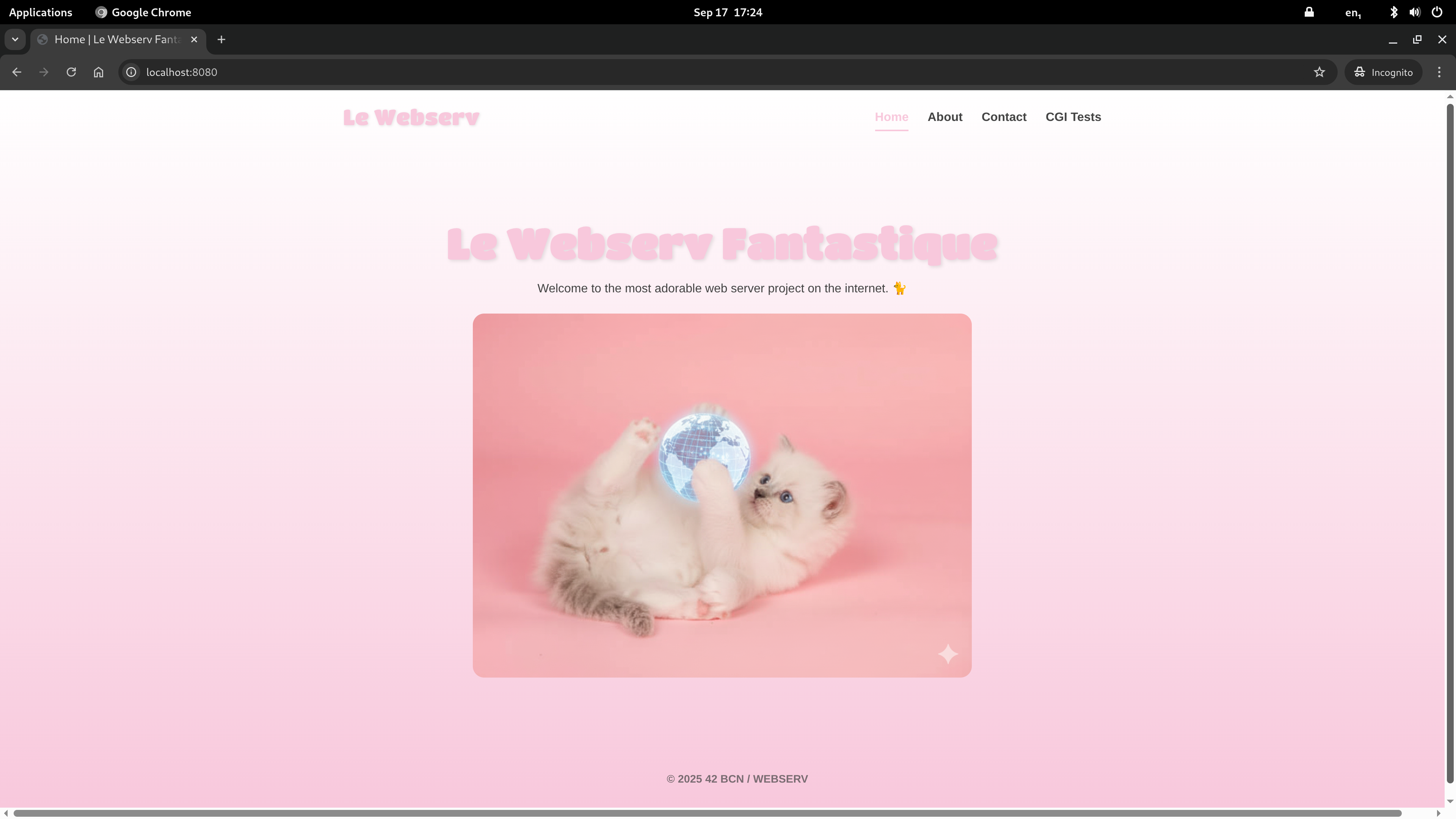
Description
Webserv is a custom HTTP/1.1 web server written in C++ (C++98 standard). It reads a configuration file (similar to Nginx) to define server behavior, including port bindings, document roots, location routing, CGI execution, and error handling. The server handles HTTP requests from browsers and other clients, serving static files, processing CGI scripts, and managing file uploads.
This project provides a deep understanding of how web servers work under the hood — from socket creation and request parsing to response generation and CGI integration.
Technologies & Concepts
- Socket programming (bind, listen, accept, select)
- HTTP/1.1 protocol specification and request parsing
- Configuration file parsing (Nginx-style syntax)
- Concurrent client handling
- CGI (Common Gateway Interface) execution (.py, .php)
- URI routing and location blocks
- Error page handling and custom responses
- Directory listing (autoindex)
- File upload handling with size limits
- Signal handling and graceful shutdown
How It Works
- Server Setup — Parses the configuration file, extracts server blocks and location blocks. Creates sockets for each
listendirective and binds to the specified ports. - Client Connection — Uses
select()to monitor multiple socket file descriptors. Accepts connections and queues them for processing. - Request Parsing — Reads the HTTP request, parsing the request line (method, URI, version), headers, and body.
- URI Routing — Matches the request URI against configured
locationblocks with support for exact and prefix matching. - CGI Execution — If configured, sets environment variables, forks a child process, pipes the request body to stdin, and captures stdout as the response.
- Response Generation — Builds the HTTP response with appropriate status line, headers, and body (file content, CGI output, or error page).
- Response Delivery — Sends the complete HTTP response over the client socket and closes the connection.
Visuals
Key Features
- HTTP/1.1 Compliance — Full HTTP/1.1 protocol support
- Configuration File — Nginx-style config syntax with server blocks and location routing
- Multiple Server Blocks — Multiple ports and virtual hosts in one server
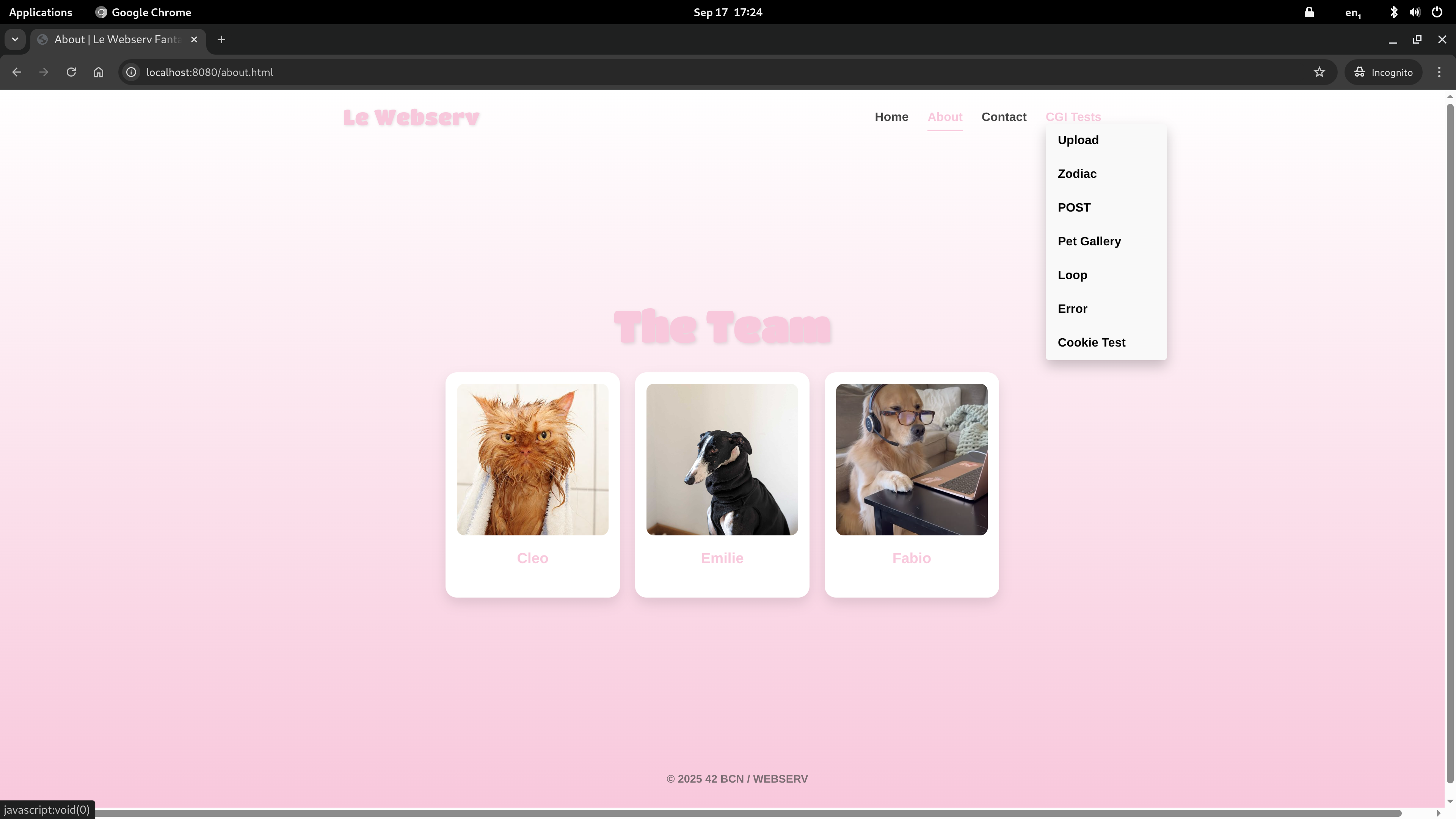
- CGI Support — Execute Python (.py) and PHP (.php) scripts
- Method Routing — Per-location GET, POST, DELETE control
- Custom Error Pages — Configurable error page mapping
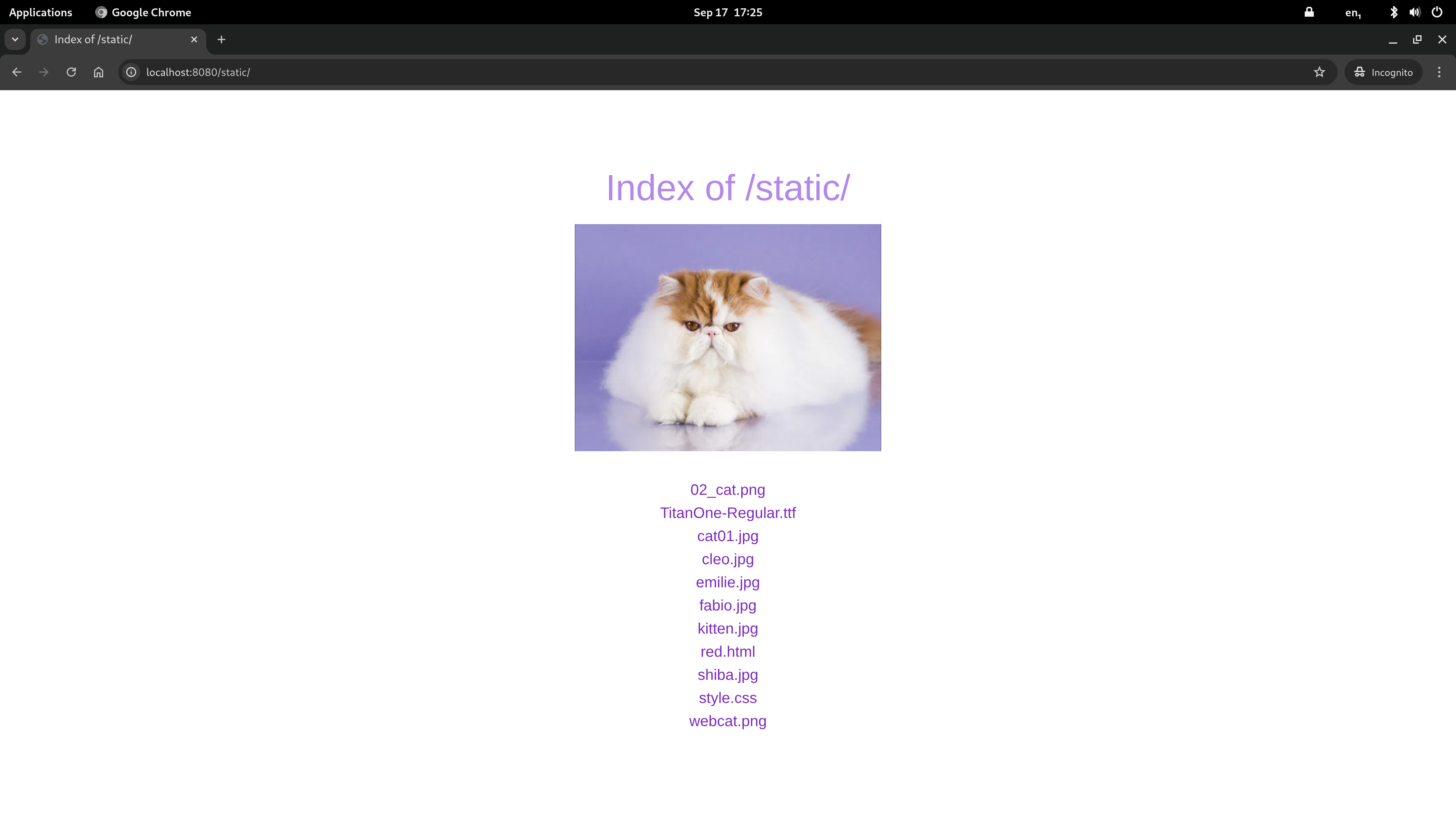
- Directory Listing — Autoindex for browsing directory contents
- File Uploads — Handle POST requests with file attachments
- Redirects — Support for 301 permanent redirects
- Client Limits — Configurable maximum body size
- Signal Handling — Graceful shutdown on SIGINT/SIGTERM
Configuration
The server uses Nginx-style configuration syntax:
server {
    listen 8080;
    server_name myserver;
    root /path/to/www;
    index index.html;
    client_max_body_size 1m;

    location / {
        autoindex off;
        allow_methods GET POST;
    }

    location /cgi-bin/ {
        cgi_pass .py /usr/bin/python3;
        cgi_pass .php /usr/bin/php-cgi;
        allow_methods GET POST;
    }

    error_page 404 /error_pages/404.html;
}
| Directive | Description |
|---|---|
listen |
Port to bind |
server_name |
Server name for virtual hosting |
root |
Document root directory |
index |
Default index file |
client_max_body_size |
Maximum request body size |
location |
URI path routing block |
autoindex |
Enable directory listing (on/off) |
allow_methods |
Allowed HTTP methods |
cgi_pass |
CGI script execution |
error_page |
Custom error page mapping |
return |
Redirect |
Project Structure
webserv/
├── inc/                     # Header files
├── src/
│   ├── main.cpp             # Entry point
│   ├── ServerManager.cpp    # Server setup and event loop
│   ├── request/             # HTTP request parsing
│   ├── response/            # Response generation and CGI
│   └── Parsing_configuration/ # Config file parser
├── www/                     # Default document root
├── www2/                    # Secondary server root
├── configuration_files/     # Sample configurations
├── Screenshots/             # Server in action
└── Makefile
Team
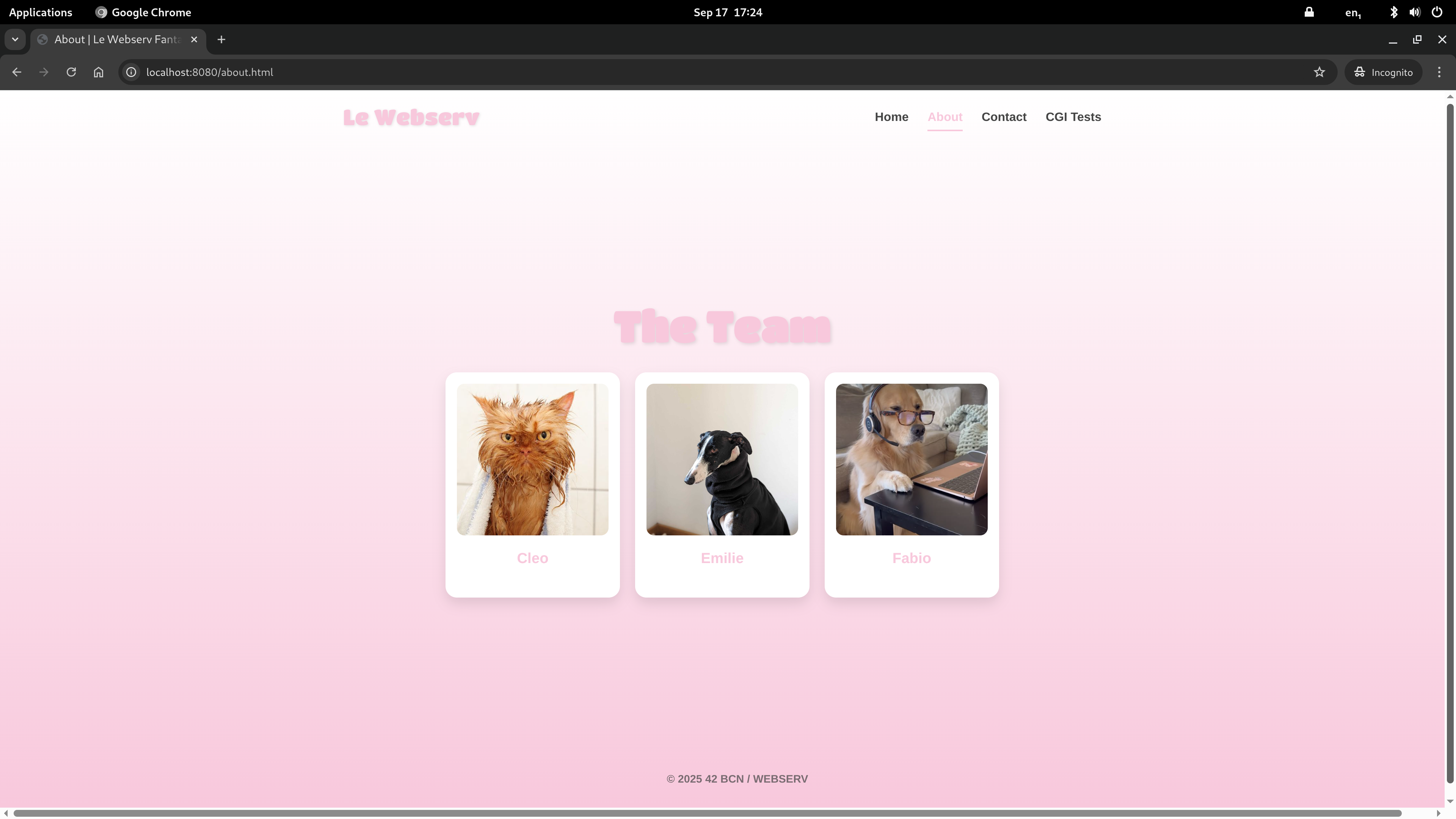
- Cleo — Co-developer
- EmilieInData — Co-developer
Tech Stack
- Language: C++ (C++98 standard)
- Build: Make with
-Wall -Wextra -Werror -std=c++98 - Networking: POSIX socket API (bind, listen, accept, select)
- CGI: Process forking and piping for script execution
Links
Fdf - Wireframe Renderer
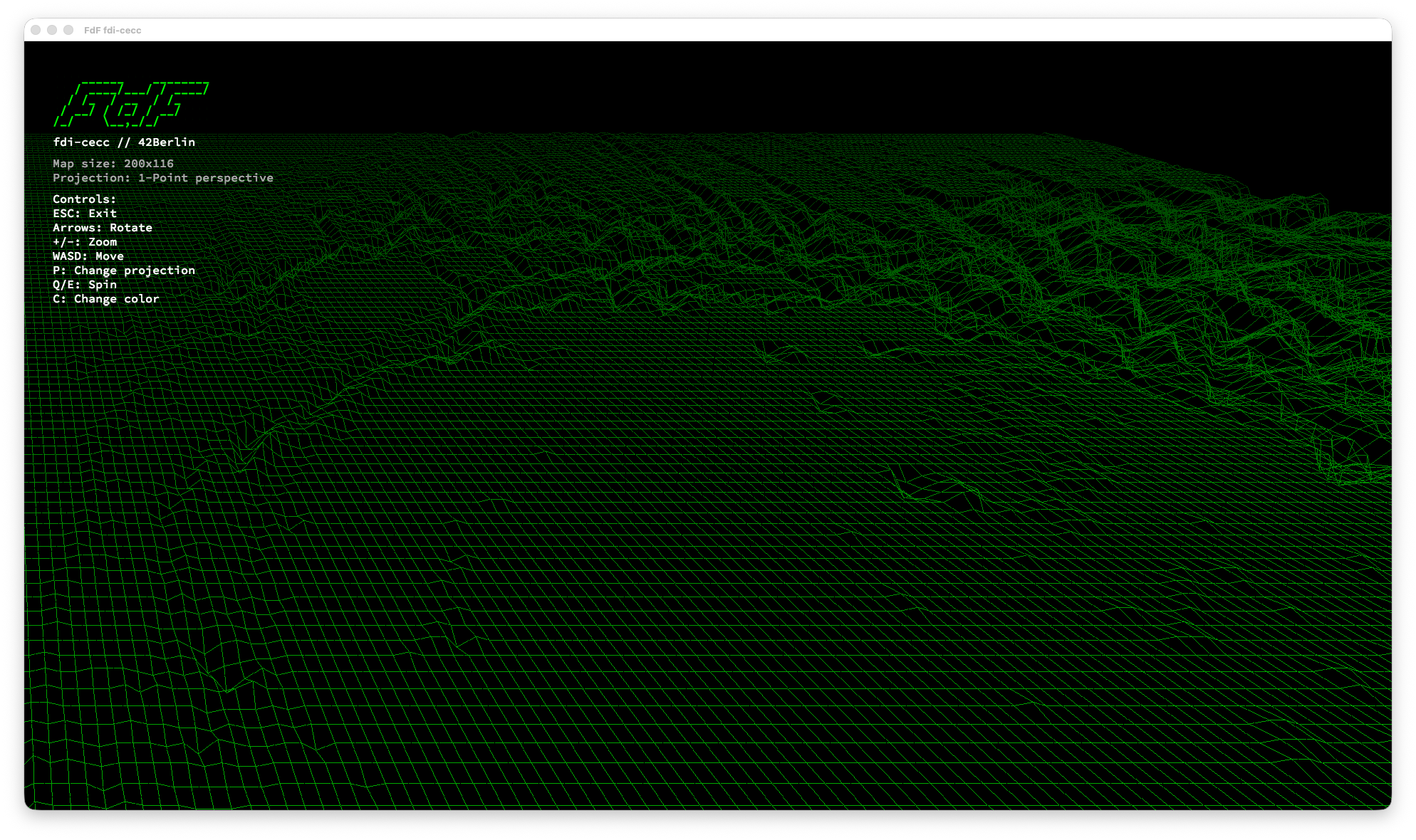
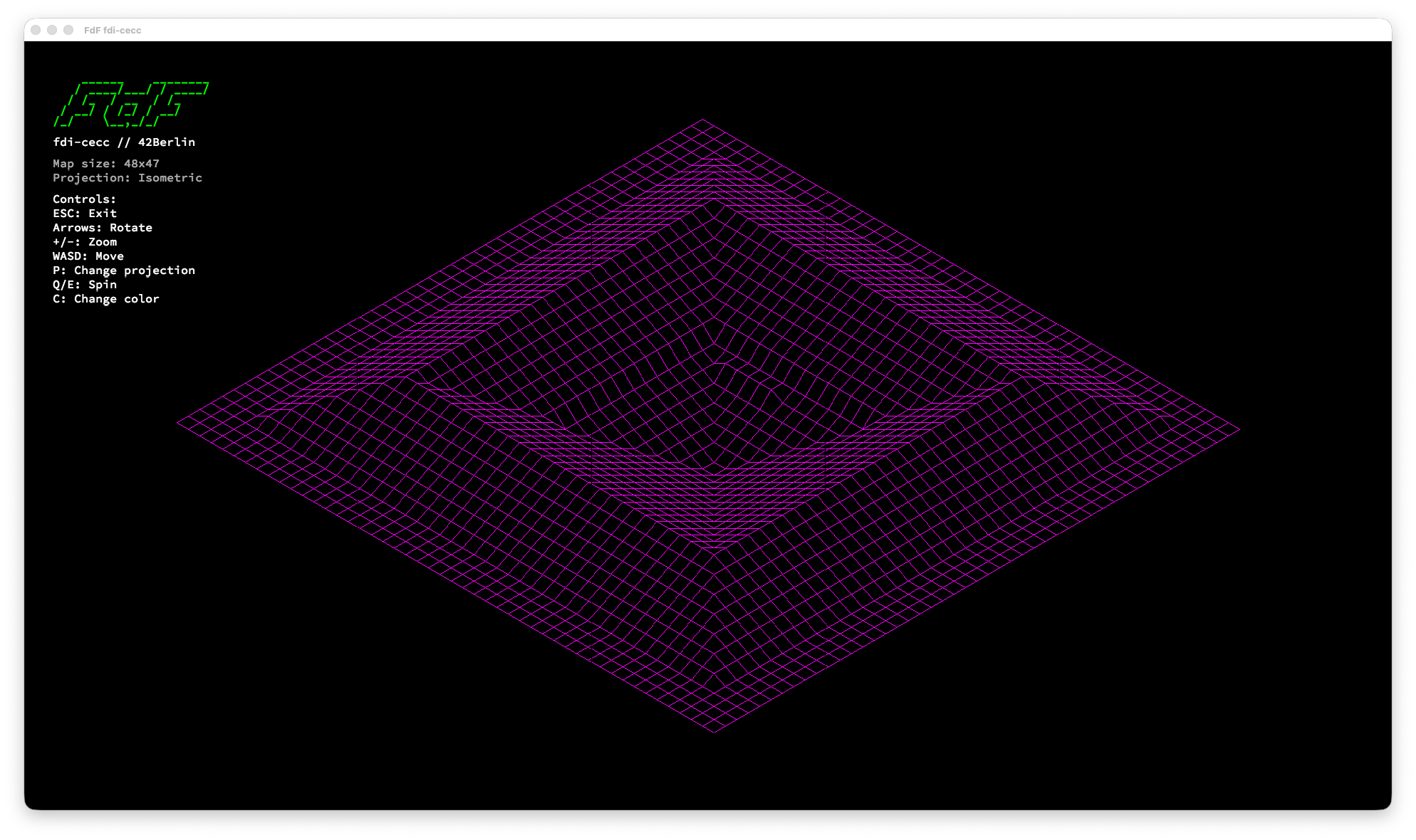
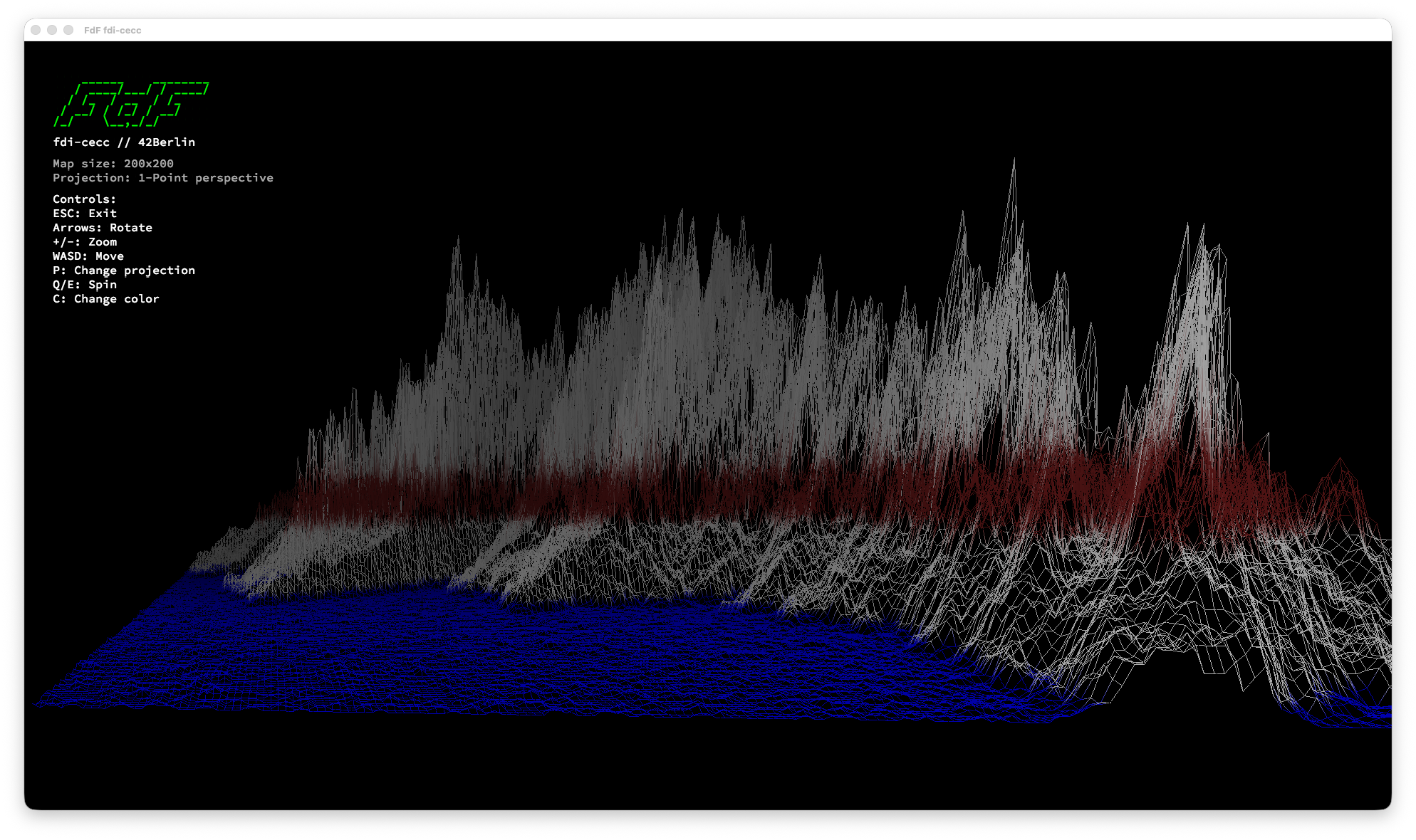
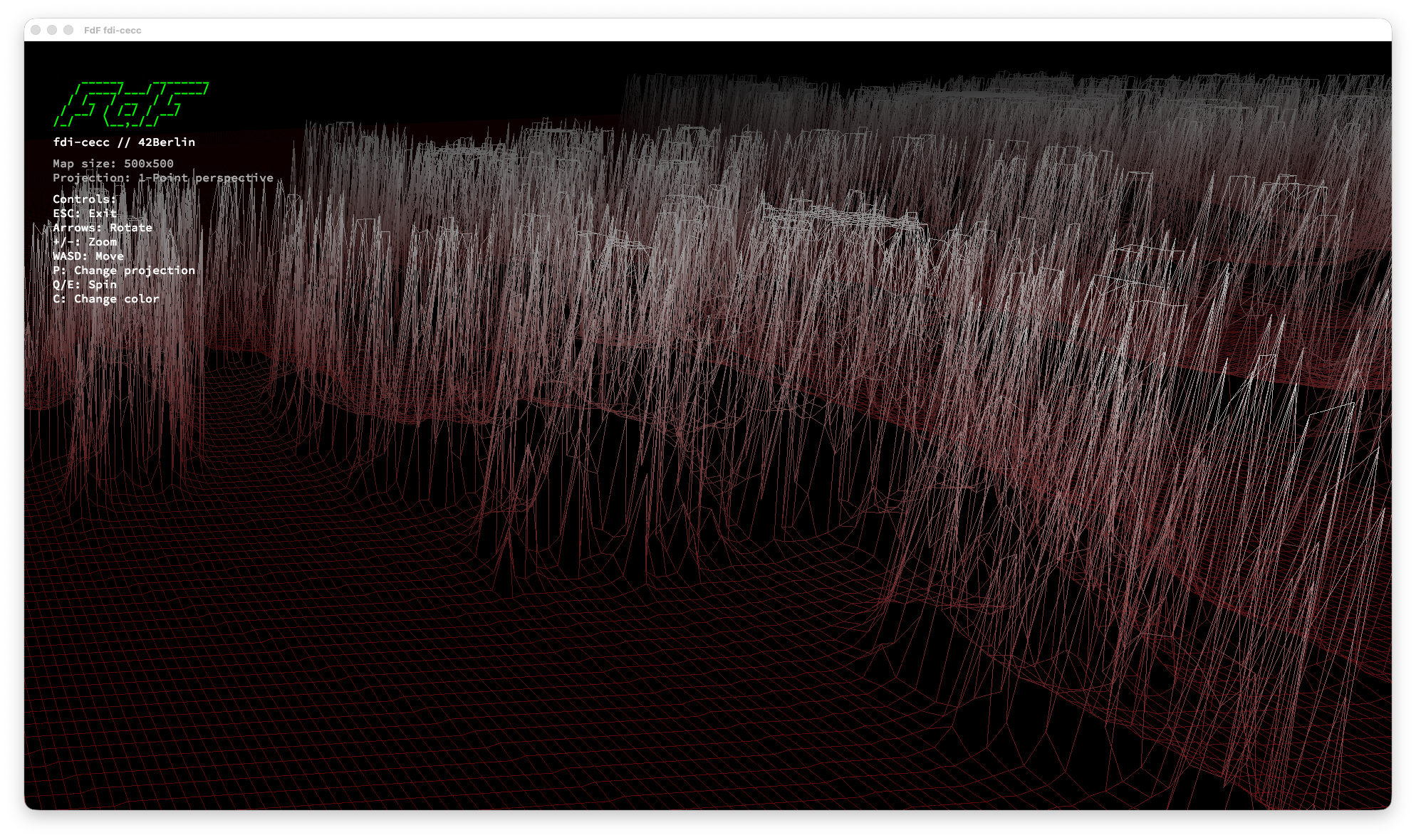
3D wireframe landscape renderer with 4 projection modes (isometric, orthographic, perspective), DDA line drawing, and performance optimization.
Demo
Description
Fdf (short for fil de fer, French for "wireframe model") is a 3D wireframe landscape renderer written in C. It reads terrain data from .fdf map files — grids of height values — and renders them as interactive 3D wireframe models using the MiniLibX graphics library.
The project supports multiple projection modes, real-time camera controls, color interpolation based on terrain depth, and performance optimizations including screen-space point caching and precomputed transforms for smooth interaction with large maps.
Technologies & Concepts
- 3D-to-2D projection mathematics (isometric, orthographic, perspective)
- Matrix transformations for rotation and scaling
- DDA (Digital Differential Analyzer) line drawing algorithm
- Event-driven graphics programming with MiniLibX
- Image buffer manipulation and pixel-level rendering
- Color interpolation and depth-based shading
- File parsing for structured terrain data
- Memory management for 2D grid data structures
- Performance optimization through caching and precomputation
How It Works
- Parsing — Reads
.fdffiles where each number represents a point's altitude. Grid position determines X/Y coordinates, value determines Z (height). Optional hex colors can be embedded per point. - Camera Setup — Calculates map bounds and fits the view to the window, centering the terrain.
- Transformation — Each point undergoes rotation (X, Y, Z axes), scaling, and centering using 3×3 rotation matrices computed once per frame.
- Projection — Transformed 3D points are projected to 2D using the selected projection mode (isometric, orthographic, one-point, or two-point perspective).
- Screen-Space Caching — Transformed points are stored in a 2D cache to avoid redundant transformations.
- Rendering — Cached screen points are used to draw lines between adjacent points with color interpolation. An inlined DDA algorithm computes step values once per line.
- Panel Overlay — A semi-transparent info panel displays map dimensions, current projection, color scheme, and control hints.
Key Features
- Four Projection Modes — Isometric, orthographic, one-point and two-point perspective with real-time switching
- Interactive Camera — Full rotation (X/Y/Z), translation (pan), and zoom controls
- DDA Line Drawing — Smooth line rendering using the Digital Differential Analyzer algorithm
- Color Interpolation — Gradient colors between connected points with depth-based fading
- Multiple Color Schemes — Toggle between different terrain coloring modes
- Perspective Distance Control — Adjust projection distance for perspective distortion
- Info Panel — Real-time display of map info, projection mode, and controls
- Multiple Map Files — Ships with 20+ terrain maps including Mars topography, fractals, and geometric shapes
- Cross-Platform — Native support for macOS (OpenGL) and Linux (X11)
- Performance Optimized — Screen-space point cache, precomputed rotation matrix, inlined DDA. 10-20x faster on large maps.
Visuals
Controls
| Key | Action |
|---|---|
| ESC | Quit |
| + / - | Zoom in / out |
| ← / → | Rotate around Y axis |
| ↑ / ↓ | Rotate around X axis |
| Q / E | Spin (Z axis rotation) |
| A / D | Move left / right |
| W / S | Move up / down |
| P | Cycle projection mode |
| C | Toggle color scheme |
| O / L | Adjust perspective distance |
Projection Modes (press P to cycle)
- Isometric — Default 30° isometric projection
- Orthographic — Top-down view without perspective
- One-point perspective — Single vanishing point
- Two-point perspective — Dual vanishing points for dynamic view
Performance
| Optimization | Before | After | Impact |
|---|---|---|---|
| Rotation matrix | Computed per point | Computed once per frame | 5-10x faster |
| Point transforms | 2-4x per point | Once, cached | 2-4x fewer |
| Depth computation | Separate full-map pass | Computed inline | Eliminates 1 pass |
| DDA line drawing | Deltas recalculated per pixel | Computed once, incremented | ~2x faster lines |
Tech Stack
- Language: C
- Graphics: MiniLibX — OpenGL (macOS) / X11 (Linux) with automatic OS detection
- Line Drawing: DDA (Digital Differential Analyzer) algorithm
- Libraries: Custom Libft submodule for utility functions
Links
Minishell - Unix Shell
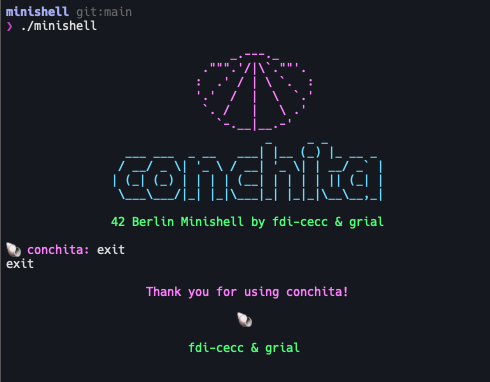
Bash-like Unix shell in C with pipes, redirections, signal handling, and command parsing.
Demo
Description
Minishell is a minimal Unix shell implementation written in C. It provides an interactive command-line interface that mimics core Bash behavior, including command execution, pipes, redirections, environment variable expansion, signal handling, and built-in commands.
This was a collaborative project with gabrielrial.
Technologies & Concepts
- Process creation with
fork(),execve(), andwaitpid() - File descriptor manipulation with
pipe(),dup(),dup2() - Signal handling with
sigaction()for ctrl-C, ctrl-D, ctrl-\ - Command-line parsing and tokenization (lexer)
- Quote handling (single and double quotes with
$expansion) - Environment variable expansion (
$VARand$?) - Heredoc implementation with delimiter reading
- Readline integration for command history and line editing
- Memory management with valgrind leak detection
How It Works
- Readline — Displays a prompt and reads user input with line editing and history support via GNU Readline.
- Lexer — Tokenizes the input line into a linked list, identifying words, operators (
|,<,>,<<,>>), and quotes. - Quote Handling — Processes single quotes (no interpretation) and double quotes (allows
$expansion), stripping quote characters from tokens. - Expansion — Replaces
$VARwith environment variable values and$?with the last exit status. - Parsing — Builds a command structure from tokens, identifying pipes, redirections, and arguments.
- Heredoc Processing — For
<<redirections, reads input lines until the delimiter is found. - Execution — Forks child processes for each command in the pipeline, sets up pipes and redirections via
dup2(), resolves executables usingPATH, and callsexecve(). - Wait — Parent waits for all children, collects exit statuses, and updates
$?.
Key Features
- Interactive Prompt — Readline-based with command history and line editing
- Full Pipe Support — Arbitrary-length command pipelines connected via
pipe() - Four Redirection Types — Input, output, append, and heredoc
- Environment Variable Expansion —
$VARand$?with proper quoting rules - Signal-Safe Design — Single global variable for signal number, no data structure access in handlers
- PATH Resolution — Searches
PATHfor executables, supports absolute and relative paths - Built-in Commands — All 7 required builtins with proper exit status tracking
Built-in Commands
| Command | Description |
|---|---|
echo [-n] |
Print arguments with optional -n |
cd [path] |
Change working directory |
pwd |
Print working directory |
export [KEY=VALUE] |
Set or display environment variables |
unset [KEY] |
Remove environment variables |
env |
Display current environment |
exit [status] |
Exit the shell |
Redirections
| Operator | Description | Example |
|---|---|---|
< |
Input redirection | cat < file.txt |
> |
Output (overwrite) | ls > output.txt |
>> |
Output (append) | echo "log" >> log.txt |
<< |
Heredoc | cat << EOF |
Bonus Features
&&and||Operators — Logical AND/OR with parentheses for priority grouping- Wildcards (
*) — Glob pattern matching for files in the current working directory
Tech Stack
- Language: C
- Process Management:
fork(),execve(),waitpid(),pipe(),dup2() - Signal Handling:
sigaction(),sigemptyset(),sigaddset() - Line Editing: GNU Readline
- Libraries: Custom Libft submodule
Team
- gabrielrial — Co-developer
Links
Studio Dominguette - Portfolio website
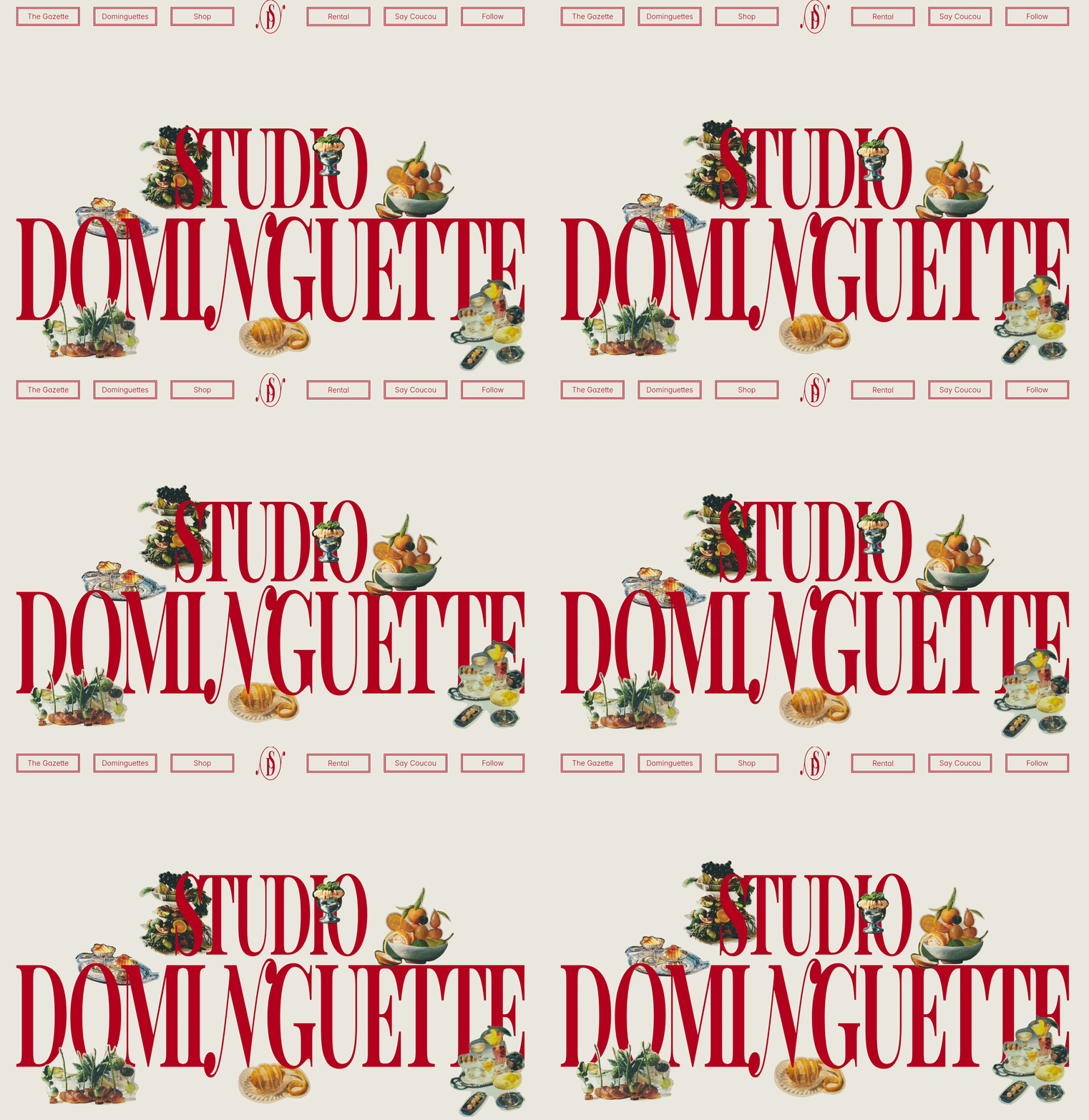
An immersive, interactive portfolio website built in Framer for a Barcelona-based creative studio.
Demo
Overview
Studio Dominguette crafts visual, culinary, and experiential stories through brand activations and immersive pop-ups, driven by a nostalgic, vintage jet-set aesthetic.
Working directly from the client's provided design, my role was to develop the site in Framer. The primary objective was to translate their tactile, highly detailed brand identity into a digital space through fluid motion, playful interactions, and a bespoke CMS architecture.
Key Features
- Animated Hero Section — A kinetic entrance designed to instantly immerse visitors in the studio's unique visual narrative.
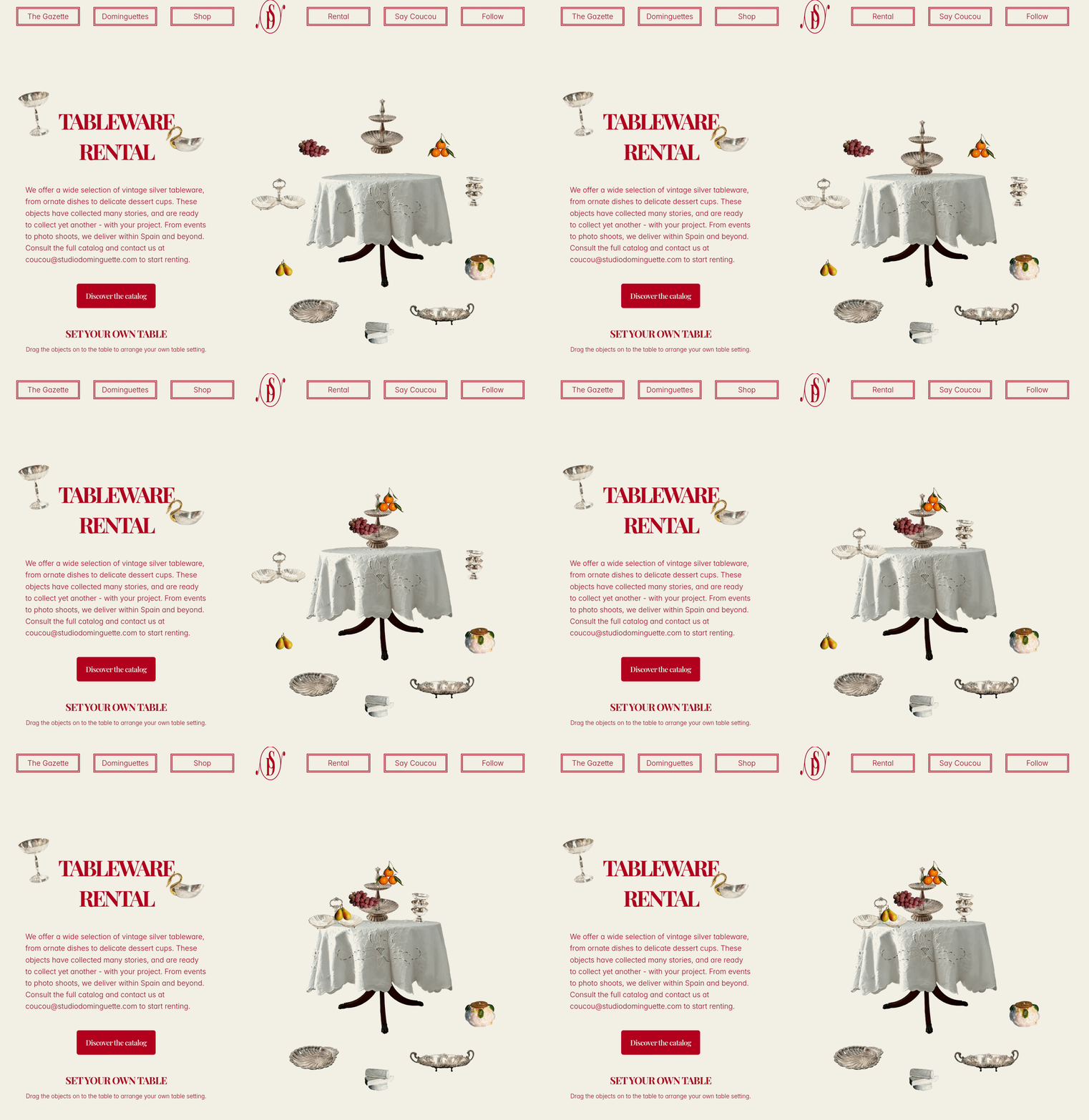
- Interactive Tabletop — A playful drag-and-drop physics section allowing users to move decorative elements around, mirroring the studio's physical set-styling work.
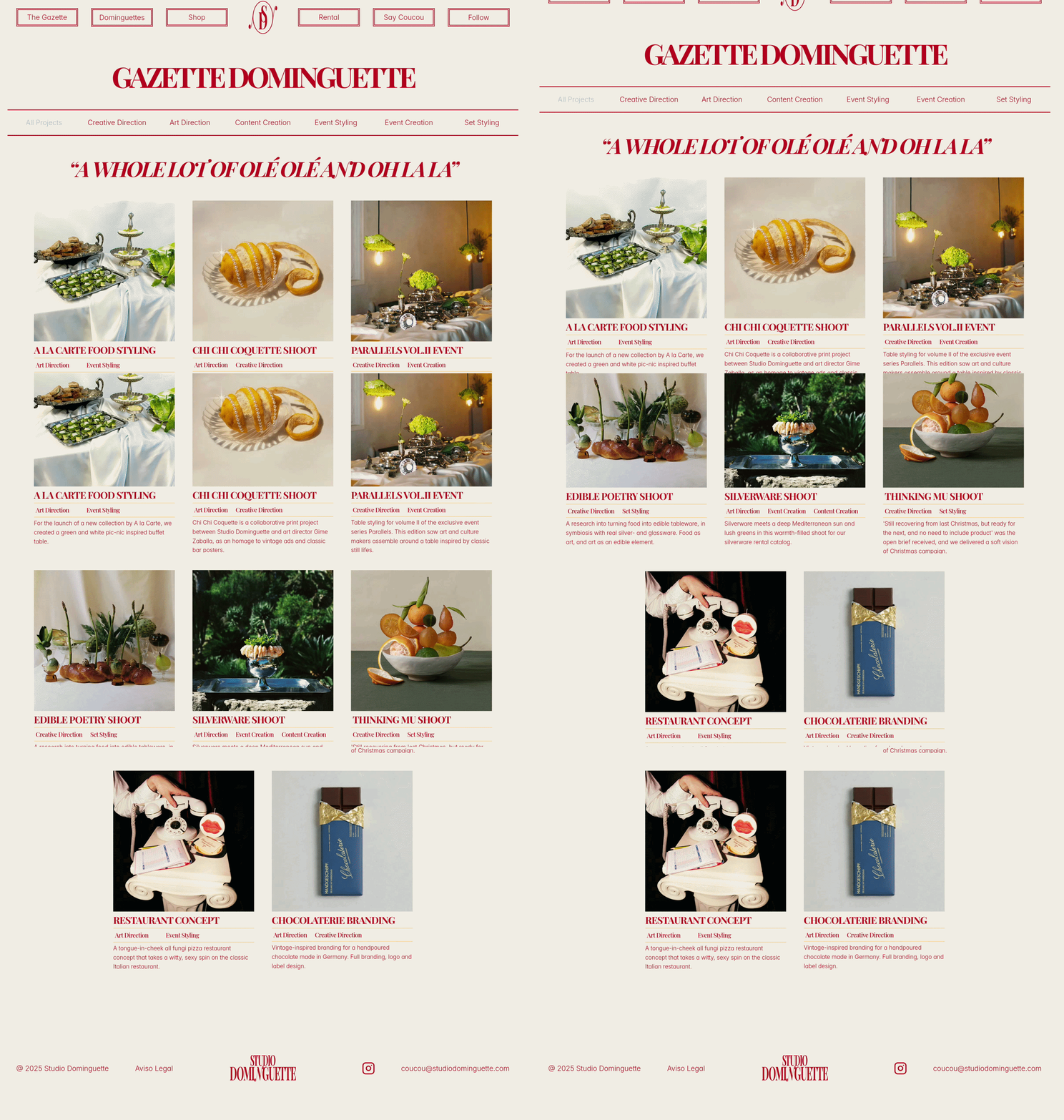
- Editorial CMS — A custom-styled Content Management System structured like a vintage newspaper to dynamically showcase their campaigns and events.
Visuals

Tech Stack
- Platform: Framer
- Architecture: Framer CMS
- Design: Provided by Client
Links
- Live Site: studiodominguette.com
Tourlane Self Scheduling
Overview
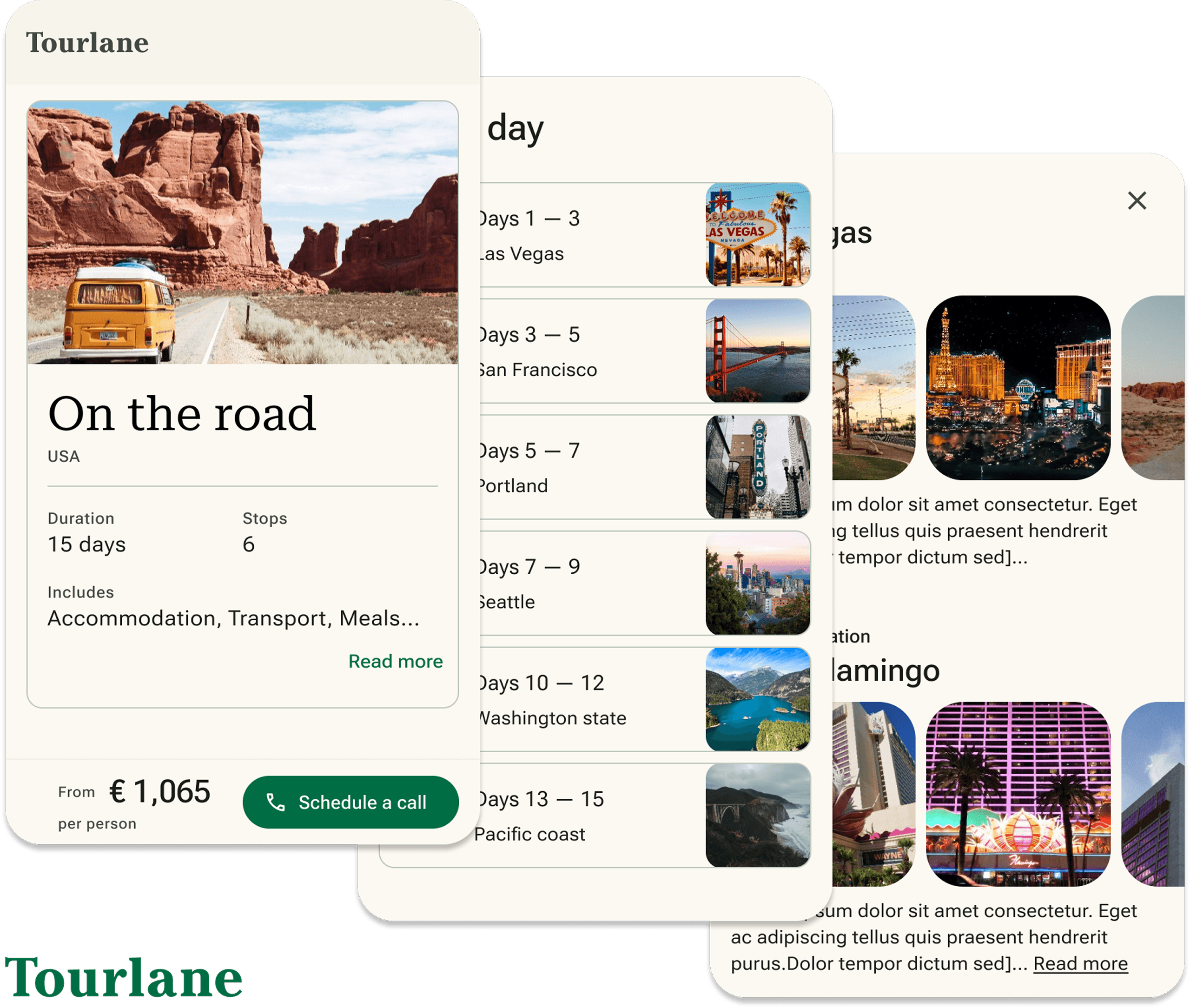
In my role as Senior Product Designer, I promoted the implementation of the Self Scheduling process. This initiative empowers users to initiate contact with the company on their own terms. Its objective is to enhance user satisfaction, align with company objectives for future scalability, and reduce costs by minimizing the time spent by Travel Experts on cold calls to customers.
What is Self Scheduling?
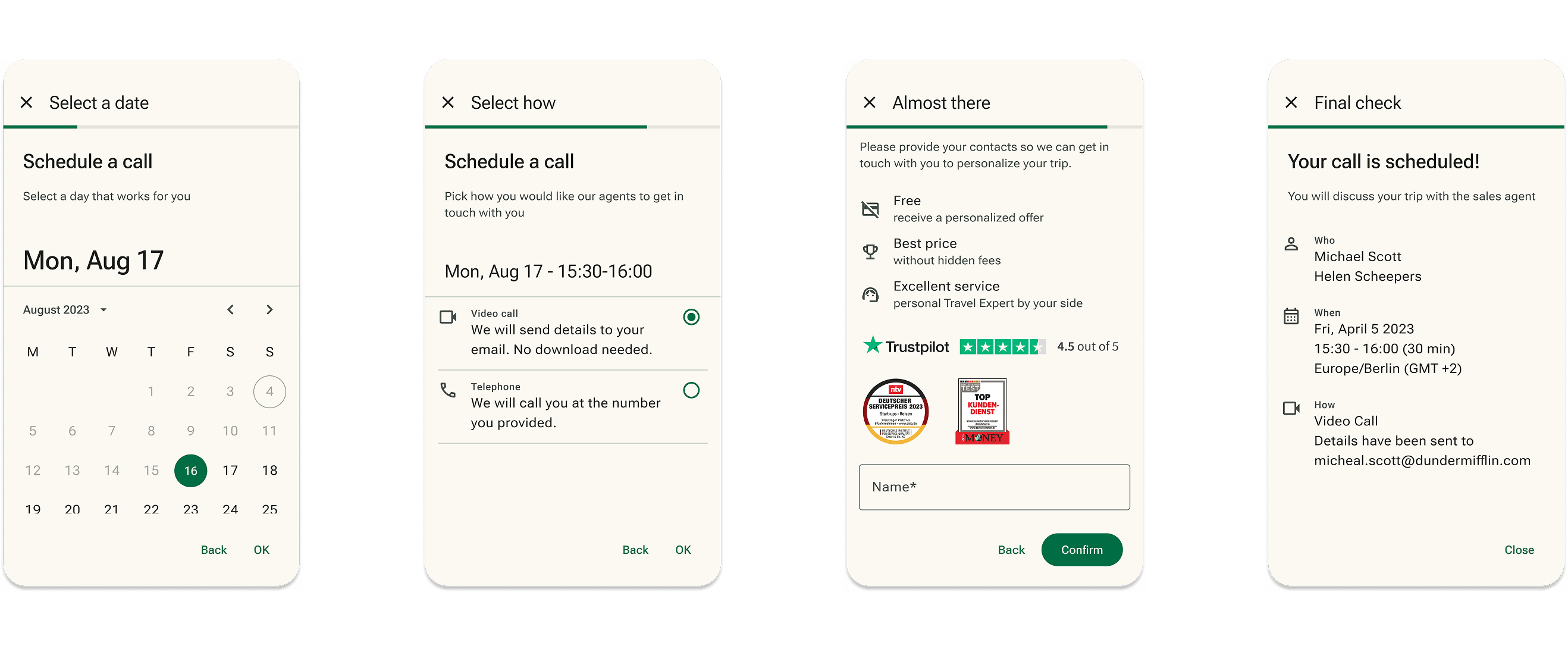
In the previous user journey at Tourlane, users input their travel preferences through the "enquiry experience," then moved to the "Offer Preview" page where they had to sign up to view a draft travel offer. After signing up, users unexpectedly received phone calls to qualify their intent and availability, often resulting in a disruptive experience.
The introduction of the Self Scheduling feature revolutionized this process. Integrated into the Offer Preview page, it allowed users to schedule their own phone or video calls at their convenience. This empowerment not only enhanced user control and satisfaction but also streamlined the qualification process. Importantly, it aimed to increase conversion rates by ensuring that interactions were initiated by genuinely interested users, making the process more efficient and user-friendly.
Why Self Scheduling?
User Understanding
Self-scheduling allows for direct insights into user preferences and behaviors by monitoring when and how users choose to engage. This data is crucial for tailoring services to better meet user needs.
User Satisfaction
By empowering users to control when they engage with travel consultants, self-scheduling significantly enhances user satisfaction. This control makes users feel respected and accommodated, contributing to a more positive user experience.
Cost Saving
Implementing self-scheduling reduces the need for unsolicited outreach, optimizing resources by saving time and expenses associated with cold calling. This leads to more efficient use of company resources.
Company Goals
Self-scheduling aligns with company objectives to provide personalized service and supports scalability and growth. By enabling a smoother, user-driven interaction model, the feature helps the company adapt to increasing user numbers without compromising service quality.
Prototype
Click on the button to see the Self Scheduling and Offer Preview in action.
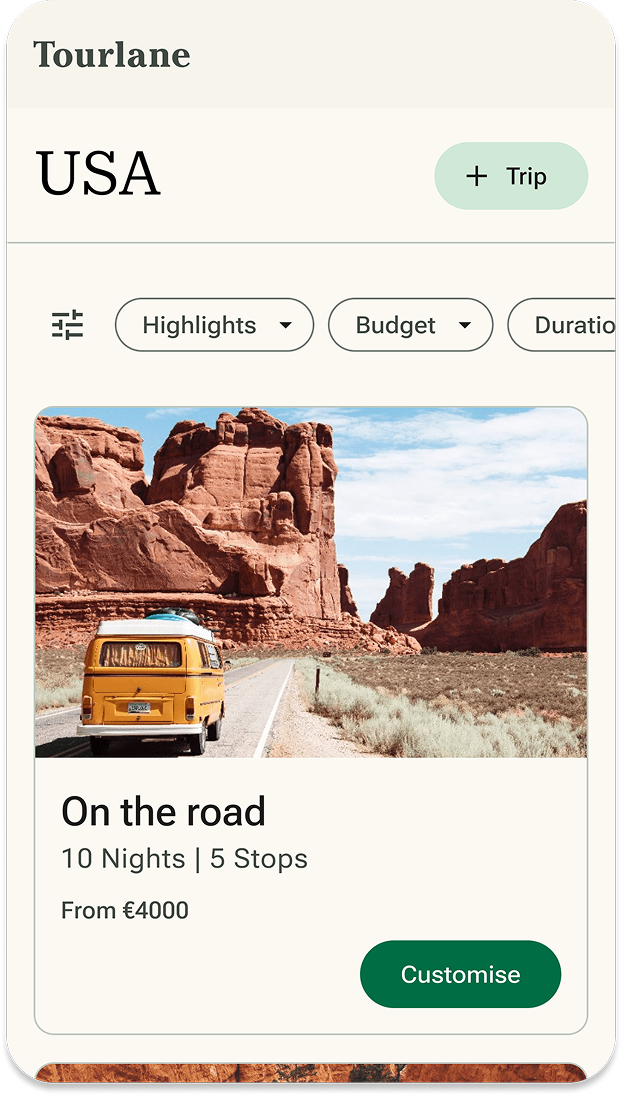
- Choose the trip "On the Road"
- Explore the offer preview page
- Click on one of the CTAs
- Complete the Self Scheduling process
- Go back to Offer
My role in the process
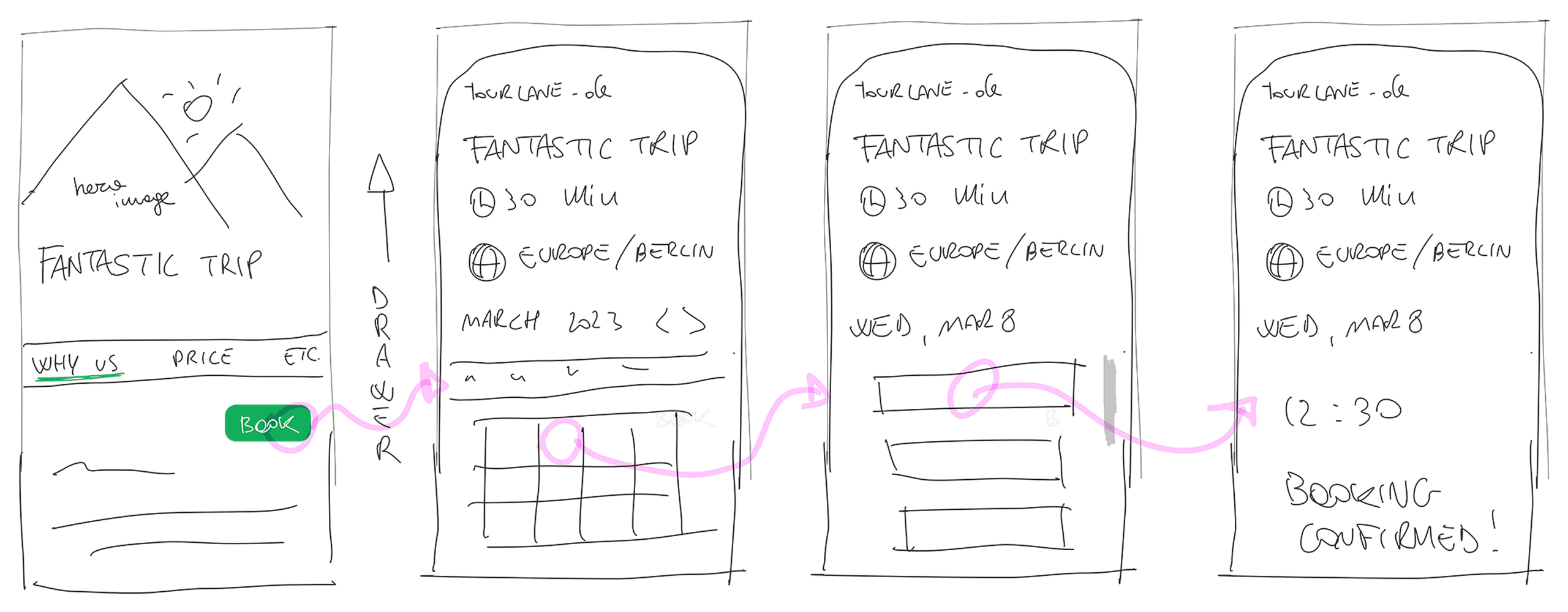
As a Senior Product Designer at Tourlane, I led the enhancement of user experiences, specifically addressing user dissatisfaction with unsolicited calls. Together with the Product Manager, we developed the self-scheduling feature, overseeing the design process from low-fidelity sketches to high-fidelity prototypes.
Collaboration
The development was driven by extensive user research and interviews, providing crucial insights that shaped the feature. Collaboration was key:
With the Product Manager
We worked closely from the beginning, identifying user pain points and refining the feature through continuous feedback, testing, and research.
With the Engineers
Our partnership ensured that the designs were technically feasible and effectively implemented, allowing for continuous adjustments to optimize performance.
Stakeholder Management
Regular updates and clear demonstrations of the project's impact were vital in securing ongoing support and resources from stakeholders.
Conclusion
The introduction of the self-scheduling feature was a collaborative effort that combined user-centered design with effective team dynamics and stakeholder engagement, reflecting a commitment to improving user experience and operational efficiency at Tourlane.
Further steps
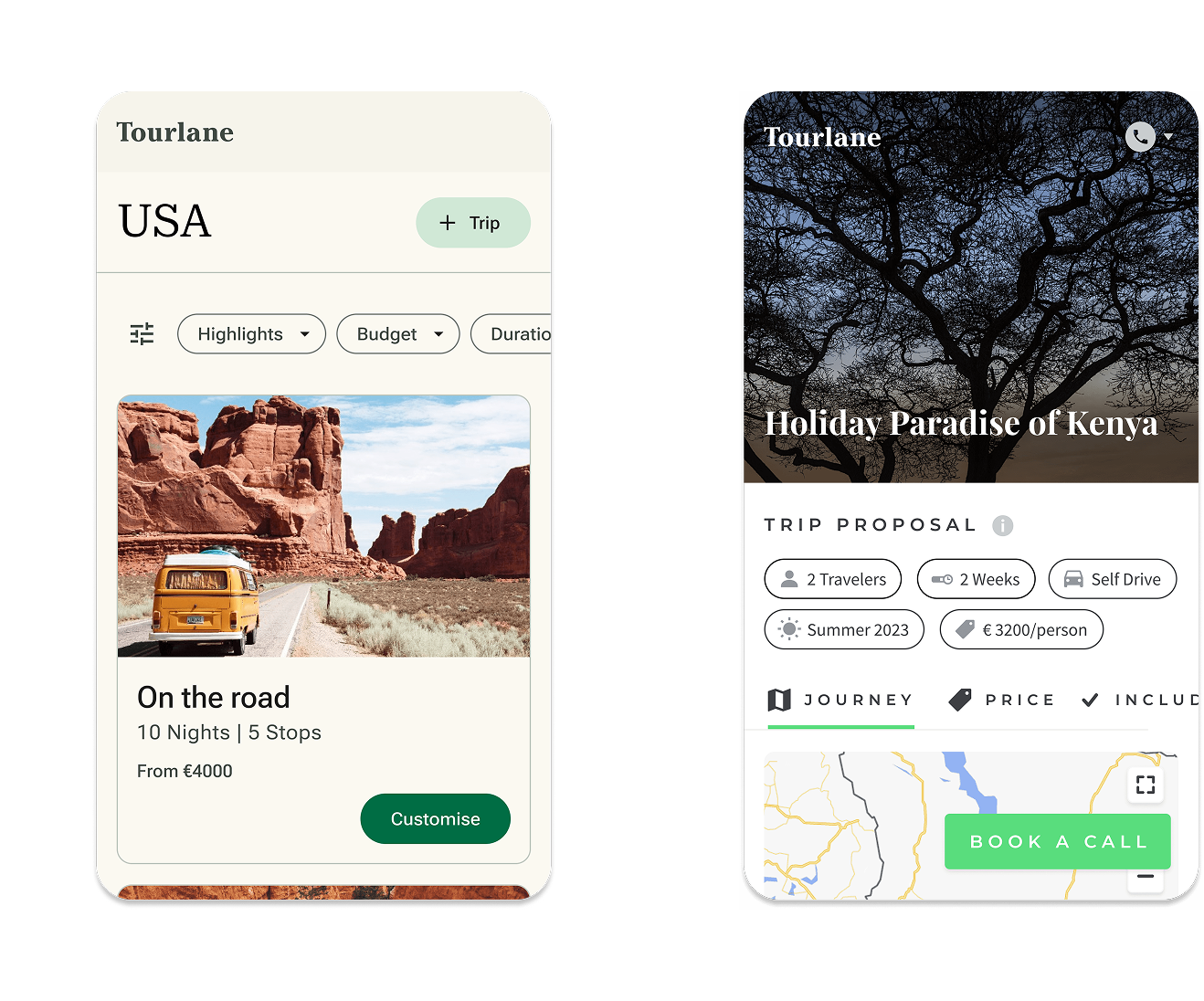
Optimizing the Offer Preview Page
Central Role in User Journey
The Offer Preview page is crucial for users to review and consider travel options, acting as a key touchpoint in their decision-making process.
Mobile Traffic Insight
Recognizing that the majority of our users access the site via mobile devices guided our approach to redesign for optimal mobile engagement.
Material Design 3 Implementation
We adopted Material Design 3 guidelines to enhance the visual and functional aspects of the OP page, focusing on improved usability and aesthetics for a better mobile experience.
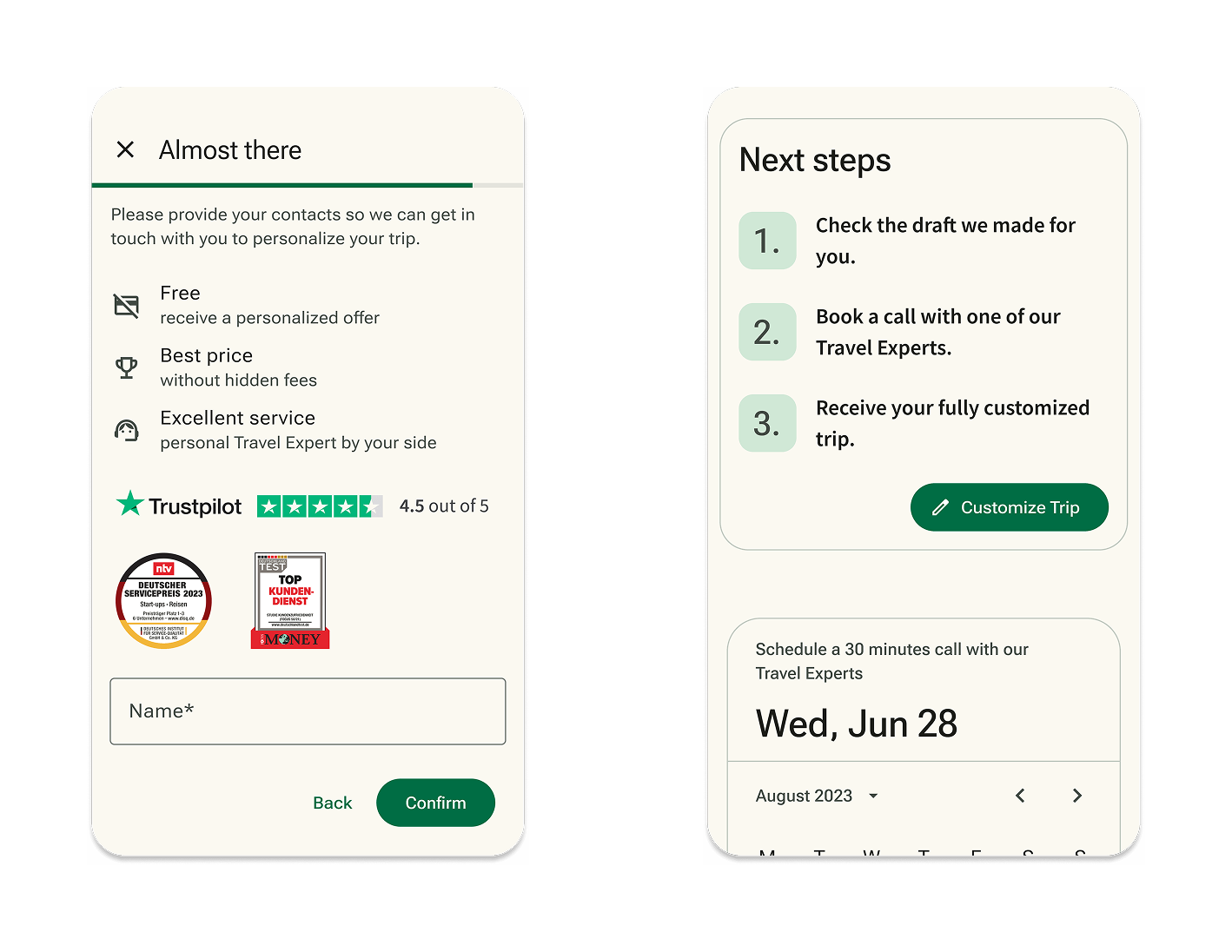
Building user trust
Importance of trust in travel
In the travel industry, trust is essential as users make significant emotional and financial commitments based on the information provided. Establishing trust ensures users feel confident in their decisions.
Trust building elements
The Offer Preview page incorporates unique selling points (USPs) and clear explanations of the booking process. These elements are strategically placed to inform and reassure users about the value and reliability of the service.
Information Architecture
The layout and flow of information are designed to be intuitive and transparent, helping users easily understand how services work and what benefits they offer, which reinforces trust.
Iterative Design Process
We utilized an iterative design process to refine these trust-building elements, testing different approaches to determine the most effective way to communicate reliability and secure user confidence.
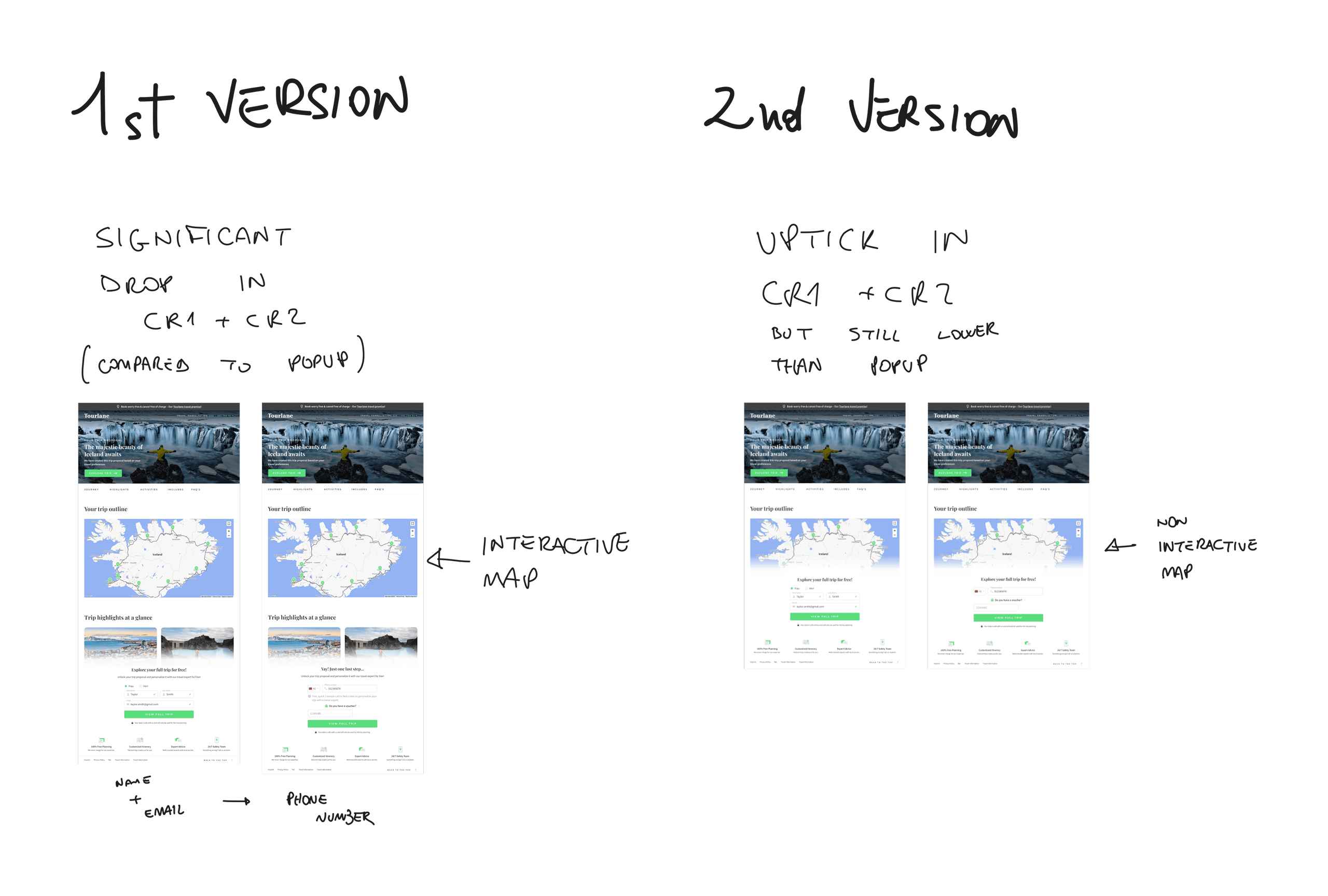
Data driven decision making
Foundation in research and analysis
Every design decision at Tourlane is underpinned by thorough research and analysis, ensuring that our strategies are informed by data rather than assumptions.
Utilization of analytical methods
We employed a variety of methods to gather insights, including A/B testing to compare different design versions, heatmaps to visualize user engagement on our pages, and user testing to directly observe user interactions and gather feedback.
Impact on product development
The insights gained from these research methods were instrumental in developing the self-scheduling feature. Data showed a clear preference for user autonomy and control, leading to the implementation of a feature that allows users to schedule their interactions at their convenience.
Achievements and future opportunities

User empowerment
Users gain significant control over their interactions, choosing the most convenient times to discuss their travel plans. This empowerment improves their overall experience and satisfaction, fostering a more user-centric approach.
Improved qualification process
Tourlane can better gauge the seriousness and readiness of potential customers through their proactive engagement. Scheduling a call serves as a strong indicator of a user's commitment to their travel plans, allowing for more effective and targeted marketing efforts.
Operational optimization
The self-scheduling feature enhances the efficiency of the sales team by focusing their efforts on users who demonstrate clear interest. This not only improves conversion rates but also reduces the wastage of resources on less interested prospects, streamlining operations and boosting productivity.
Setting the stage for future innovations
The success of the self-scheduling feature sets a precedent for further innovation at Tourlane. It opens avenues for additional user-driven features and services, potentially including personalized travel recommendations and more flexible engagement options. This proactive stance on innovation continuously positions Tourlane at the forefront of the travel industry, ready to adapt to evolving user needs and market dynamics.
Thank you for reading all the way to the end! If you want to know more or you would like to chat click on the button to the right and get in touch.
CGM Vaccine Registration
Overview
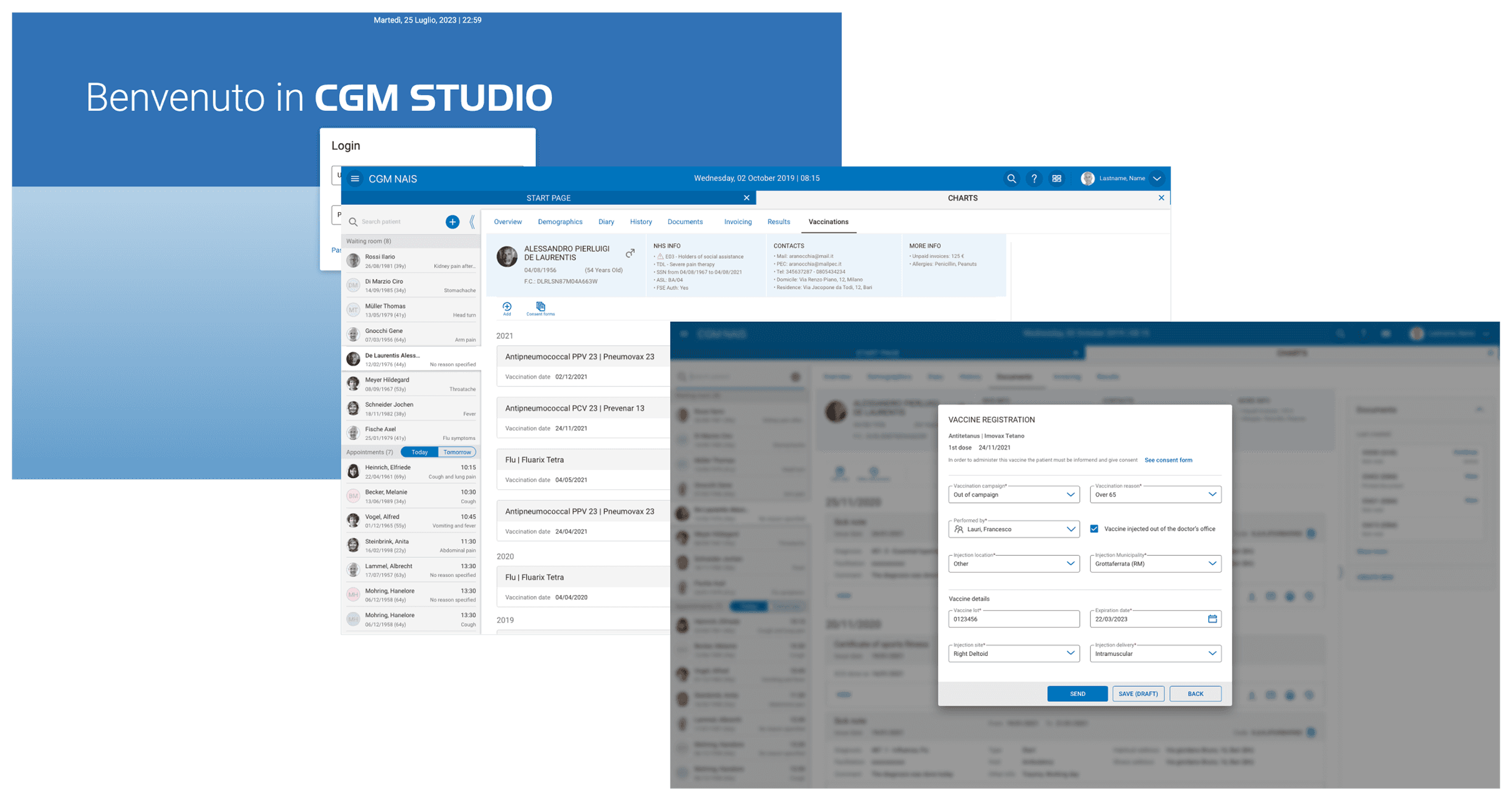
In this project, the primary goal was to develop and integrate a vaccine registration function into an existing physician software platform, a leading B2B SaaS product used by medical professionals. This new feature was designed to connect directly with the online medical service of the local Lazio ASL—one of the most sophisticated administrative healthcare systems in Italy, which utilizes intricate API services. The integration aimed to streamline the vaccination registration process, making it more efficient and compliant with Italian healthcare regulations.
Key details
This project was not only crucial for streamlining the vaccination process during the critical times of the COVID-19 pandemic but also essential for ensuring compliance with healthcare standards. The initiative directly supported medical professionals by providing a tool that significantly enhanced their ability to manage public health responsibilities effectively.
Target Audience
The system is primarily designed for medical professionals who require a reliable and efficient tool to register vaccinations directly into regional healthcare databases. This audience values accuracy, compliance, and ease of use in their daily operations.
Complex regulatory requirements
The design needed to adhere to stringent Italian healthcare regulations, ensuring that all data handling is secure and compliant.
Diverse vaccine information
The system had to accommodate a wide range of vaccines, each with its specific data requirements and potential edge cases.
Technical integration challenges
Integrating the new function into an existing software environment required careful architectural considerations to maintain system stability and performance.
Prototype and wireframes
Click on the prototype button to have a quick walkthrough a typical vaccination registration.
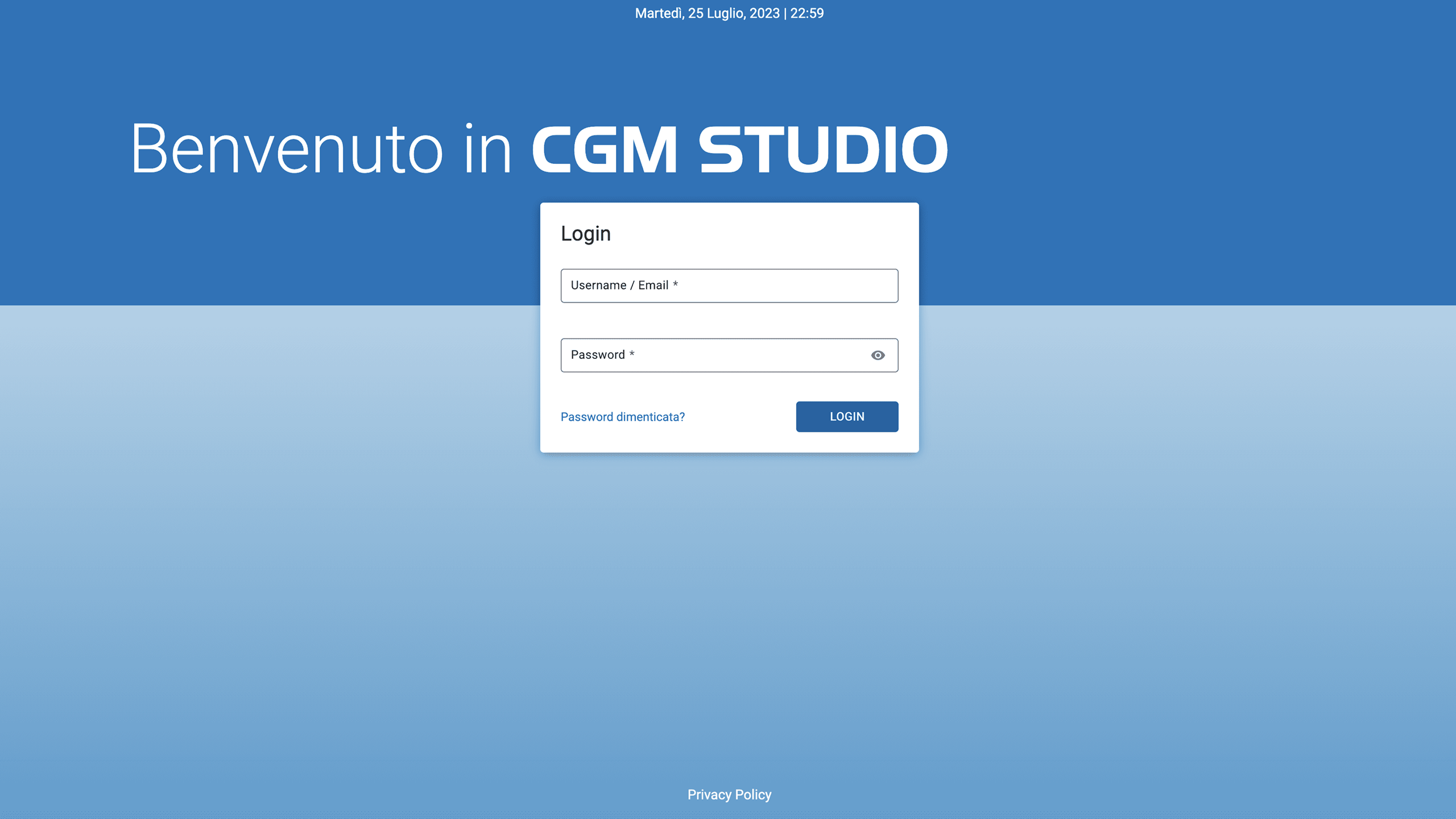
Follow the highlights and complete a vaccine registration.
My role in the process
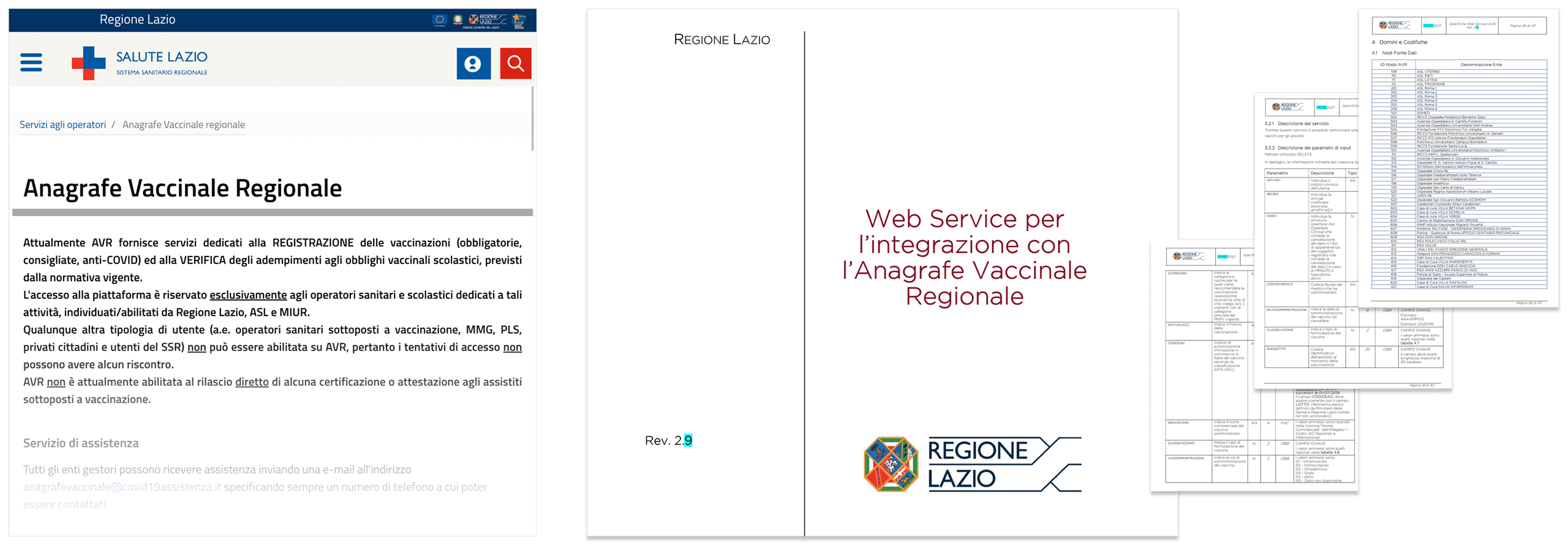
Regulatory expertise
I took on the challenge of mastering the intricate Italian healthcare laws, which are essential for ensuring the vaccine registration function adhered to all legal standards. This required a thorough study of ongoing legislative updates and a proactive approach to incorporating these requirements into the design.
Stakeholder collaboration
My responsibilities extended beyond design; I facilitated crucial discussions with legal experts and translated their guidance into practical design solutions. This collaboration ensured that every aspect of the product was compliant and aligned with medical and legal standards.
Design adaptability
I focused on creating a design that was not only intuitive for users but also flexible enough to adapt to legal requirements as they evolved. This involved designing interfaces that could easily be updated or modified without significant disruptions to the user experience or backend architecture.
Proactive Compliance Strategy
I designed with foresight, anticipating potential regulatory changes and preparing the system architecture to accommodate these adjustments efficiently. This strategic planning was crucial for minimizing future risks and maintaining the software's leadership in compliance within the Italian market.
Outcomes

Streamlined registration process
Enhanced the efficiency of vaccine registration for medical professionals, significantly improving user experience.
Regulatory compliance
Ensured full compliance with Italian healthcare laws, vital for legal operation and user trust.
Market expansion
Facilitated broader adoption and rollout in Italy and other markets, strengthening the software's industry position.
Learnings
Through this project, I deepened my understanding of the critical role of stakeholder collaboration and regulatory compliance in healthcare software design. Successfully navigating the complex Italian healthcare regulations has not only improved my strategic planning and problem-solving skills but also enhanced my technical proficiency in working within rigorous design systems. These experiences have equipped me with invaluable skills and insights that will guide my approach to future UX/UI projects, particularly in regulated industries.
Thank you for reading all the way to the end! If you want to know more or you would like to chat click on the button to the right and get in touch.
Tresor: Treasure Hunt
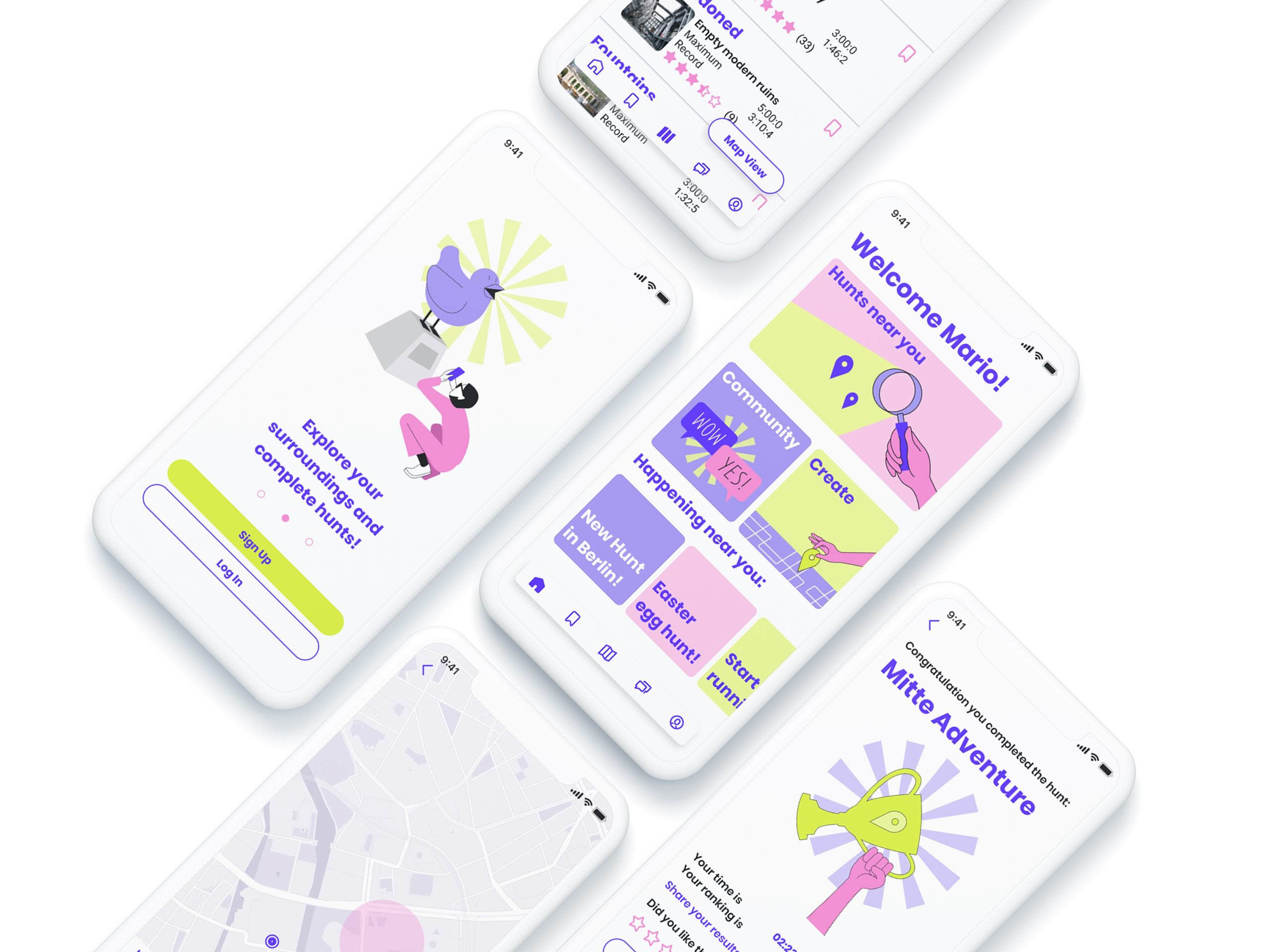
Tresor is an innovative app crafted to empower players to engage in or create their own treasure hunts, leveraging cutting-edge location-based and augmented reality technologies. These technologies are now widely available on most portable connected devices, making the treasure hunt experience both accessible and immersive. This project, part of my CareerFoundry UX design course, showcases how digital tools can transform traditional gaming into interactive, real-world adventures.
The project
In the CareerFoundry bootcamp, I was presented with several project options and chose to design a game. The problem identified was the lack of engaging, accessible location-based games that don't rely on user levels for progression. My solution was "Tresor," a game I designed from scratch, which uses augmented reality and geolocation technology to create a dynamic treasure hunting experience. This approach ensures that all players, regardless of experience, can enjoy creating and participating in treasure hunts, promoting equal and active participation in a fun, immersive game environment.
The process
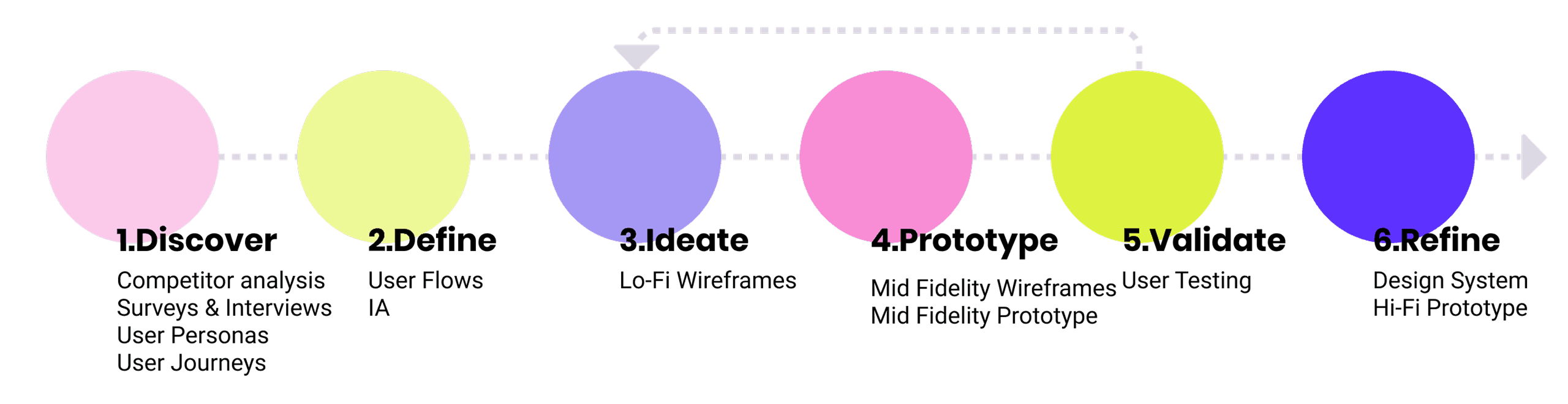
Discover
In the "Discover" phase for the Tresor app, I focused on identifying market gaps and user needs through competitive analysis and direct user research. This foundational stage was crucial for setting the strategic direction of the design and understanding what features would significantly enhance the user experience.
Competitive analysis
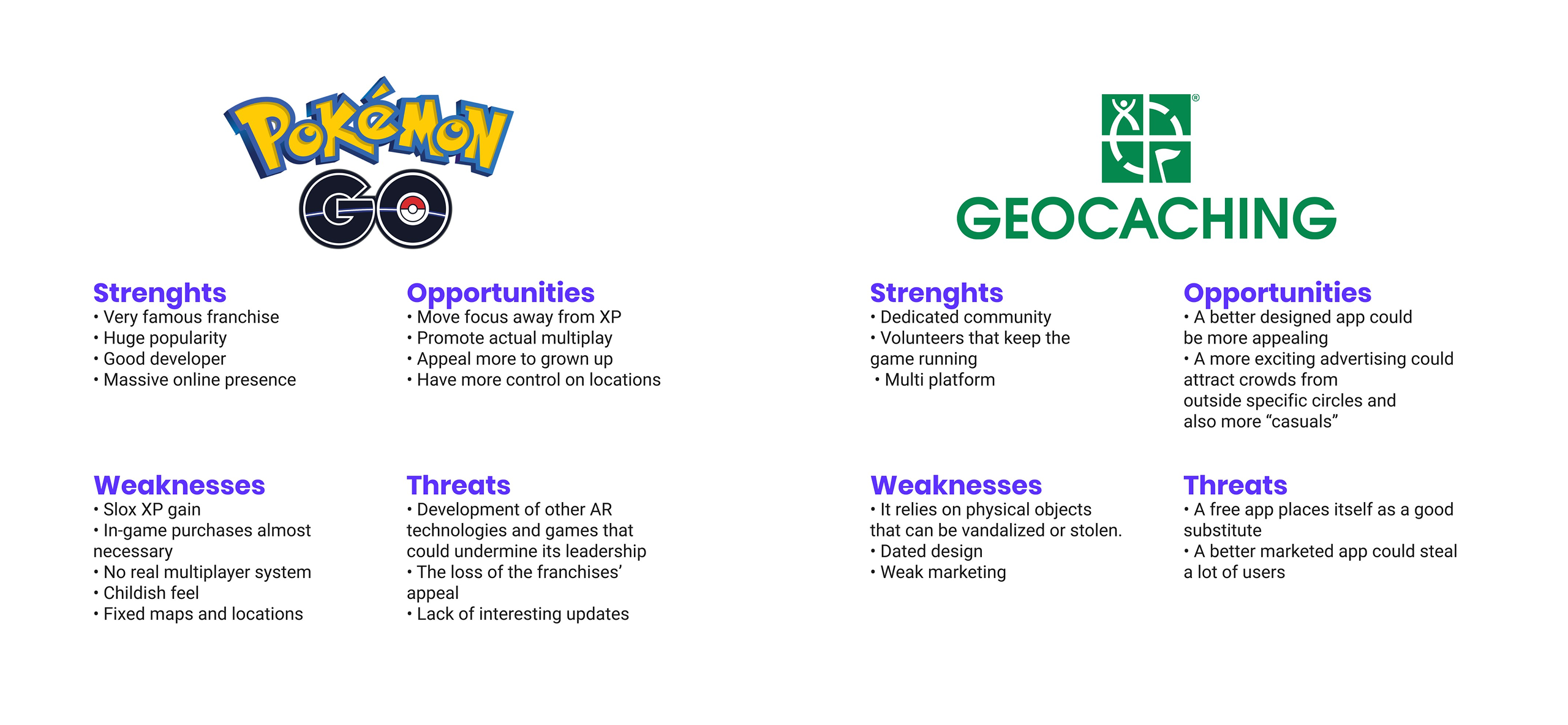
Evaluated major games like Pokemon GO and Geocaching, using SWOT analysis to pinpoint opportunities for differentiation and innovation.
Survey and interviews
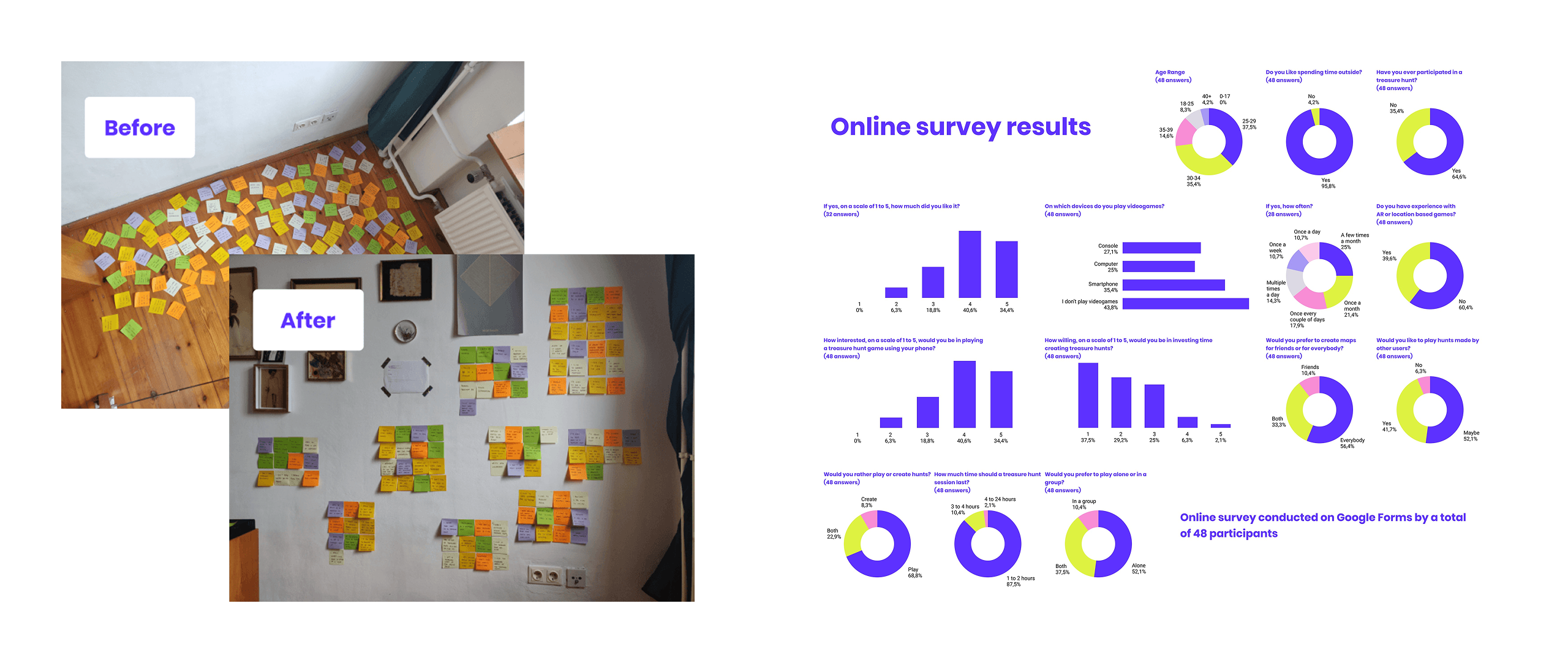
Collected extensive data on user preferences for outdoor activities, gaming experiences, and interactions with AR and GPS technology. This research was pivotal in formulating user personas, which guided the design strategy by providing a clear picture of the target users' characteristics and needs.
Protopersonas and user journeys
In the "Discover" phase of the Tresor app design, I formulated user personas and user journeys based on the quantitative and qualitative data gathered from surveys and interviews. This detailed data analysis ensured that the personas and journeys accurately reflected the diverse needs and behaviors of potential users, guiding targeted and effective design decisions throughout the development process.
Define
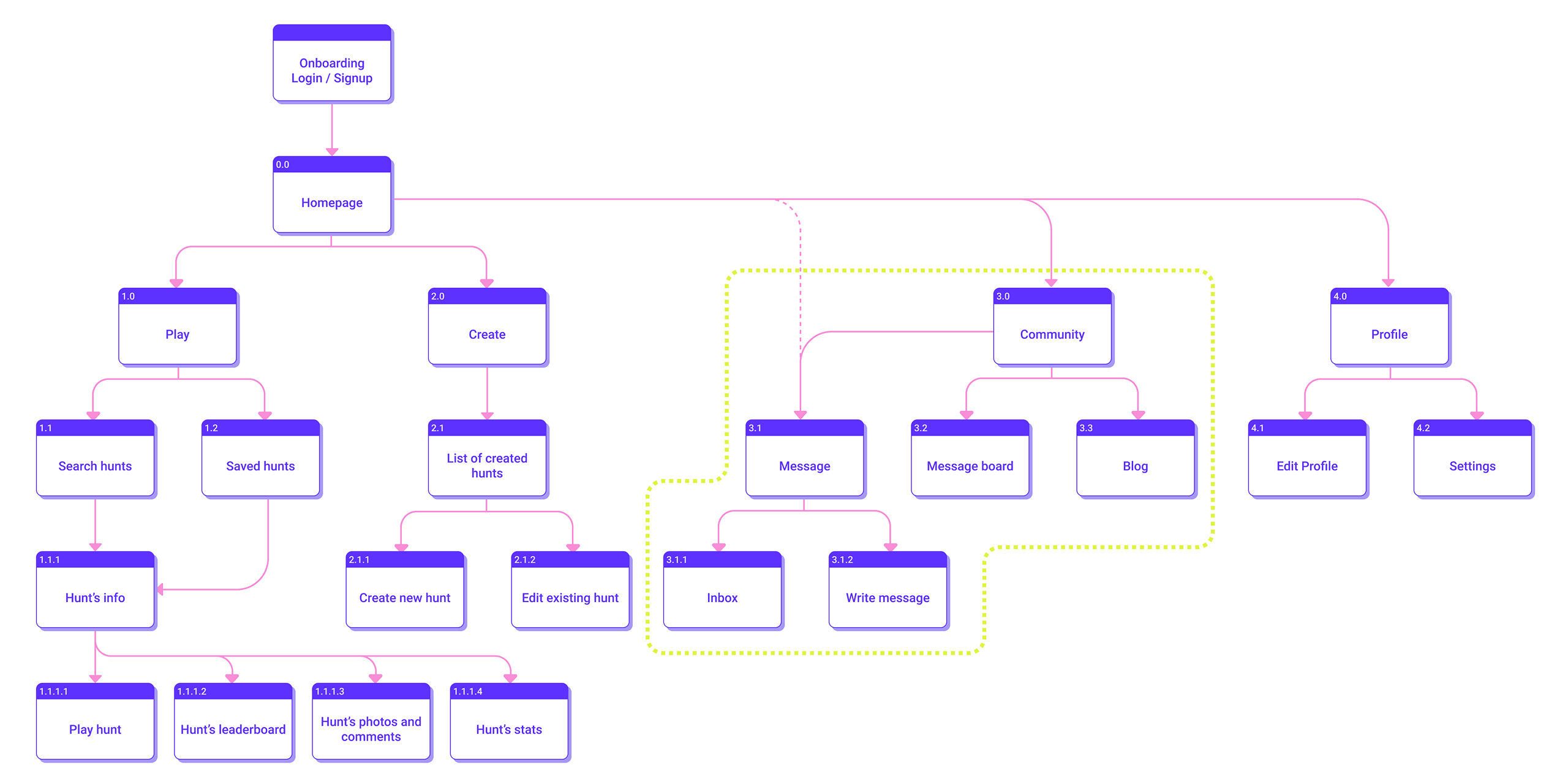
In the "Define" phase of the Tresor app design, the focus shifted to refining the structure and navigation based on insights from the "Discover" phase. This stage involved developing user flows, creating an initial information architecture, and employing card sorting to ensure the app's organization resonated well with potential users. Each step was crucial for establishing a solid framework for the interactive features of the app.
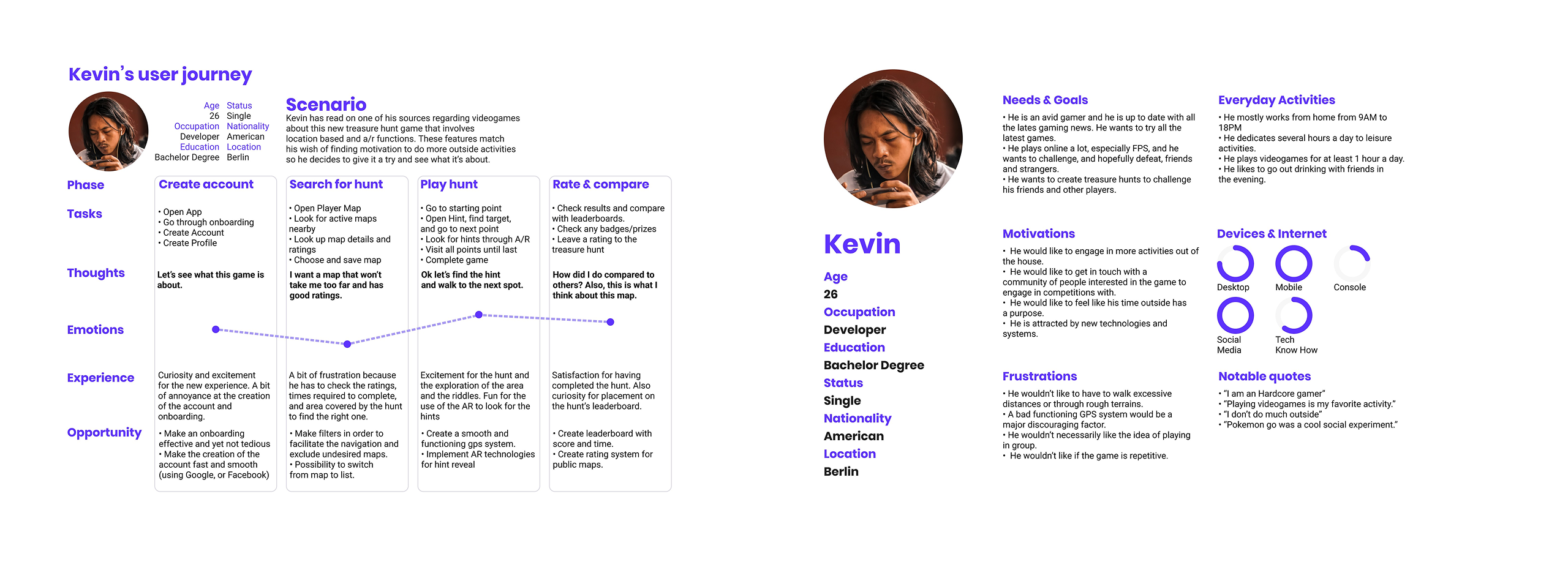
User flows
In the "Define" phase of the Tresor app, the development of user flows was a crucial step. These flows were carefully crafted using insights from the initial research and user personas, providing a visual representation of the steps users like Kevin would take when engaging in a treasure hunt within the app. This detailed planning helped to ensure that the user experience would be seamless and intuitive, guiding the design decisions for the app's functionality and navigation.
Information architecture
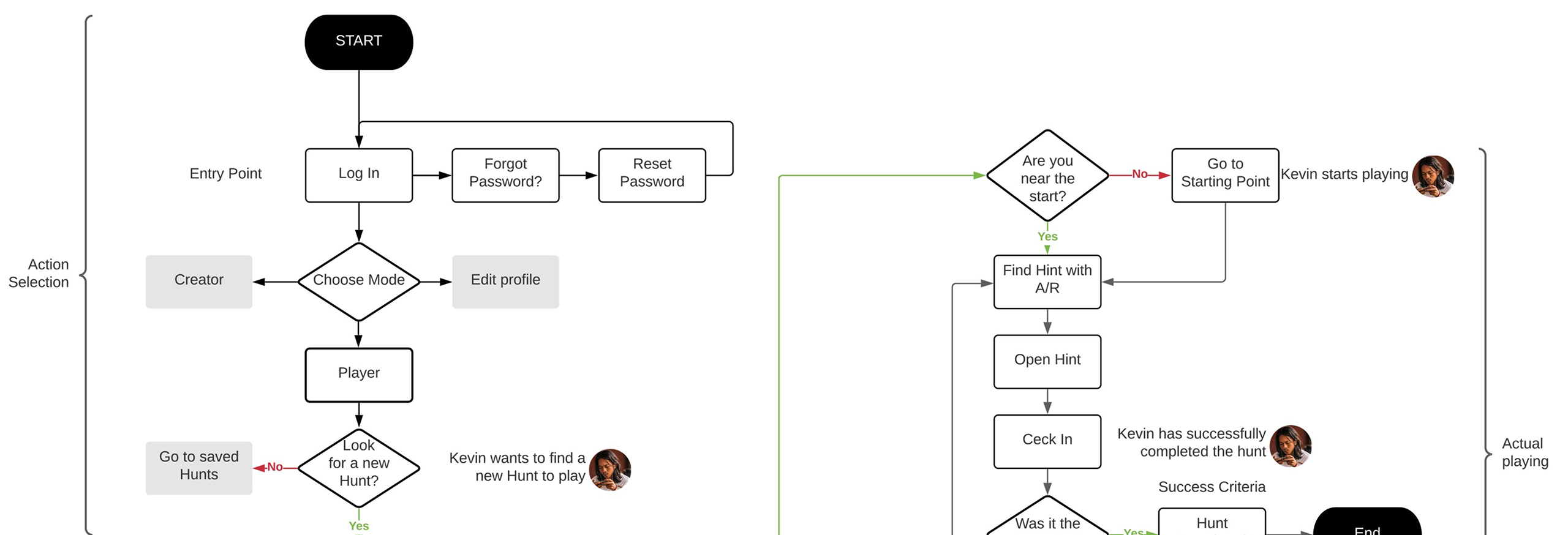
The information architecture was initially drafted into a sitemap and optimized through a round of card sorting. This process helped refine the organization of the app's content, making navigation more intuitive for users by ensuring logical access to various features and screens.
Ideate
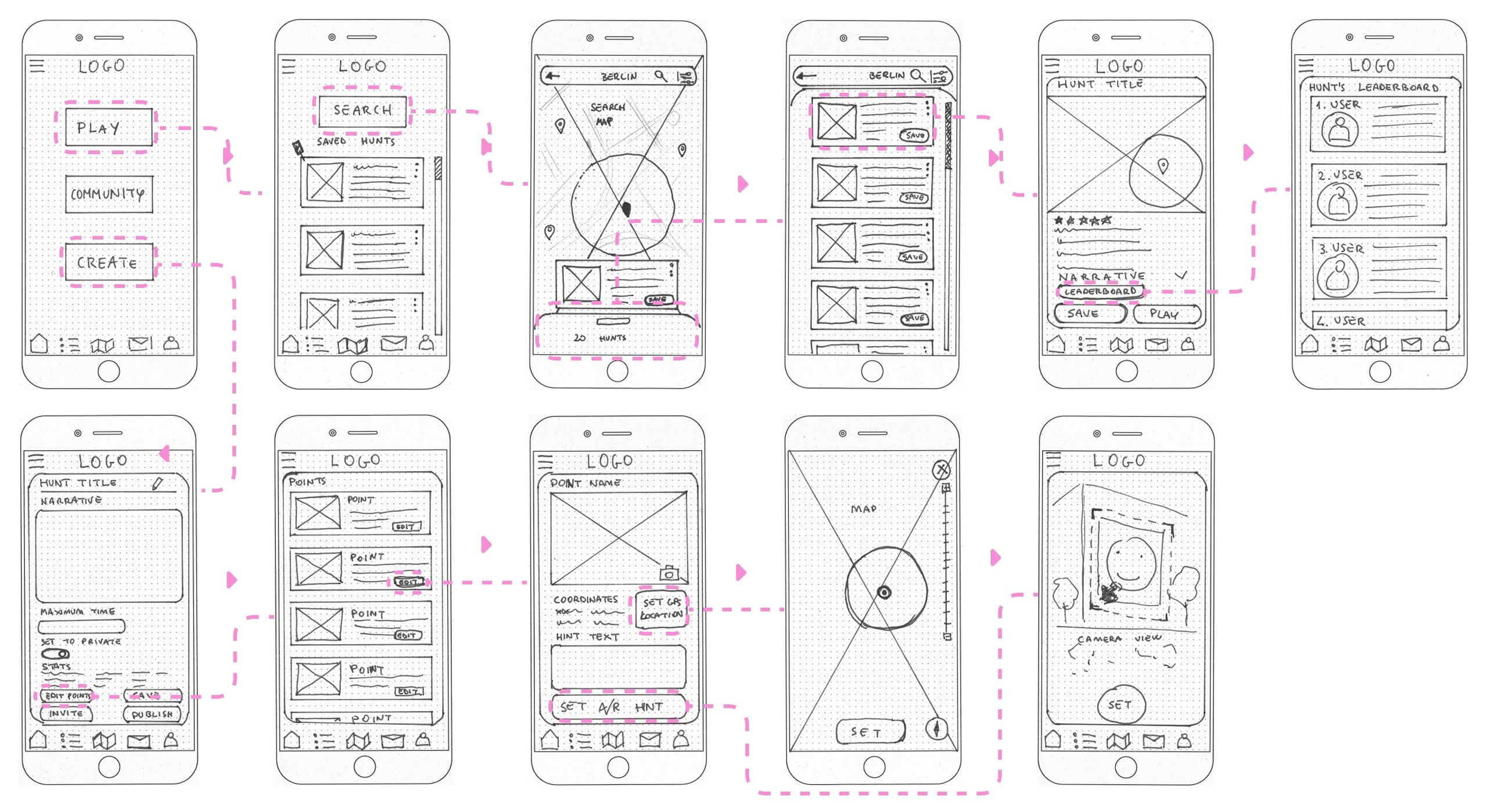
Following the completion of extensive research, it was time to translate these insights into concrete designs for Tresor. This phase involved sketching several wireframes that detailed the navigation of the app and defined the functionalities for searching and creating hunts. These preliminary designs set the stage for refining how users would interact with the core features of Tresor, as illustrated by the examples of these functions in their early stages.
Low fidelity wireframes
Prototype
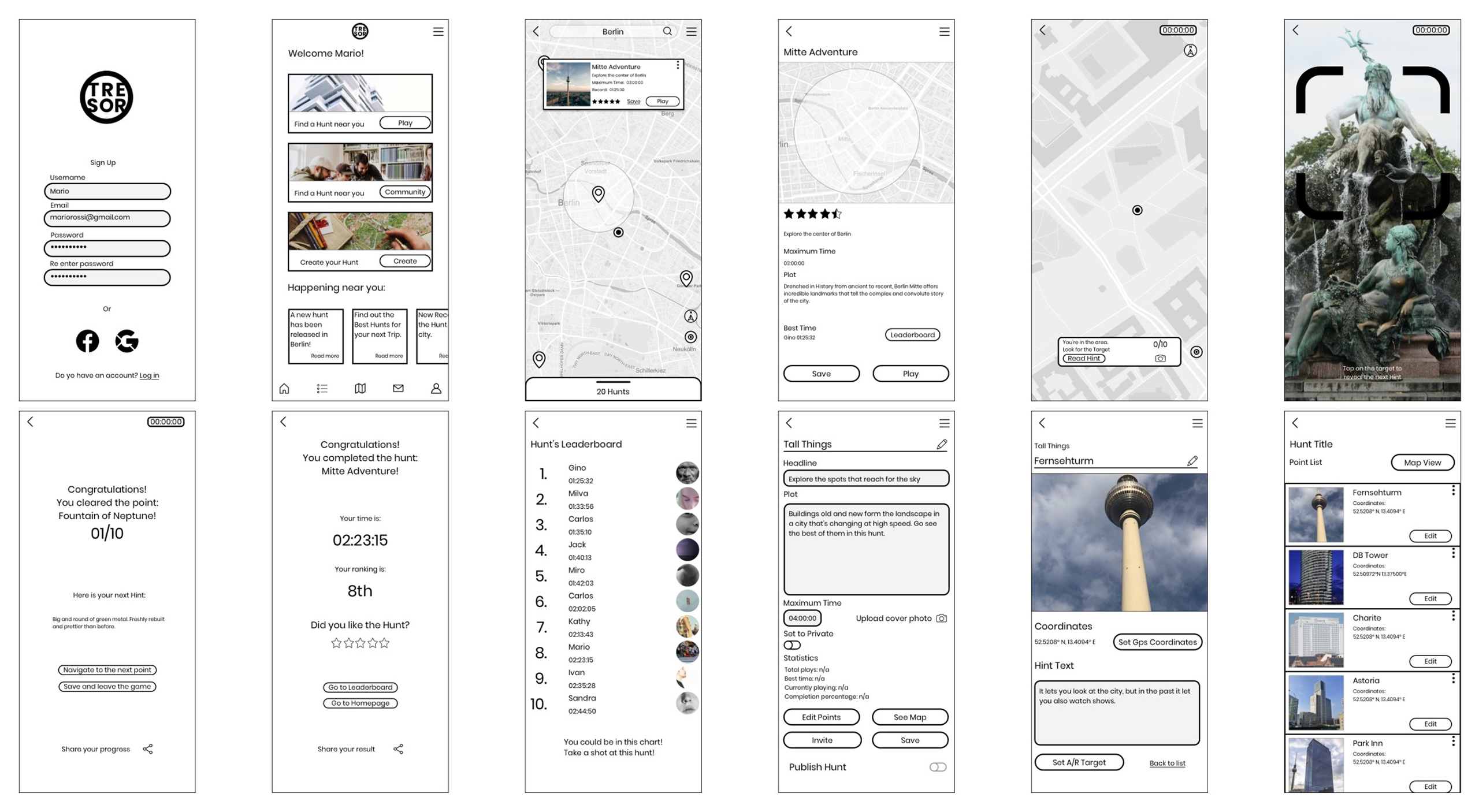
The next stage involved developing a mid-fidelity prototype, which was crucial for the initial round of user testing. This prototype marked the first interaction between the product and its users, allowing us to shift from our own perspectives to understanding the user's experience and identifying previously unnoticed issues. Although the inclusion of images in the wireframes might suggest a higher fidelity level, they were essential to facilitate effective testing.
Mid fidelity wireframes
Validate
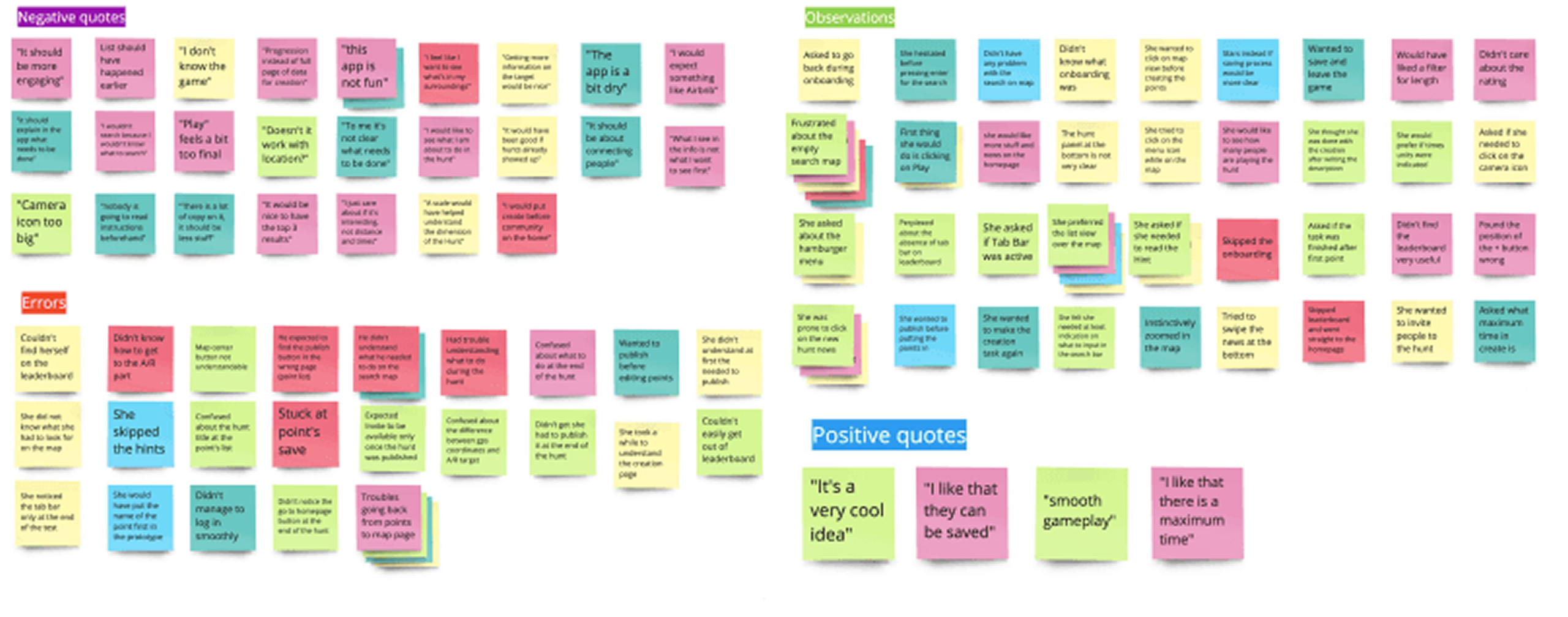
In the "Validate" phase of the Tresor app design, I conducted user testing to evaluate the usability of the prototype. This involved observing participants as they completed tasks such as logging in, searching for treasure hunts, playing, and creating hunts. Testing was done both live and remotely, with sessions recorded using screen mirroring apps and screen capture tools. Errors were analyzed according to Jakob Nielsen's scale, helping to identify areas for improvement in the user experience.
Refine
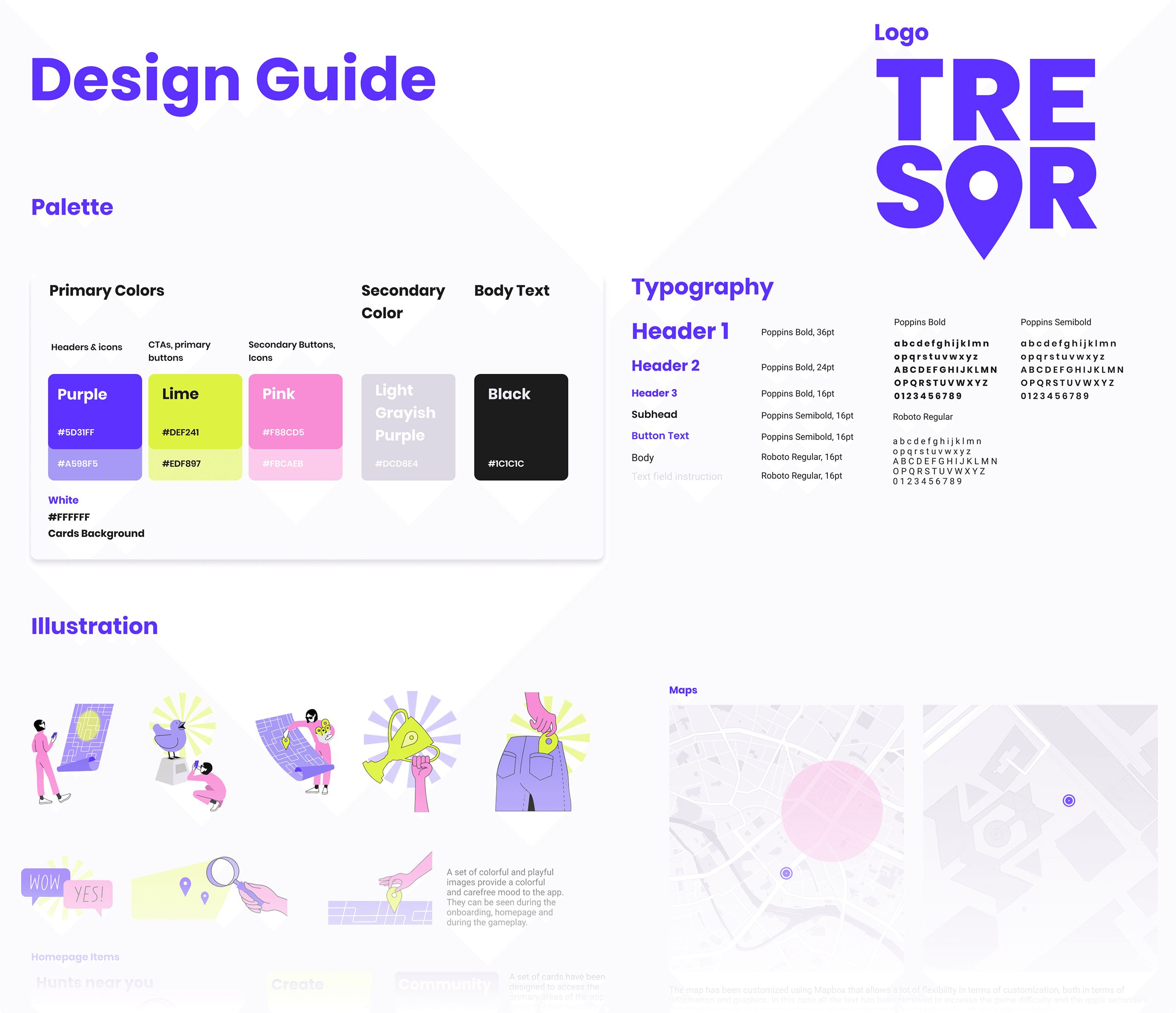
In the "Refine" phase of the Tresor app design, the product began to take its final shape. A unified visual language was established, incorporating a defined color palette, UI elements, illustrations, copy, and guidelines for dos and don'ts. This cohesive design framework allowed for the translation of all previous wireframes into a prototype, moving closer to a polished and complete product.
Design guide
Mockups
Prototype
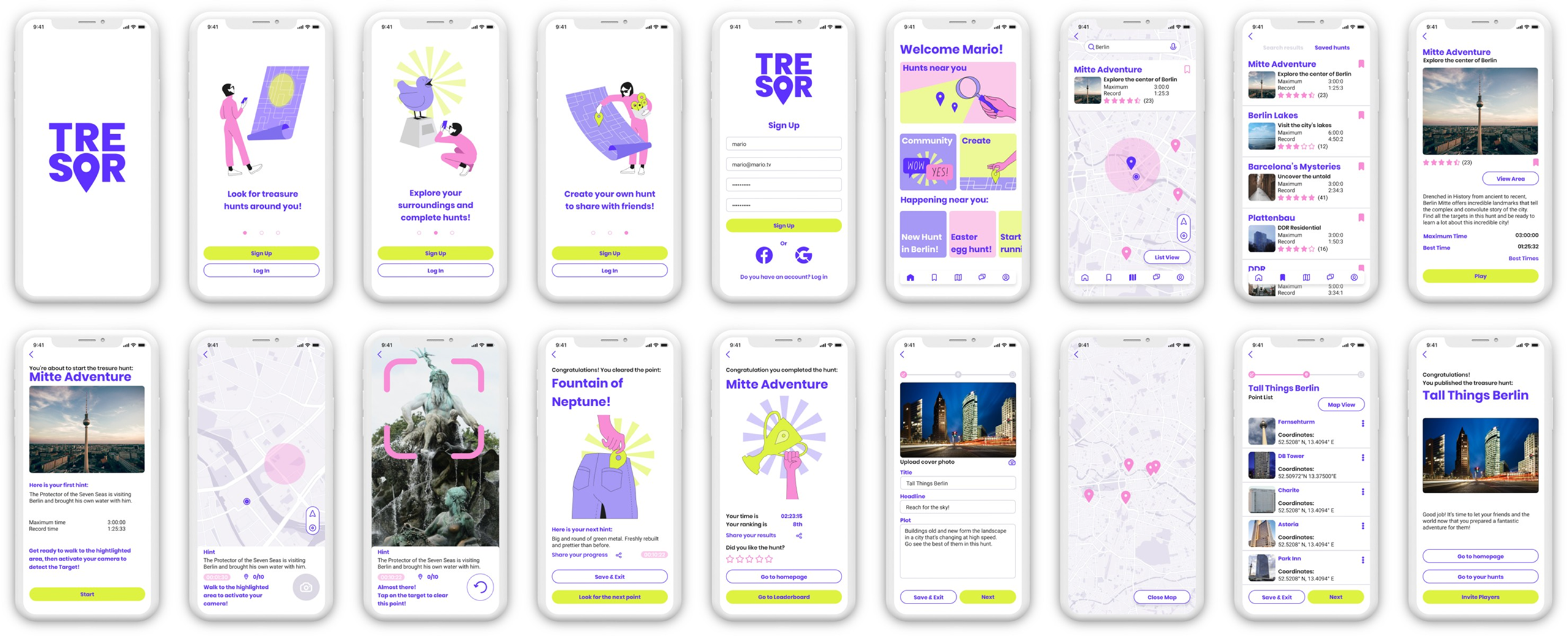
Sign up and complete a game of Tresor through the prototype.
Video presentation
Learnings
Through this project, I learned invaluable lessons as I embarked on my journey to become a UX/UI designer. Tresor was my first significant venture into design, realized during my studies. It taught me the importance of thorough user research, the iterative nature of design, and how to effectively translate user feedback into actionable design improvements. This experience laid a solid foundation for my skills in creating intuitive and user-centric designs.
Thank you for reading all the way to the end! If you want to know more or you would like to chat click on the button to the right and get in touch.
Study Buddy: Student Collaboration
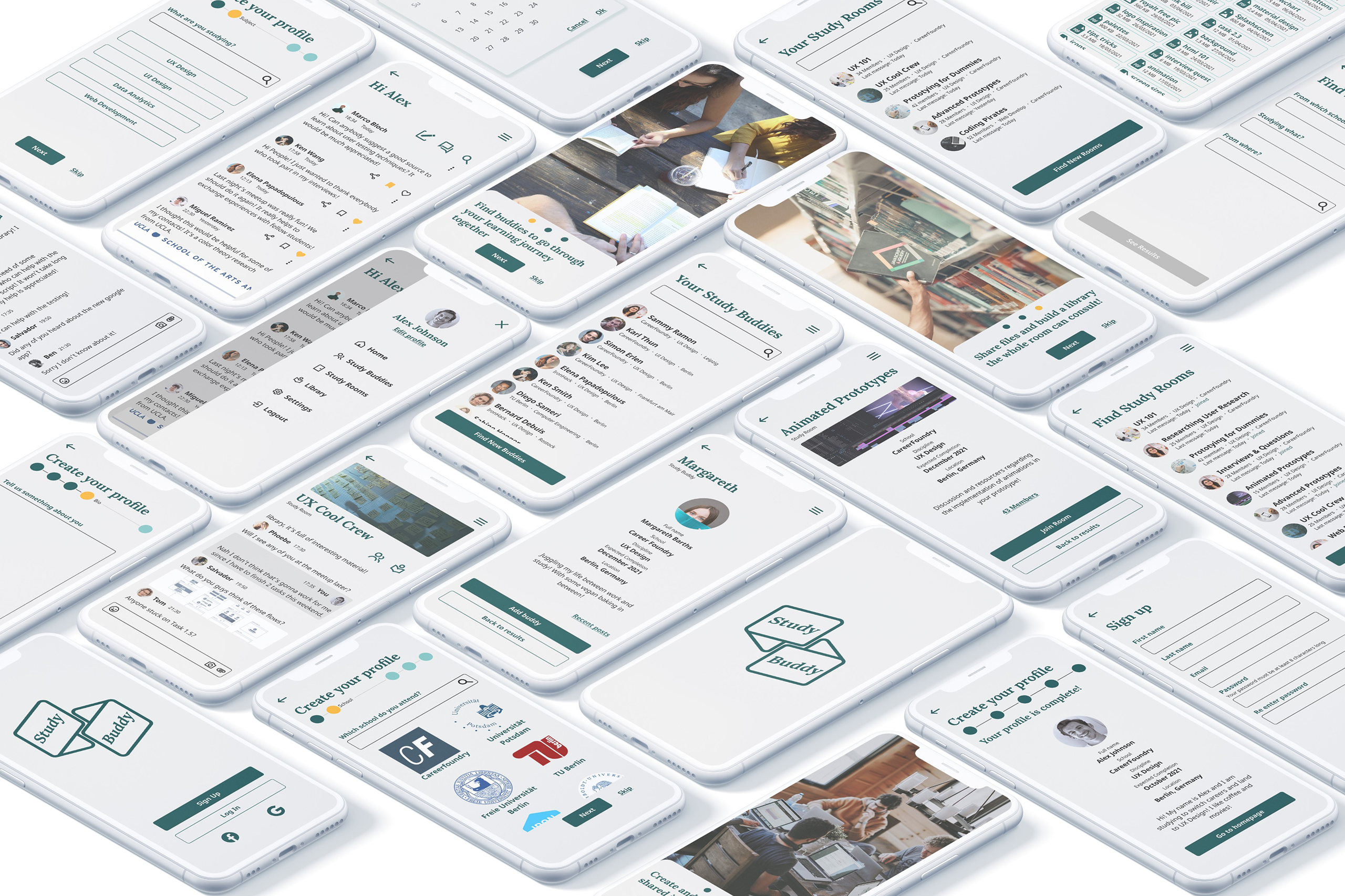
Study Buddy is a web-based application designed to enhance academic collaboration among students. Created as part of the UI for UX Designers specialization course at CareerFoundry, this app facilitates connections between students by utilizing criteria like school, discipline, and location. Users can engage in one-on-one meetings or join thematic rooms where they can share digital files and participate in discussions, all aimed at supporting each other's academic and professional learning goals.
The project
The "Study Buddy" project, developed during my UI specialization at CareerFoundry, involved an end-to-end design process tailored to enhance academic collaboration among students. This initiative started with a thorough analysis of user needs through research, followed by the crafting of user flows and information architecture. I ideated and prototyped essential features to ensure optimal usability and engagement. The design phase culminated with high-fidelity mockups, preparing the web app for seamless functionality and an intuitive user experience.
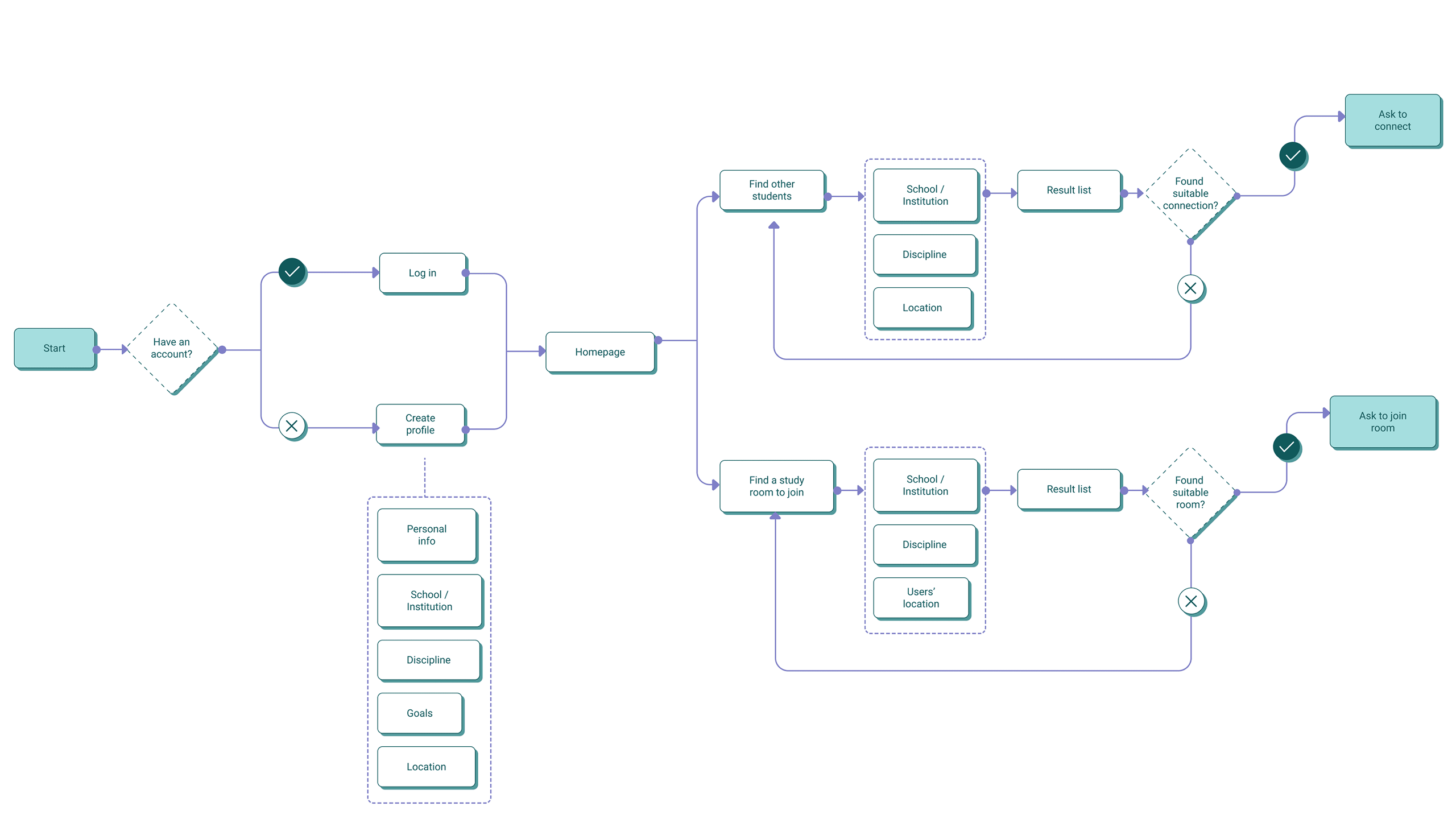
User flows
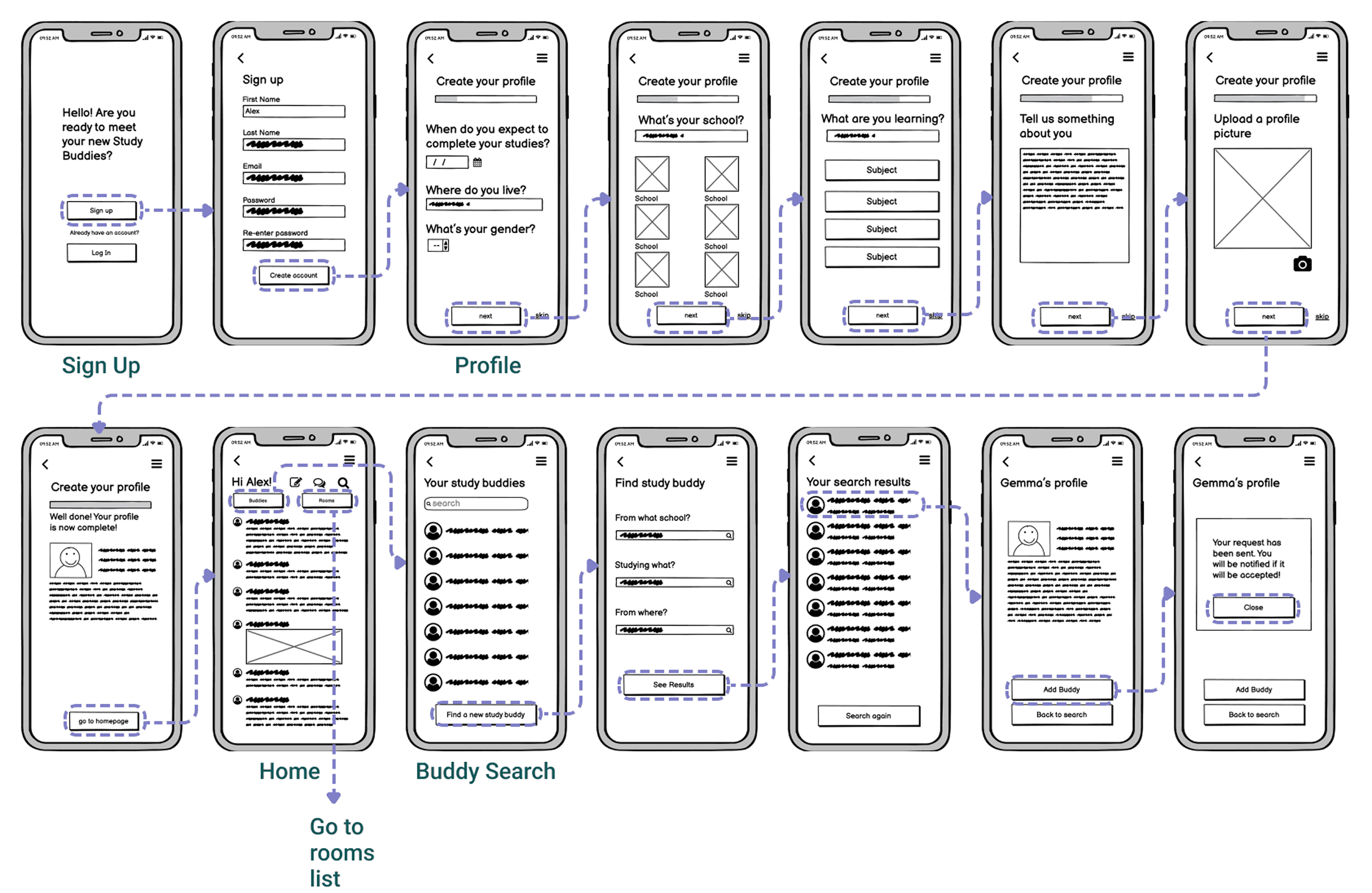
The user flows for 'Study Buddy' were designed to cater to users like Alex, a part-time retail store manager enrolled in an online course. Alex seeks to collaborate with like-minded students to complete his course quickly and gain marketable skills. The flows include steps for creating a profile, connecting with students studying the same or related subjects, and facilitating collaboration and support. Additionally, frequent users like Alex can view and share articles, videos, images, and other files, as well as write posts for other students to read, promoting knowledge sharing.
Wireframes
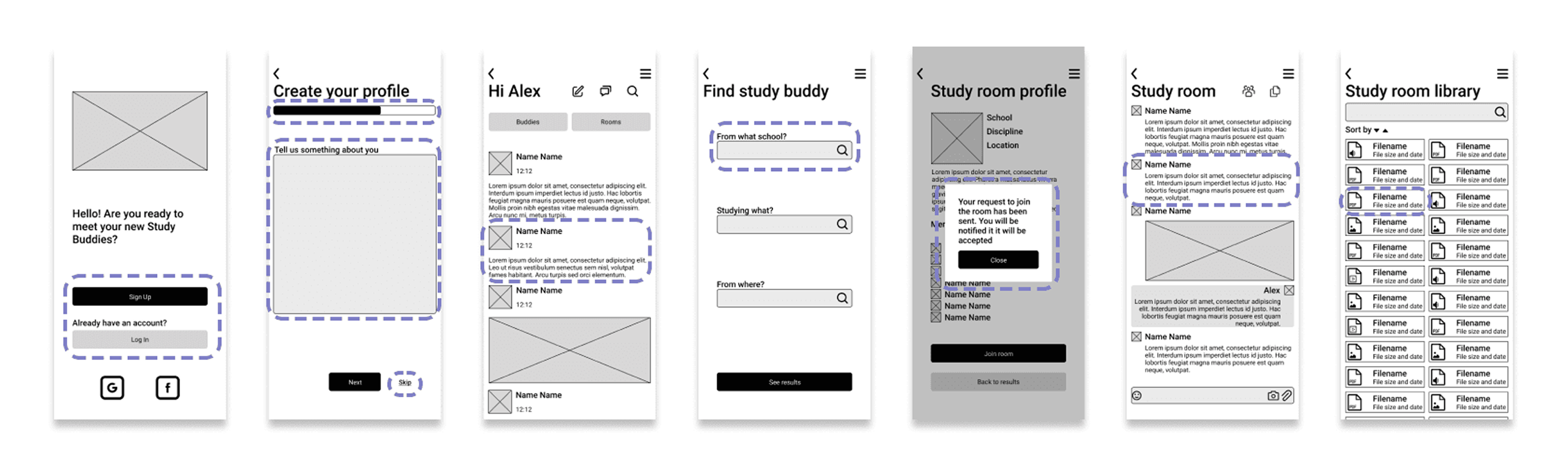
After establishing the initial user flows, the project transitioned into the wireframing phase. Here, the focus was on translating the conceptual diagrams into tangible designs that reflected the intended user interactions and functionalities. Low-fidelity wireframes provided a basic skeletal structure, outlining the layout and placement of key elements. Subsequently, mid-fidelity wireframes added more detail, incorporating specific interface components and interactions. This iterative process ensured that the design evolved cohesively, aligning with the project's goals and user requirements.
Low fidelity
Mid fidelity
Moodboard
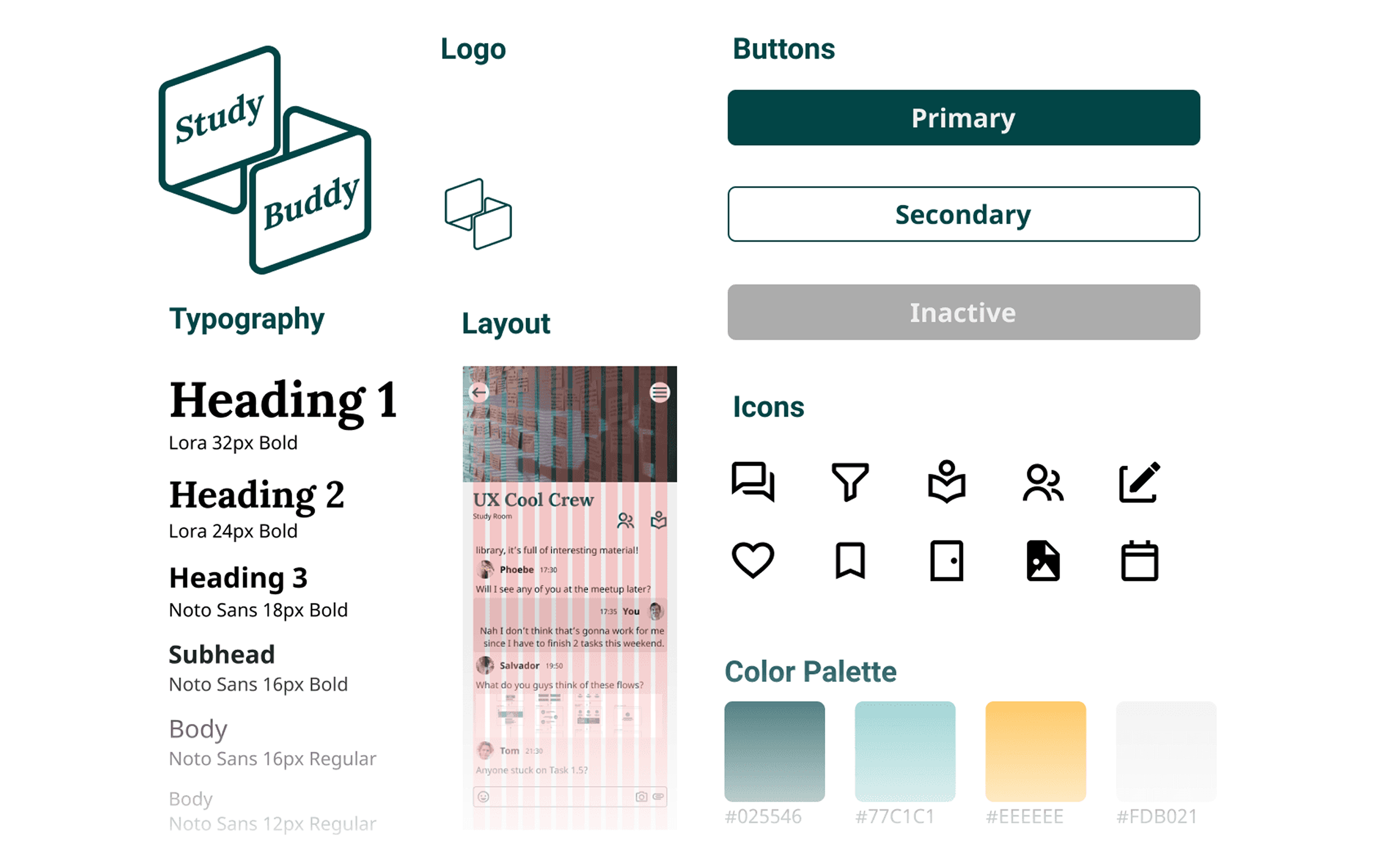
As outlined in the project's briefing, the aim is to evoke a sense of friendliness, warmth, and reassurance, with a specific emphasis on using the color green. This directive guided the development of the moodboard, which sought to create an atmosphere of calming reassurance infused with an academic undertone. The curated collection of images, colors, and textures aims to strike a balance between approachability and professionalism, ensuring that users feel welcomed and encouraged in their academic endeavors.

Design guide
Building upon the moodboard's direction, the design guide was developed to define key elements such as fonts, colors, icons, and a logo. These choices were carefully curated to convey the desired message and evoke the feelings established by the moodboard. The design guide serves as a comprehensive resource to ensure consistency and coherence across all aspects of the user interface.
Full Design Guide Pdf
Animations

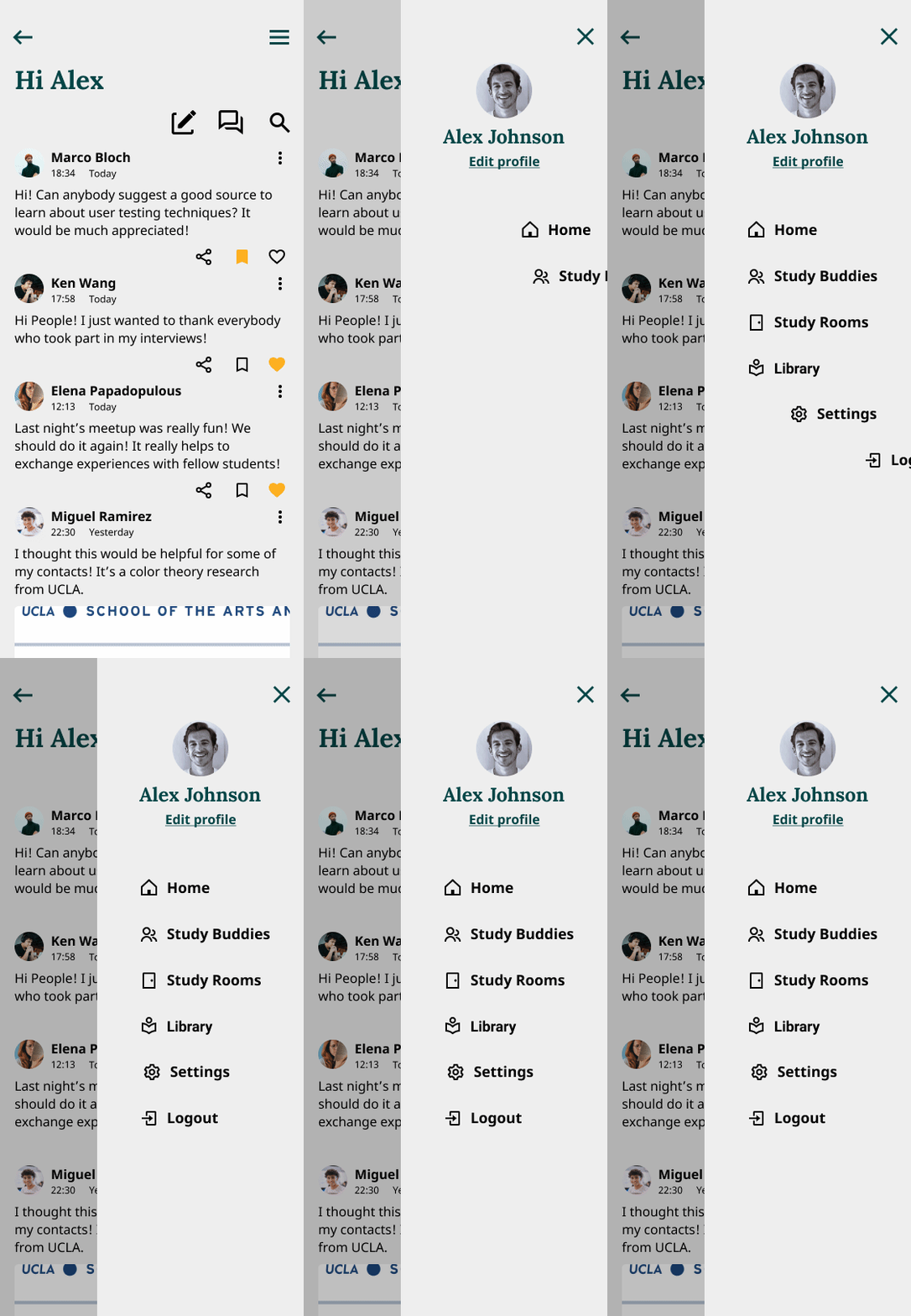
Final mockups


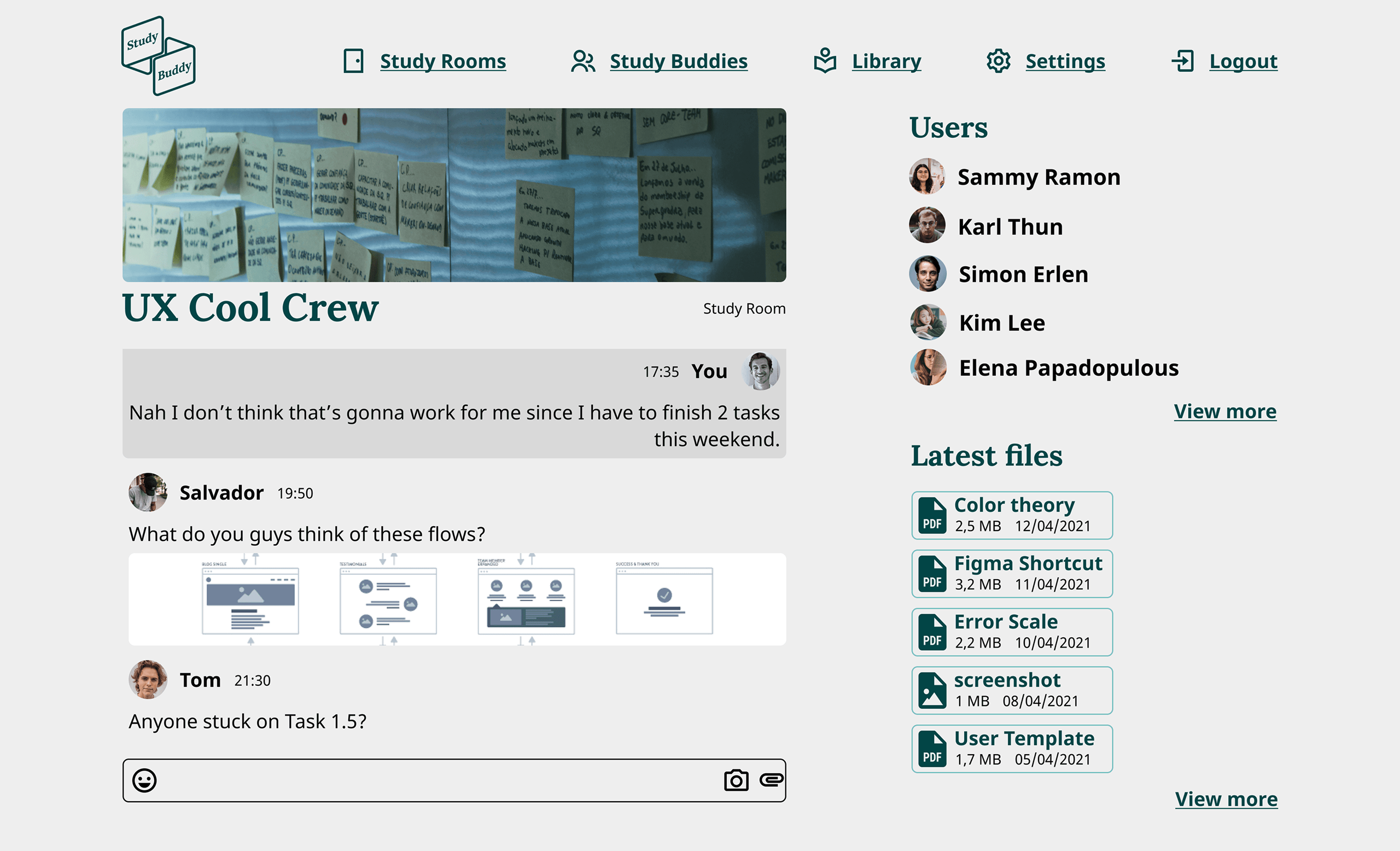
Prototype
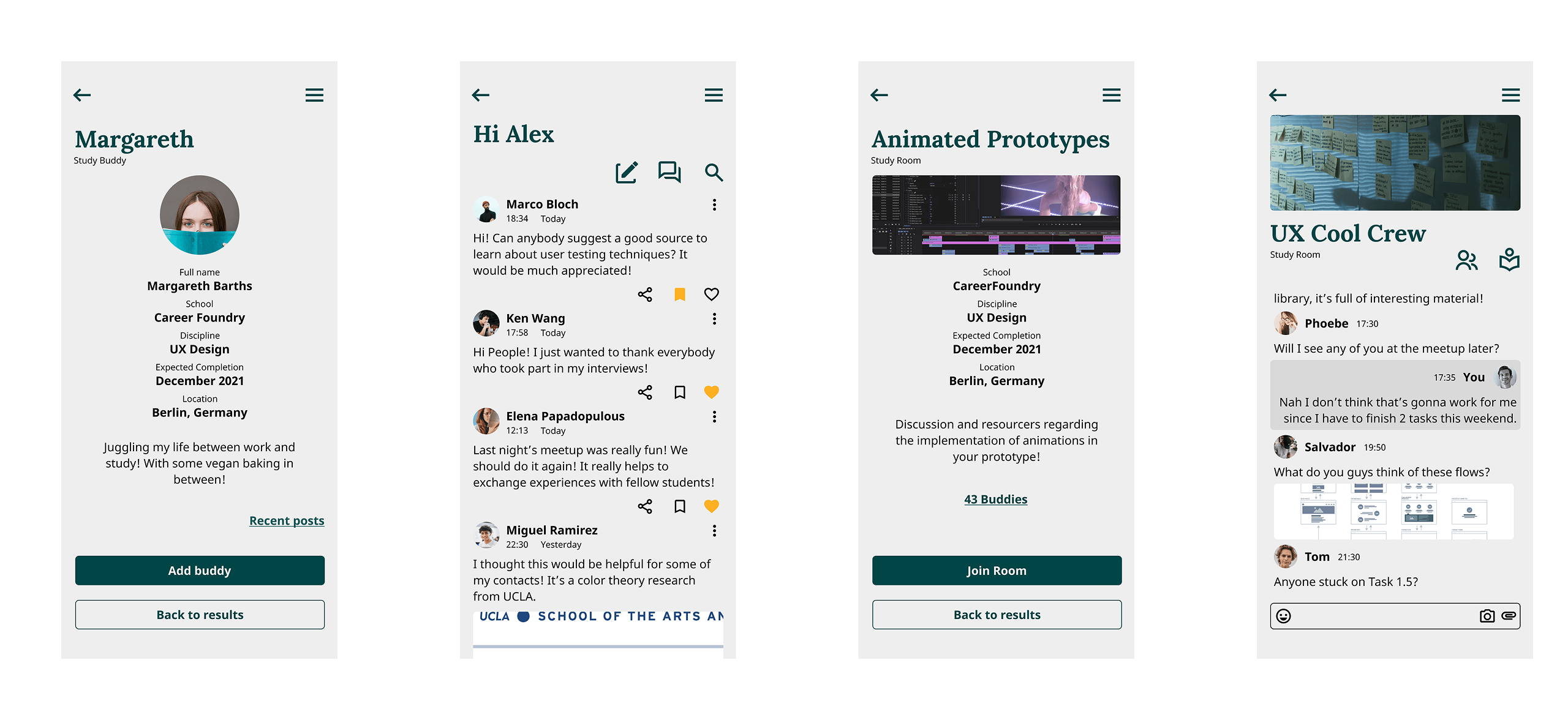
Sign up and explore the app in the prototype by clicking on the button below.
Learnings
In this project, I ventured into the realm of UI design, marking a pivotal moment in my journey toward mastering the intricacies of user interface design. "Study Buddy" provided a hands-on opportunity to delve into the principles of UI design, from crafting visually appealing layouts to selecting cohesive color palettes and typography. Through this experience, I acquired a deeper understanding of the nuances of UI design, honing my skills in creating interfaces that are both aesthetically pleasing and intuitively navigable. This project served as a valuable stepping stone in my ongoing quest to excel in the field of UI design.
Thank you for reading all the way to the end! If you want to know more or you would like to chat click on the button to the right and get in touch.
contacts
Get in touch:
impressum
Impressum
Publisher and developer
Fabio Di Cecca Barcelona, Spain
Contact
Email: fabiodicecca@gmail.com
Website: fabiodicec.ca
This website operates as a personal digital portfolio and showcase.
credits
Colophon & Credits
This digital portfolio was designed and coded from the ground up in Barcelona. The site architecture relies on Astro for lightweight, highly optimized static generation. All interactive WebGL environments and 3D canvases are built and rendered using Three.js.
Typography across the site features a ZX Spectrum inspired font, utilized under a Freeware license, paying homage to early computing aesthetics.
The site is hosted and deployed via GitHub Pages.
3D Assets
- "ViewSonic CRT Monitor" by Moomo0802 — licensed under CC BY 4.0. Geometry and textures optimized for web performance.
- "Anatomical Eye Ball" by assetfactory — Sketchfab Free Standard License.
Third-party code libraries and tools used in the creation of this site are open-source; their respective licenses are included within the project repository.